Footage Denoising
Greetings all!
Lately I've been doing some VFX tests and planned to make a common production process, which is Denoising a footage so that I can get two outputs:
1-. Denoised footage
2-. The noise itself
When integrating CG on footage, adding the original noise back on top, helps quite a bit ( mainly in High Definition ). Right until now I never wonder how that process was made in Blender. I couldn't find anyway to make it and all the info online seems to be about "render Denoising for Cycles", which is completely unrelated to what I am looking for.
Just in case I'm not exolaining myself clearly I share these examples:
taukeke.com/2014/10/denoise-footage/ learn.foundry.com/nuke/8.0/content/user_guide/denoise/removing_noise_denoise.html learn.foundry.com/nuke/content/comp_environment/denoise/analyzing_removing_noise.html
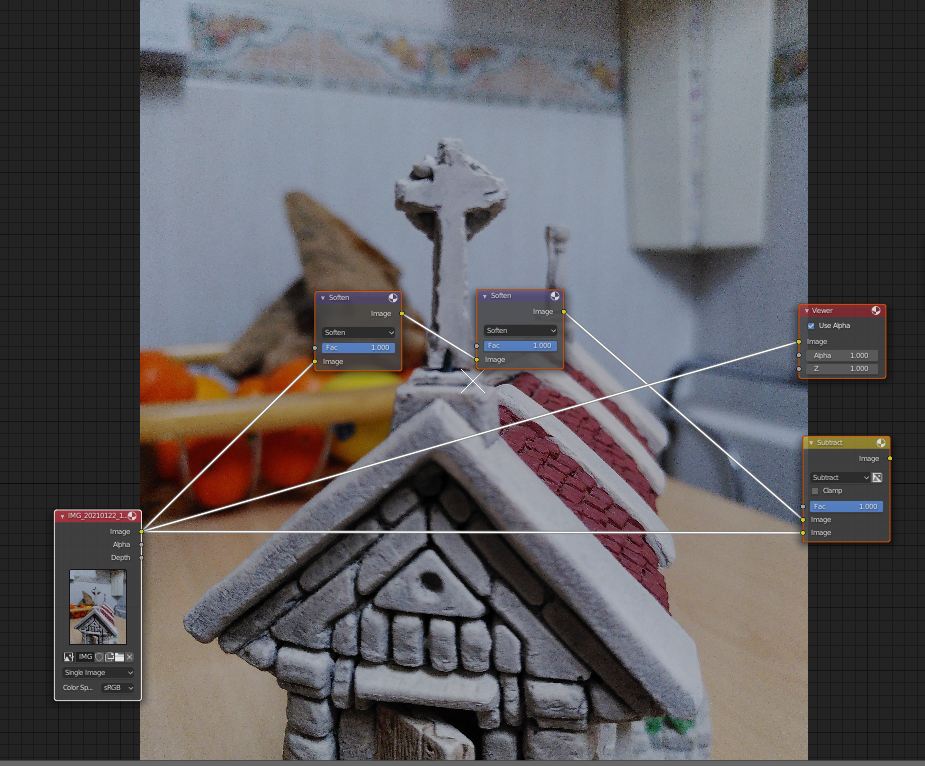
I found an "awfull" workaround by adding several "filter" nodes with "soften" selected. Then I substract the "denoised" to the original footage to isolate the noise. It might do the job in some cases but it doesn't work with the Noise itself. Here some screenshots:
Is there any proper way to accomplished this? If not is there any plan to implement it? I could also do it in Natron, but seems to be discontinued and I find it a bit annoying having to install a full software for only one feature I need to use.
Thanks in advance and have great day!!!