
Rotate edge in Quads without Triangles?
I hope people don't look down at me, I saw two threads that ended without answers.
I know the current way out is "Ctrl+T" > "Ctrl+F" > "Rotate Edge", which works "perfectly" but...
Before "getting good" at Blender I was taught (by the internet) to always use Quads, mainly for the "Ctrl+R" cut thing and Subdivision, and IMHO, I do love Quads, I like to have my model as Quads from start to finish, at the end I turn it into triangles if needed (game engines) I may sound like a noob, but I hate to unwrap textures with triangles. I am even using more polygons in order to avoid the need of triangles (this really seems dumb and I should quit it)
It is happening often now, I wonder if I'm getting bad instead, I rarelly had this problem, I'm just starting a model and it poped out, I spent too much time trying to fix it, I'll model the body first then.
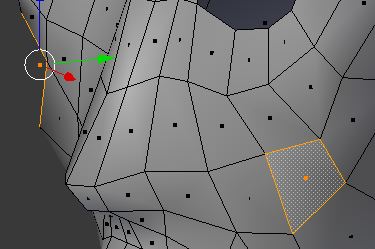
2 Comments
There is no real reason to avoid triangles like the plague unless you plan on applying subdivision surfaces or you plan on sculpting/subdividing the mesh. Quads can make some things easier to work with, sure, but there are times when you really need to manually control the flow of the geometry, and a triangle will do that. Fact is: all quads are converted to triangles by the engine (whether it be games or the renderer), so in cases where a quad is kind of folded, YOU want to make the decision as to how that quad should be divided into tris (by doing it manually).
* @joe * I usually like to set subdivision surfaces, I use them for renders only, not for realtime animations. I knew that fact (I saw that Unity for some reason have a tab that says "keep the quads") well, it seems like there isn't another way around, do you know why it looks like this? i.postimg.cc/Y2ThcJKy/wtf2.jpg is that same cursed quad, even after triangulate and fix the edges properly, one of the triangles keeps that "shade"