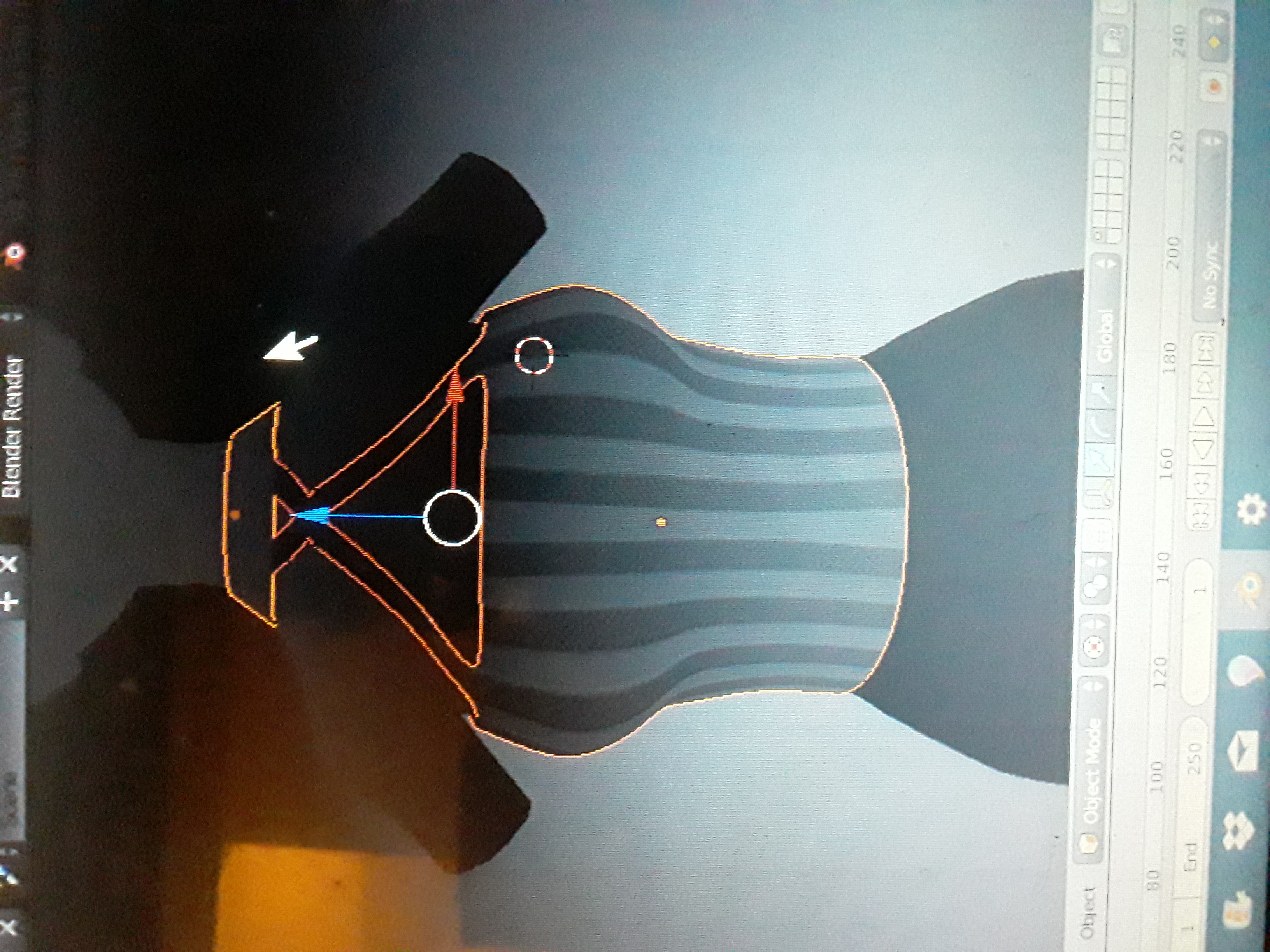
Problems selecting multiple objects
Hi Blender community.
Ive been learning and practicing blender 2.79 for a few months now, and I even finished a hat with textures, and exported it to MMD...
The point is that everything was ok.
But a week ago, I finished my second project, and when I select the first object (the shirt), the edgeline turns orange as usual, but when I select the second object (the neck/collar), the first selected object turns dark orange.
First I thought it was not important, but that is not letting me do the export...
I also tried several times with another single object, but when I make the plugin steps, this generates a Bone, and when I select that Bone and the object, the same thing happens, the first selected thing turns Dark orange, and this doesn't let me export.
I don't know what else to do, since I wasn't having that problem before.
I can't find any tutorial with a solution, and I already asked in other communities, but no one haven't answer yet.
If you guys know something about this, please let me know as soon as possible, thanks.