
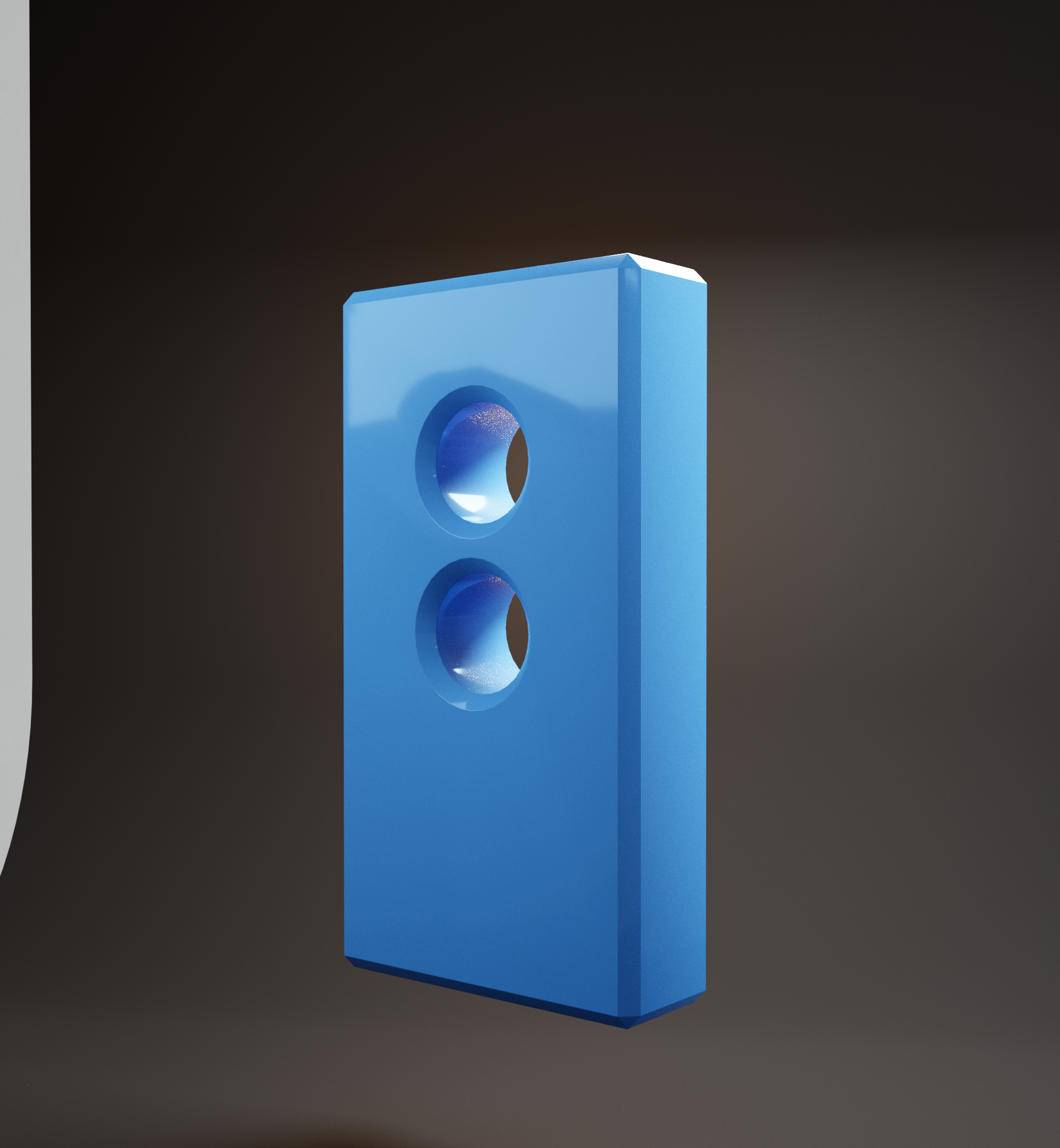
Can someone please help me achieve this basic render in luxcore using cycles? (Catching the essential gradient shading paths) .
Hello guys. I would like to ask for help on how to achieve this basic render I got from luxcore render. There are just some critical things that I would like to achieve. One of them is the realistic subtle gradient shading effects and the soft edges that are captures. Any ways possible please, no need to show me how to do it specifically but atleast I would know that this is possible using post processing.
Currently I don't know how to achieve this effects in post process. I have tried all the techniques and effects I know but it can only go a long way, the result is still different. I can't find a way t ocopy the appearance where is hard surface but the gradient shading are realistic and right where it supposed to be.
This is the basic luxcore render I made: 512 samples/ no denoiser

If you guys are interested, I have uploaded the blend file, roughness texture and the hdri. Thanks. gofile.io/
3 Comments
In looking at the scene, a couple of things pop out: First, the Luxcore renderer is treating the normals on the object completely differently than Cycles. To achieve that same "edge softness" in Cycles, you have to delete the custom normals data and shut off Auto Smooth. This will give that same arch over the top hole and make the edges look more rounded.
The next thing is that the lights are really "hot". To get close to the same look, I had to adjust the color and bring the lights down a bit. Cycles also did a better job with the plaster image piped into the Roughness of a standard shader (using a Color Ramp for tuning).
It also seems like the Luxcore render is a bit more neutral in regards to contrast - which you can adjust up and down in Cycles under the Render Settings>Color Management>Look
You can download some example images and my modified version of your project file here: dropbox.com/s/ha7scoyo9bfxxwe/sample1%20Joe.rar
* @joe * Thanks man. I appreciate the inputs. I will try to look in to these things.
When you say custom normals data, does it mean I will have to delete edge split modifier or any modifers that alters the normals including the custom split normals data? I am not to familiar with what to delete. Thanks.