
Need help rendering animation files.
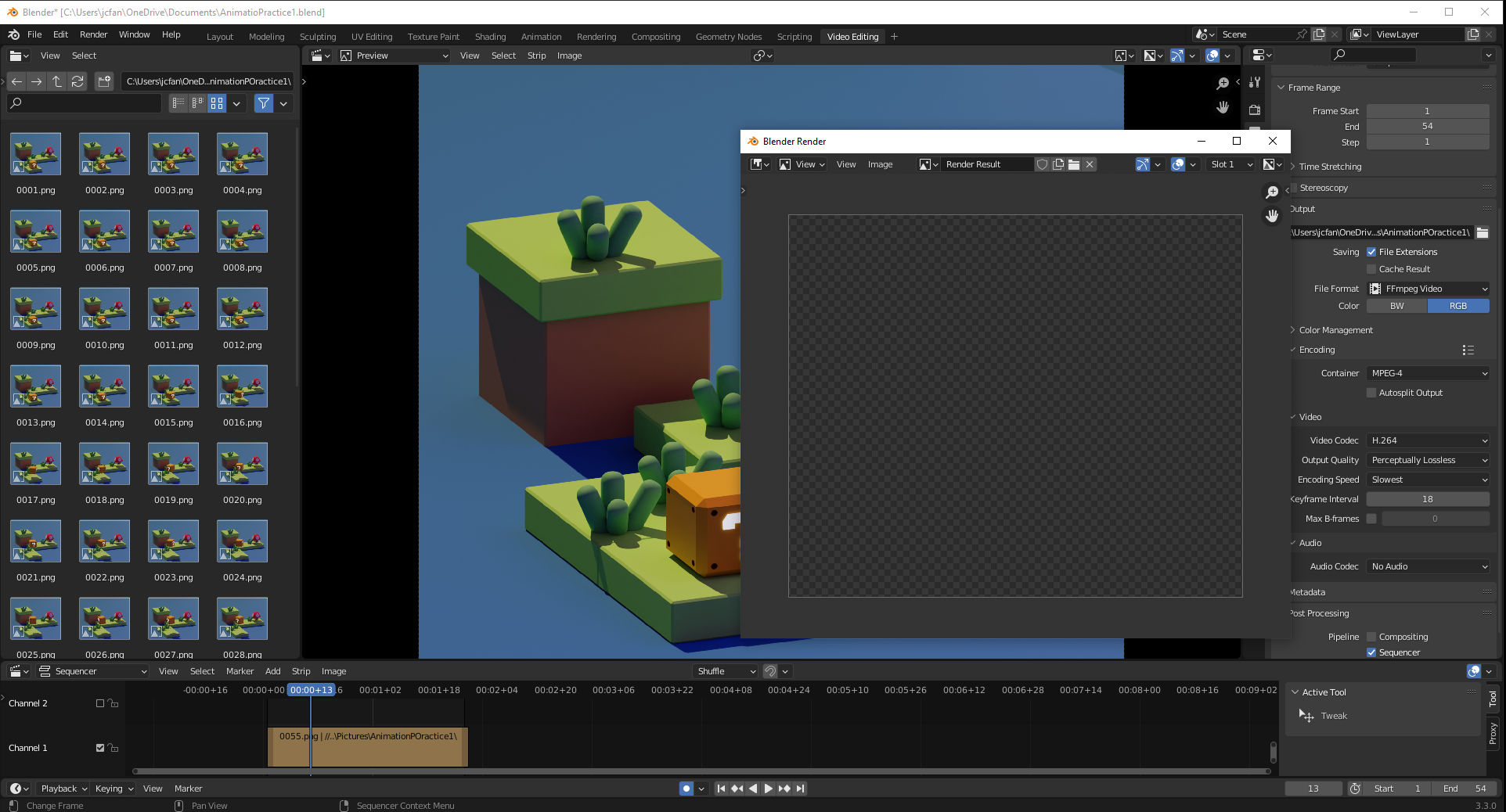
I rendered each frame as a PNG, input the PNGs into the video editor, Changed the output to ffmpeg video, changed the encoding type to mpeg4, set the video codec to H.264, changed the processing type to Sequence only, checked everything to make sure it was animating properly in the editor and the Rendering tabs. They both work fine. I pressed Ctrl + f12 to render it and it's just a blank screen. No loading time, no indication it's working. Nothing. As you can see my start is at 1, the finish is at 54 (one short of the final animation panel to give it a smooth animation finish), The steps are set to 1. I have googled and followed every guide and video I can find. I'm at my wits' end.
2 Comments
Check the Compositing section of the Strip tab in the VSE with your strip selected. What's the Opacity of the strip, and what's the Blend mode? Set the Blend mode to Replace, the Opacity to 1 and, unless your image sequence files have empty alpha channels, the strip should be rendered correctly.
Hmmm - what you're seeing there in the "final" render looks like Blender is calculating an alpha channel. Are you using the compositor? If so, perhaps uncheck the "Use Alpha" checkboxes on the output(?) I just did a test with a folder of PNG's and didn't see any issues. Perhaps your PNG's are formatted strangely, or, you are somehow considering an alpha channel somewhere (is "Transparent" checked under the "Film" tab in the Render Settings?