
How can this be done quickly ?
Good morning: Does anyone know how to do this quickly, so that it is modified automatically? Thanks greetings.
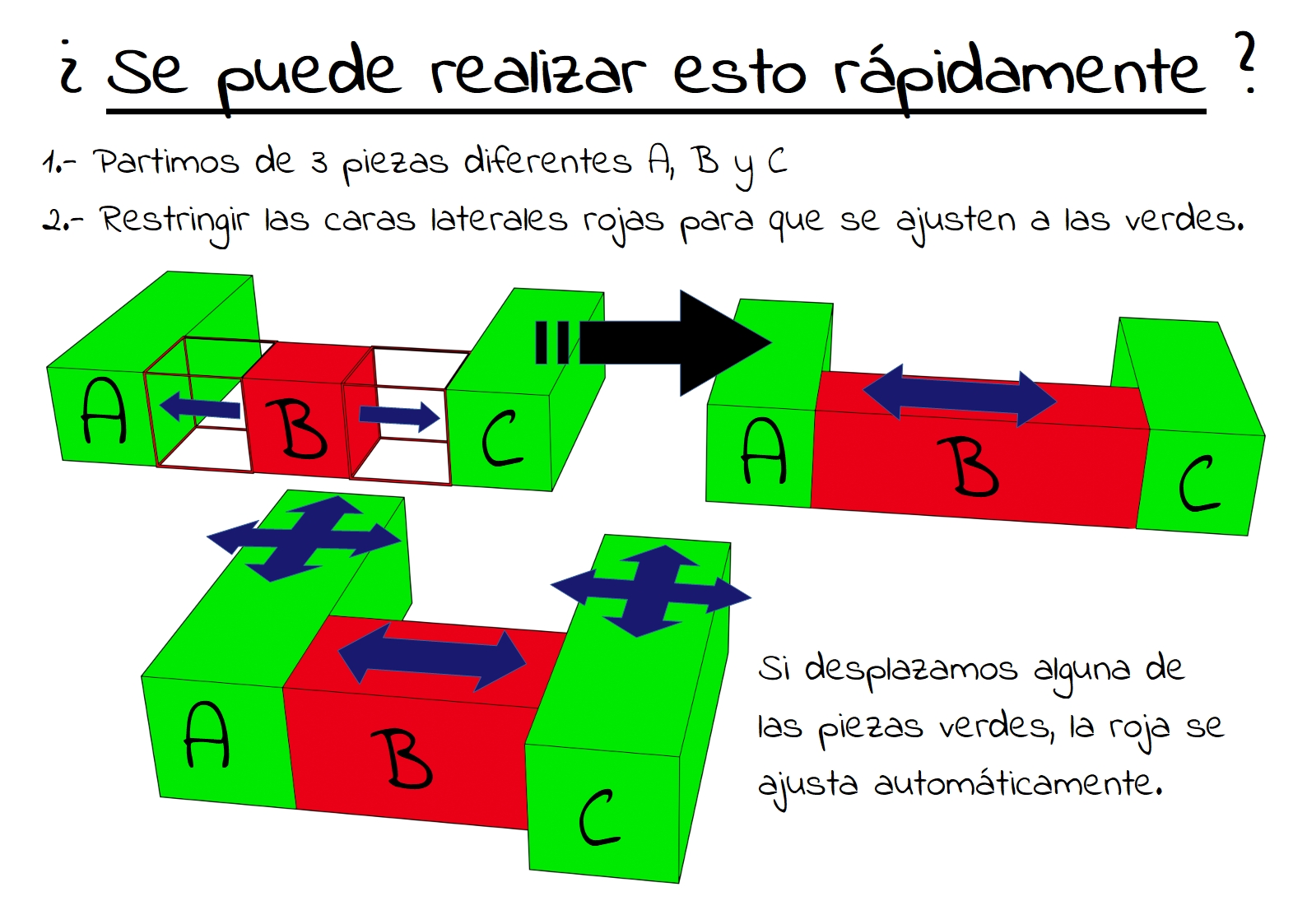
1.- We start with 3 different pieces A, B, C | 2.- Constrain the red side faces to fit the green ones | 3.- If we move any of the green pieces, the red one is adjusted automatically.
8 Comments
you can use the animation nodes addon by Jacques Luke to achieve what you want. I send you a link to a blend file I made in blender 2.90. Of course, You need to install the addon before. I hope this is what you are looking for.
drive.google.com/file/d/1eYxutTLW5Ir9ayQoyZUrZeO6OiOfttdj/view
* @vincentgauchet * It's what I wanted, but it should be easier. Thank you.
Yes, in Blender this can be made in very easy way with hook on face of cube B and some constrain. One other user already ask for this in past week in blender.chat support channel, i shared there one file as proof of concept
Just constraints, if you ask me...
The first thing I have tried has been through the restrictions, but I am not getting what I want to achieve. If this option is available in Software such as Inventor or FreeCAD, it is possible to make restrictions easily between Face-Face, Axis-Circle, Edge-Edge, etc. {attachment restriccionesjpg} I remember when I was using Inventor that their Part Assembly Restrictions was very handy {attachment Restricciones_Inventorjpg} FreeCAD also has a very similar module to facilitate the Assembly of parts and their Restriction. Of course, these Software are Parametric ...
* @Jose Ribas | Blog DissenyProducte * First, set the face touching the objects like you want it to. Then select both B and A, go in edit mode, select the face on B that you want to hook to A, press ctrl+h, click Hook to selected object. Repeat for B and C and it should work like you want.
{attachment Capture_dcran_2020-09-21_152103png}
* @pat.chenard * this is not working as request, he need use Empty to
notdistort box B when box A or box C are moved in parallel (in you image Y axis) as in image of jose* @NiCapp * True, I didn't understood it like that. Yeah using a constrained empty would then be the way to go!