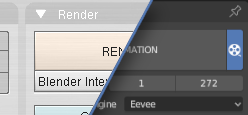
RENDER BUTTON & CAMERA MANAGER For Blender 2.80 - [UPDATE 12/06/2019]
[UPDATE 12/06/2019] : Render Button & Camera manager v0.2.1
WHAT'S NEW:
CAMERA MANAGER:
- Ability to define custom resolution per camera
- Option to render all Camera in same time (with and without timeline marker in same time)
- Option to only render cameras with a Timeline Marker
- Ability to add and remove "Track To" Constraint with same button
- Ability to add and Remove Timeline Marker with same button
- Some changes in ui layout
RENDER BUTTON TAB:
- New preset menu in Dimensions panel header
- Opengl rendering buttons, moved in the header of the render button tab
- Some changes in ui layout
CAUTIONS:
Make sure the cameras are not in a hidden, deactivated or not selectable collection
Make sure the cameras are not hidden, deactivated or not selectable
Render all cameras & Render markers use Output Settings in PROPERTIES > Output to store the rendered images.
"RENDER IMAGE" button, in 3D VIEW TAB & PROPERTIES panel, override built in function , to allow render with custom resolution and render cameras with and without Time line Marker, in same time
"RENDER IMAGE" in the render menu and the F12 shortcut are not changed, they use the built-in function, so they ignore the custom resolution and the ability to mixe cameras, with and without Timeline Marker, in same scene.

Download link and more on BlenderArtist forum:
blenderartists.org/t/render-button-camera-manager-for-blender-2-80-update-12-06-2019/1159414
happy blending!