
Hot tip: Render elements to separate named folders
I'm sure this is under the blender documentation somewhere. But couldn't find an answer online to organising render output after looking for a while, so reposting here.
If you want to organise your render passes into separate subfolders, all you need to do is add a " <folder name> / <pass name> " in the File Subpath area of the file output node options under the node tab on the side of the compositing window. (e.g. "Alpha/Alpha_" will output Alpha_0000.exr in its own alpha folder. Any folders will be automatically created.
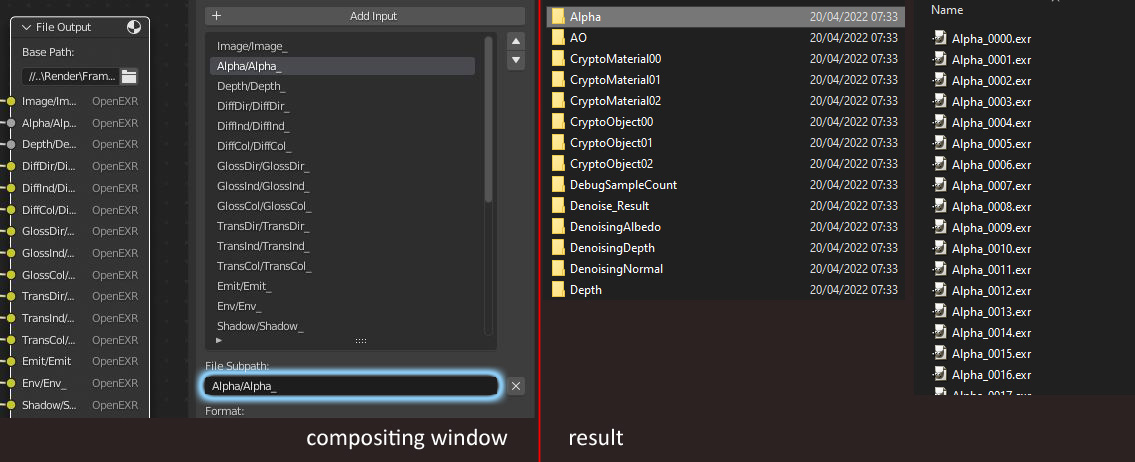 Perfect for organising specific passes to be imported back into a compositing program without the heaftyness of loading a multilayer .exr sequence.
1 Comment
This is super useful! Thanks a lot! Also thanks for not turning this into a 4 minute tutorial video like everybody else does :)