
Deaf --> MoCap --> Avatar
Hello everyone!
I'm trying to make an avatar move from physically deaf people through the direct camera (or also from the video), with any software, paid if necessary, or free is also fine.
For example, from Blender, I have done the motion capture (mocap) with the "PosePipe" plugin, the points of the face, body and hands come out well. But I can't associate the avatar or RIG, I don't know what is missing to get it right. See the following photo:
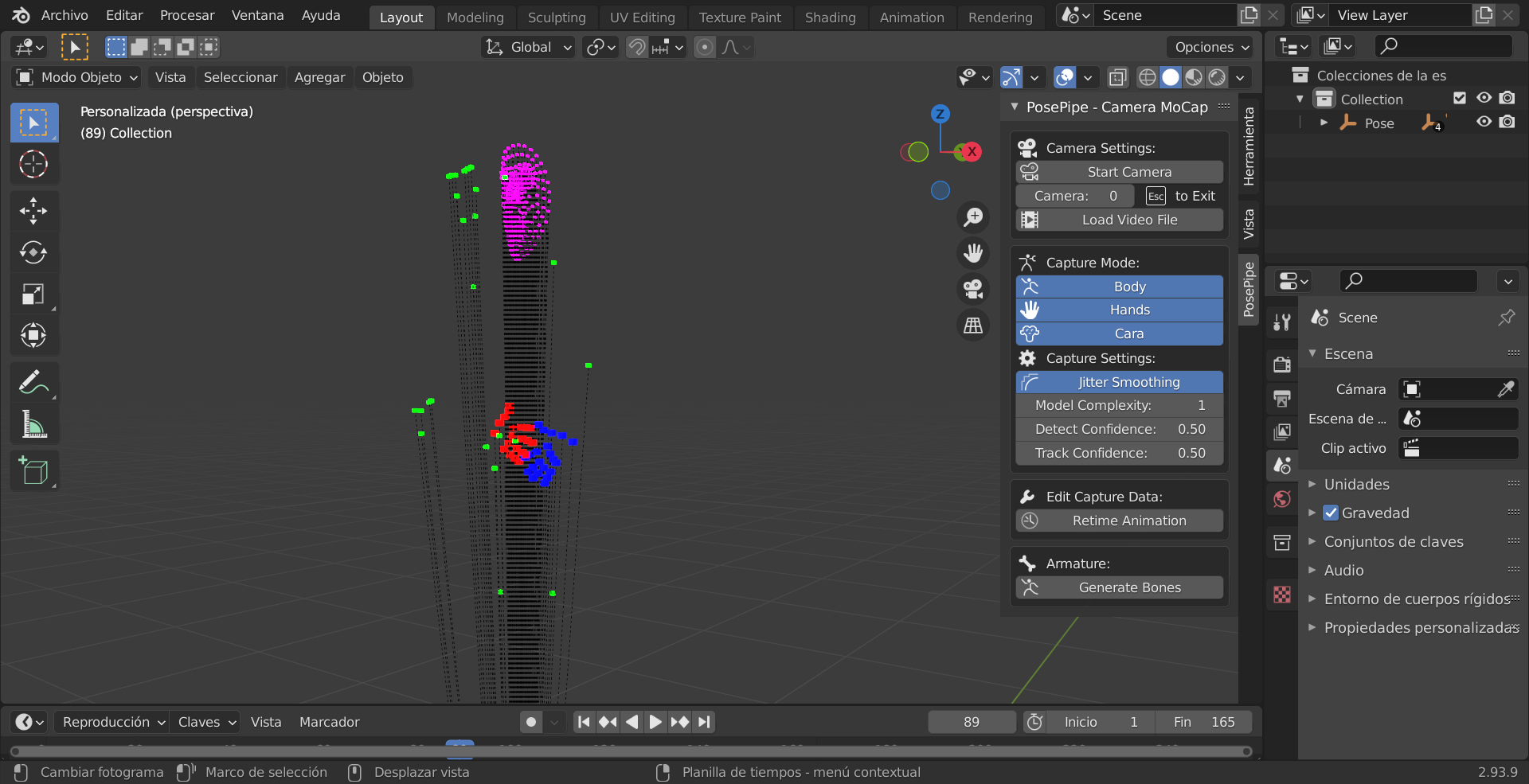
I don't know if I've done it right.
I would like to know all the steps to get an avatar with the same movement of body, face and hands at the same time of deaf people with Spanish sign language, with vocalized lips and also forms of expression of appearance, the same with body communication, in the video at the end.
For example,
Step 1 “Input”: Through the video file, and also from the direct camera
Step 2 “Generate”: MoCap and Avatar (or something else)
Step 3 “Output”: Video with the avatar where you can move as the motion capture (mocap)
“Operating System”: Windows (Option: macOS)
I do not know if I explain myself well, I am very sorry for my written expression. I perfectly recognize that I have limitations and I cannot express myself completely clearly because I am a deaf person. If you have any questions, tell me to clarify little by little.
I hope your help.
Anyway, you can add some related links as well.
Thank you very much, LuisFer
1 Comment
Hello!!
The "Generate bones" button works perfectly.
We simply need to create other new scene, then yes.
It's a little weird, but hey, it's a little trick to get it right. So you would let know it.
We close issue, it is solved.
Thank you 😃 LuisFer