
properties tab toggle
I have basically 3 suggestions for better productivity
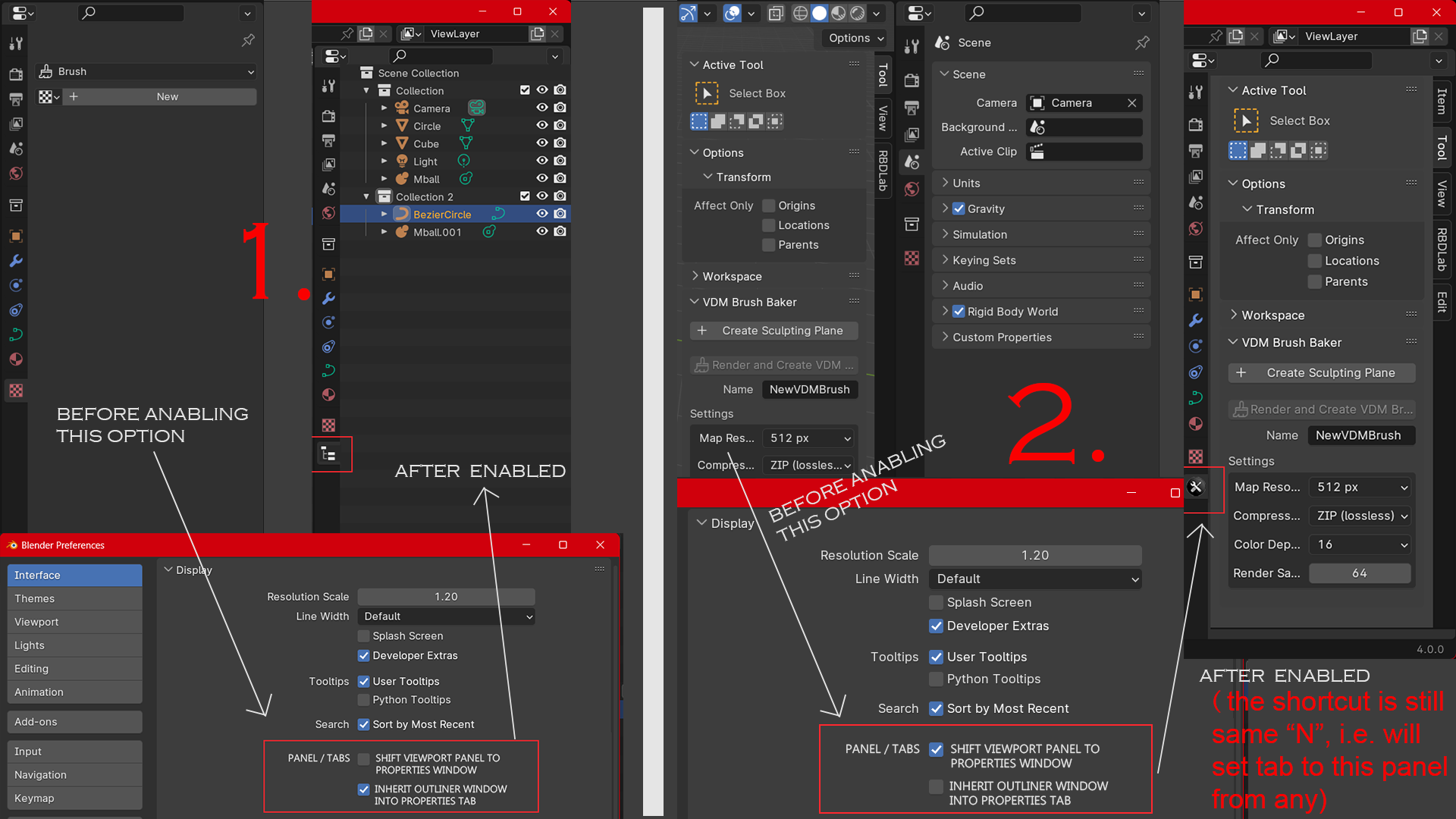
- as suggested in below image.
but why? because i think by default blender open with a small window for outliner which isn't sufficient as scene grows, also outliner need more of a vertical tab/space
-
reason for 2nd edit suggest is because properties tab already takes 15-20% area of the screen and when "n" panel is open it takes extra 10-20% area of 3d viewport, think about people working on small screen or laptop, also toggling panel more frequently isn't more convenient
-
alternatively there should be a hotkey to toggle properties editor (or doesn't matter whatever the editor space is, just toggle the panel on the right side of the screen),just like hotkey "T" for toolkit to show or hide. i know ctrl+spacebar maximize viewport which is somewhat similar but , this implementation could be more handy.
1 Comment
If merging to properties editor doesn't sound like a good idea then editor windows should have docking option, like for example we have properties tab open and if we switch it to outliner, both outliner and properties tab should dock to the window, with their respective icons on the top(similar to vertical tab icons in properties window to switch between) and a cross icon to undock when we know we won't need to switch to that editor anymore, in most of the cases we find overself switching to 2-3 editor (like in case of modelling, keep switching to shader editor, uv editor) more frequently then others (or some of them we never need for specific project) but still to switch we open list of all, yes there are shortcut like shift+f6,f7.. not convenient i guess