Customization for 3ds Max user like me
In short,
F3 wire frame mode, F4 solid wire frame mode, Alt X x-ray mode, no edge shading when select vertex and some other general adjustment.
 From Preference-Keymap-3D View-3D View (Gobal) go all the way down,

F3
Change "Toggle Shading Type" from Shift Z to F3 (default used as search).
From "Shading" change the X-Ray amount from 0.5 to 0 to get true wire frame .

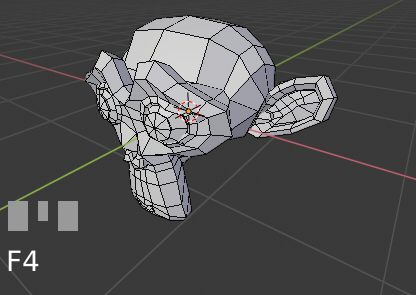
F4
Click the Add New button to add a new shortcut, type in "wm.context_toggle" and the name will change to "Context Toggle" then a box will appear at the bottom right, enter "space_data.overlay.show_wireframes" and set the short cut key to F4 (default used as file context menu).
For those who want to know, I got the code from the info window and achieved it through trial and error.

Alt X
Change "Toggle X-Ray" from Alt Z to Alt X.
No edge shading
While in edit mode, in shading under Mesh Edit Mode, uncheck the Edges option (this will shade the edges that form by the selected vertex).

Others
I prefer orbit from selected and the Global Undo sometimes magically uncheck itself and make you unable to undo in object mode.


Those are my current minor adjustment to smooth the transition from 3dsmax to blender. I figured it's worth to share, cheers!