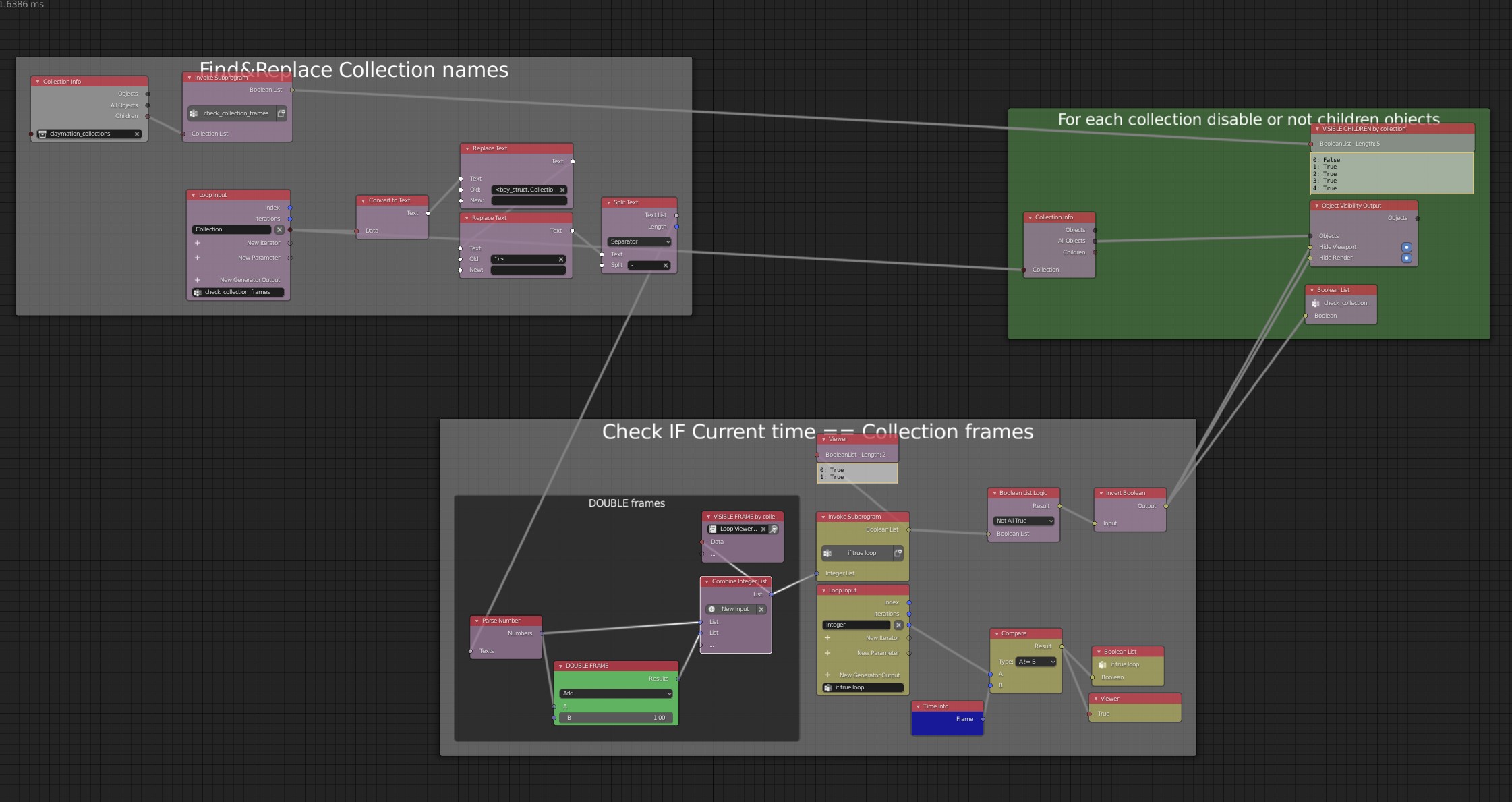
Claymation & Stop-Motion 🦾 Animation Nodes Setup
I would like to share with you my very first setup made with Animation Nodes ! I was tired of animating by hand the visibility keys of all the objects. More flexibility for more fun in animation.
Proof of work video
Blender file
Each collection corresponds to one or more frames. To make it simple you just have to enter the numbers directly in the name of the collection and the visibility will take the numbers into account!
Example:
frame_10-12-18
The objects of the collection are visible on frames
10, 12 and 18
.
Unfortunately I didn't have time to wire this setup for frames ranges like [a→b] but I let you modify the file as you wish! You can double/quadruplicate the frames directly in the node editor.

PS: I'm excited about the next KEYMESH feature which will allow to do the same thing for a single object.