
For help:Can't see the edge line in edit mode?
Problem demonstration screen recording:
Status bar screenshot:
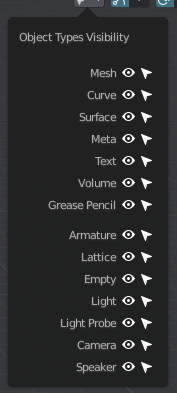
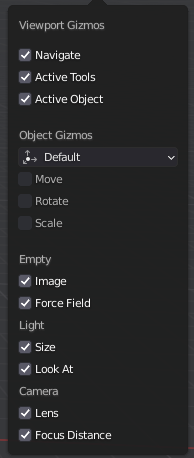
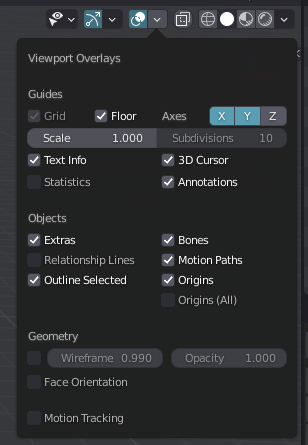
Problem Description: 1.Left click cannot select objects, box select cannot select objects.
2.If the object origin is hidden, the left button cannot select the object at all
3.If the object origin is displayed, the object can only be selected by clicking around the origin.
4.When you switch TO EDIT MODE, the dots AND faces are displayed normally. In edge mode, the edges are not displayed, but you can select and move the edges.
Hope enthusiastic netizen to help answer, where does the problem appear? Heartfelt thanks!!
6 Comments
Try press AltH in edit mode. Most probably you hide the edges by some shortcut.
I've never seen that problem. I tried to reproduce this somehow. Have you installed any addons or made any changes in preferences? The first thing I would do is uninstall all non-standard blender addons and then load the blender factory preferences. (preferences>bottom left) That should help....
One attempt failed!!
Completely uninstalled nonstandard blender addons, load the blender factory preferences and load factory settings startup file, but questions remain.
I lost all of my customizations, key Settings, interface Settings, path Settings since Blender started...
Do I have to completely uninstall all Blender installation files? Deep confusion and fear!!
Also, I tried to start another version of Blender locally and had the same problem.
hey collini,
I did not expect that you have changed or installed so many addons and settings in Blender and that this is now becoming a new problem for you.
docs.blender.org/manual/en/latest/advanced/blender_directory_layout.html
under C:\Users(your PC)\AppData\Roaming\Blender Foundation\Blender(your blender version)\config is there a file called "userpref.blend". You can make a backup of that after you have made all the changes in Blender. If you delete the original file, then everything is gone and the next time you start blender, it will load like it did the first time. If you overwrite this file with the backup file, everything should be there again... For the next time. But look at the link. I don't know what system you have and how you install Blender. Your installed addons should also be in the directory under scripts\addons. They shouldn't be lost. Hope you don't have too much work to reset everything. I'm always a bit cautious about changes in Blender. Also with new addons. They quickly overwrite the shortcuts you are used to. However. I then have no idea for the problem. Mainly because it seems to have worked before. I bet it has something to do with some addon. Don't think that you can adjust your graphics settings or anything in the system in such a way that this phenomenon occurs. In the event of the problem, I would delete or uninstall everything that concerns Blender (installation and the directories under (see above) and completely freshly install Blender again. After I have backed up everything. But of course I cannot guarantee that it will work then. I hope you get it solved and good luck.
Thank you Fred!
After numerous attempts, the problem has now been solved. But I had to re-set these customization options and Settings because I completely reloaded BLENDER before I found the real solution.
Here's the question, share it with all your other friends who may have this problem in the future!! The presets in the NIVIDA Settings on my local computer caused this problem. When I tried to change the presets, the magic border appeared and everything went back to normal, which was completely unexpected. To make sure it was really the NIVIDA Settings, I recreated the glitch by changing the NIVIDA preset, so that's the real cause of this bizarre glitch.
Thank you again, Fred, for your kind answer. Your passion has made the world a better place. Here's a heartfelt thank you from a Chinese netizen !!!!
OK. cool !:) sorry about loosing your customizations and the work. Didn't think it was due to system settings or nvidia settings. I just completely changed all custom "presets" and blender settings in the nvida settings to see what happens. I can't reproduce the problem. I can still remember that there used to be a problem with selecting and so on. But hey.. that really was a really really long time ago. I seem to remember that it had something to do with Viewport opengl 3D display in Blender or whatever..... Maybe it's a mix of the nvida settings, graphics driver version and the "GPU depht picking" option in Blender that caused the problem...anyway..no idea. Nice that everything is fine again. Greetings from a European netizen.