
Tips for Faster Rendering
I have recently realized that one of the most asked question about Blender here is how to reduce the rendering times. As most of our users face the similar difficulties we have created a guide to reduce rendering times in Blender and here are some of the most useful tips:
Firstly you can try disabling the shadows as they are not too fundamental for your work most of the time, but disabling them would make a great difference on your rendering times.
After that, you can just go to the Samples tab in Blender, and check the “Adaptive Sampling” checkbox this way your sample sizes for complex scenes will be reduced which will enable you to render faster.
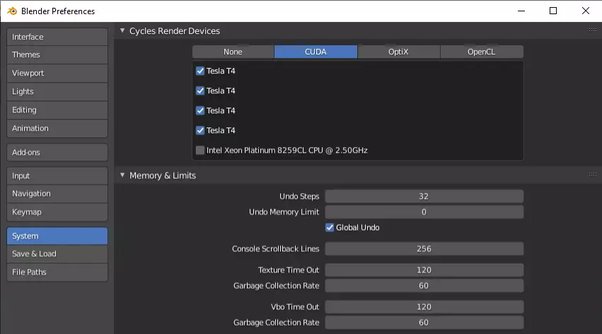
Finally, you need to switch to GPU rendering, as it is -unlike CPU- able to process the instructions of many cores from start to finish at the same time.
Even though you have completed all these steps, and still having hard time with the rendering process, you can check out our other suggestions in the guide:
vagon.io/blog/complete-guide-for-reducing-rendering-times-at-Blender/
1 Comment
Hi yagmur, I would like to know what "our users" means?? Then you wrote "Firstly you can try disabling the shadows as they are not too fundamental for your work most of the time, but disabling them would make a great difference on your rendering times." I dont understand you. Do you mean a Picture without shadows is the next step in fast renderings? I mean if I would, I could beat your statement here I could recommend to use emission shaders or open gl or viewport renderings or pbr rendering without textures or fake lighting.. whatever.. Don`t understand.