
Edit and Object mode not the same
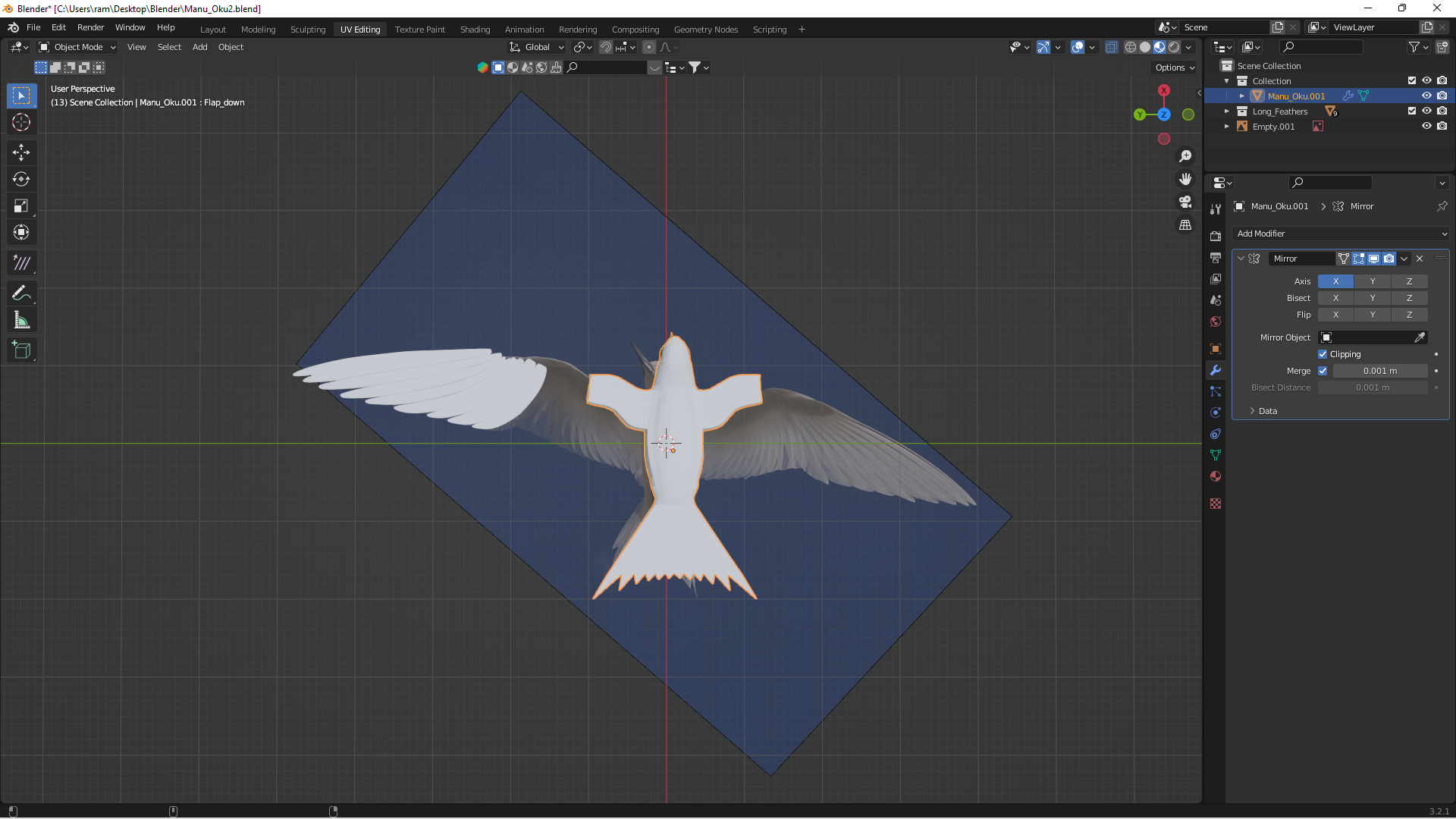
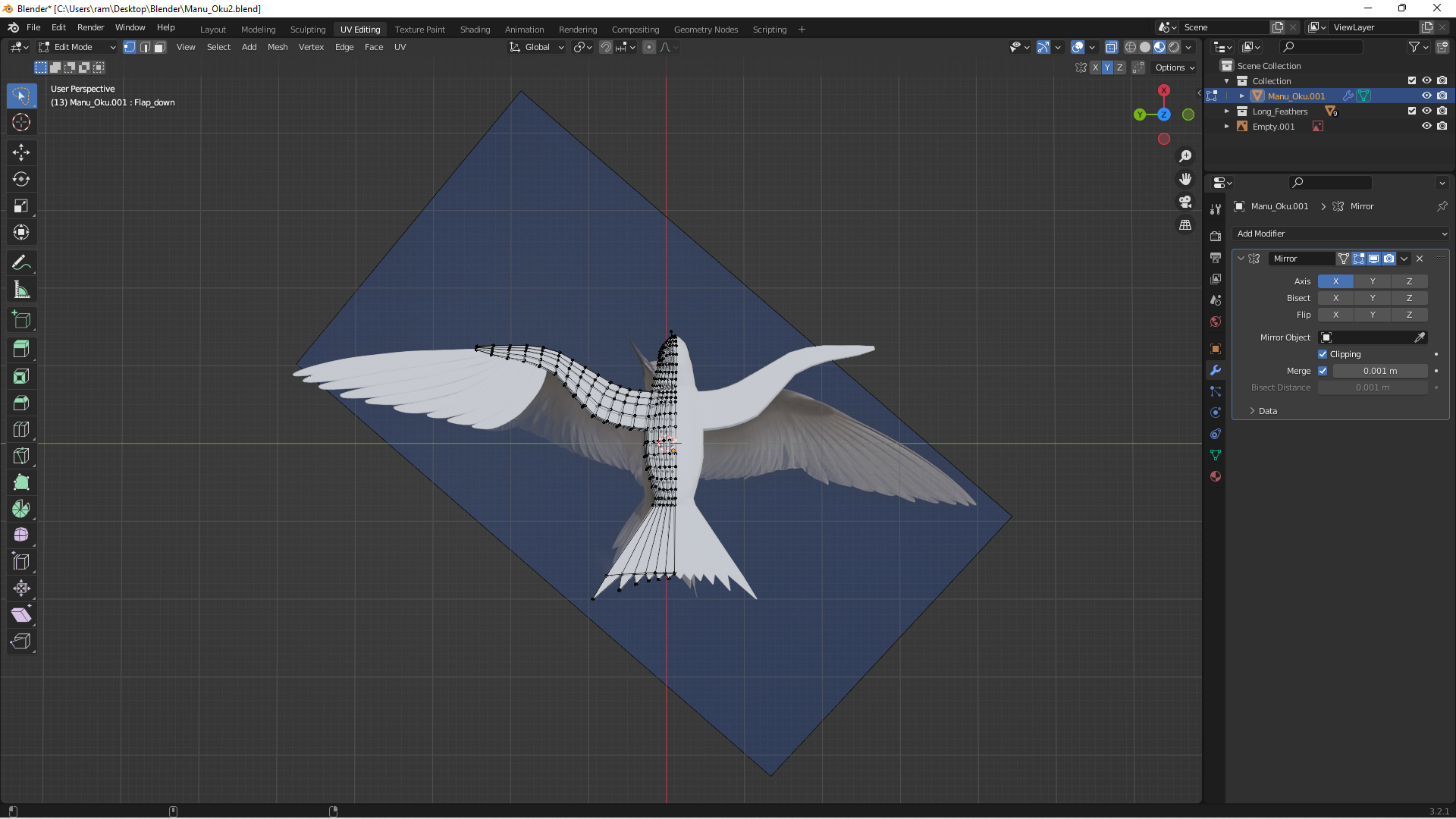
I know this topic has been discussed many times before, but my issue is different. At least I think so. I have an object I am building - a bird. I have extruded the base of the wing from the body and am building the flight feathers around it. But after closing the file last night and re-opening it tonight, the model is not behaving correctly. The top image is in object mode and the bottom in edit mode. The only modifier is a mirror. The wing shortens in object mode but the body does not change at all! I cannot repair it because it returns to its correct shape in edit mode. I am completely stumped. Yes, I am a newbie so I hope the solutions is an easy one. I would rather be embarrassed than have stumbled on a bug.
3 Comments
I still do not understand why this is happening, but I did figure out a workaround. Instead of extruding the wing out of the body I just built it as a separate object and then joined it to the body using bridge edge loops. This worked ok, just took a bit longer.
Try pressing alt+h in edit mode
Thank you. I did read where this works in some instances, but not in this one.