
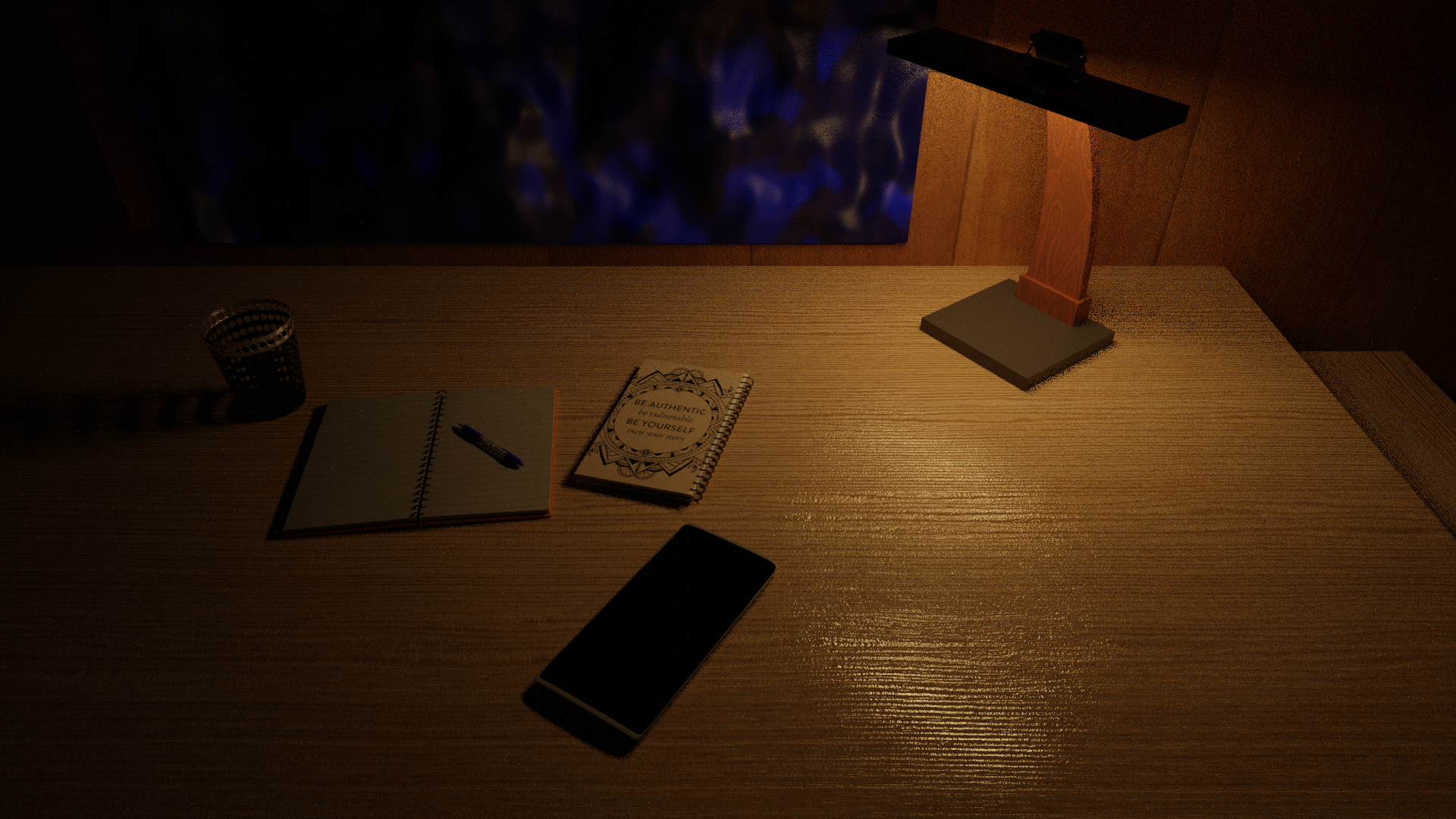
First photorealistic render
Please give an honest review about this first ever photorealistic render I ever made in blender 2.8 I'm looking forward to add more items into the table and adjust the lighting a bit Right now there is no light but the light from the emission shader (lamp) Also it's going to be a fully furnished room I'll be posting it later..... .
15 Comments
Nice for a first render. Your wood texture look good. Here a some suggestion that might improve it... Theses are just suggestions.
* @Christian Clavet * Thanks you so much brother I will try to do all those things and reupload this I'm also going to add a laptop and a coffee cup from the guru Also you told me to use HDRI for lighting my scene But I want the scene to only be lit by the lamp Like it's a student in the late night who went to sleep While leaving his stuff on the table Also I'll solve the flat book issue And flip the other one Thanks alot for your help😇
* @Christian Clavet * Also any suggestions to make the blinds any better Cuz right now they suck I just plugged noise in the Musgrave to give it the camo Then used another noise and bump to make it wavy Any suggestions to make it realistic??
* @carbonx95 * Hi! Even if there is a single lamp in the room, you forget about the radiosity principle, that light will reflect off surfaces. You could also activate the indirect lighting (bounced light), it's also possible in EEVEE using light probe with those options.
* @carbonx95 * It was a blind? I was thinking it was some sort of texture. You need to look at references to make it look realistic:
Exemples of window blinds I've seen on the internet. or
or

Or you could have another idea. This blind need to be a model to look good and you need references to get the details right. Another note, if you create a window blind, there is a window behind it, try to model it if possible (don't go overboard with the details). The blind should cast some shadow on the wall and the window border behind it.
* @Christian Clavet * Ok thanks for the help But can you tell me how to make the windows I'm doing it in cycles I want a little blue light from the moon to come FROM the glass but glass shader blocks the light and principle with bsdf with Max transmission also doesn't help
* @carbonx95 * Since the window glass is hidden in part from the window blind, you could make the glass material a very dark blue, and set the material luminous, by setting the emission value to the color of your moon lighting. Or could use a night picture with moon as an HDRI environment lighting.
You will probably find more targeted critique if you post this on Blender Artists
I am also slightly new to blender and I could say that you are doing a good job. What do you think about slightly adjusting the texture intensity of your table? It looks good already but making it more subtle would also be a good idea.
* @johnpdelacruz26 * Thanks brother Glad you appreciated it
* @johnpdelacruz26 * so what do you want it to be smoother or Do you want me to change the way it looks on the table By adjusting the UV's
* @carbonx95 * No. I mean, the texture is good already, you can also have the option to lower the intensity of the texture like the bump map maybe or the displacement. Both of these scenarios are realistic in the real world just, a table with subtle roughness/bumps and another table with more pronounced textures and imperfections.
* @johnpdelacruz26 * Ok that's for the suggestion I will see what I can do about it😊
That looks class man :D for your first render its impressive :) Keep up the work
* @logicalorder * Thanks..... Appreciated😇