
Sculpt Mode Vertex Painting to Texture
I assume this isn't normal and I have no idea how to fix it the colours from the bake and completely wrong not even close they're so bad I can't even fix it in photoshop.
No other settings have been touched I applied a multires on one model then painted the colours in sculpt mode and baked them to a lower version again with multires removed.
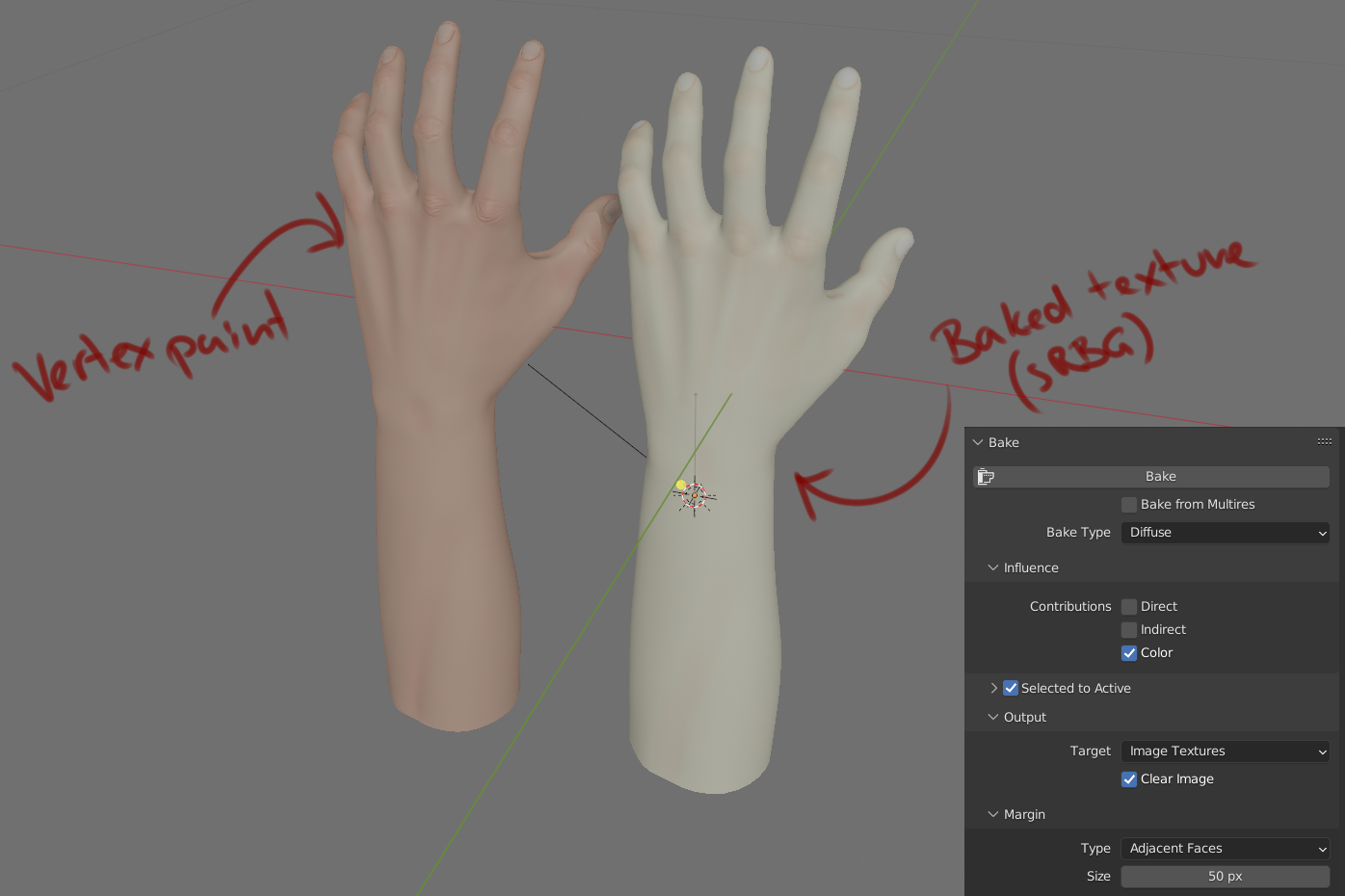 Any advice would be very appreciated
(using Blender 3.2.2 for what it's worth)
3 Comments
You have 2 options:
-Baking the diffuse map without Selected to Active option, select your painted model and click bake. After that, you only have to conect the baked image to color imput in shader editor. If your uv's are good, the baked image too.
ibb.co/mbGWC8K
-Baking the diffuse map with Selected to Active option, this is usefull to baking normal maps from high poly meshes to low poly meshes. In your case, you must have the 2 models in the same location. Then select first the painted model and the withe model after, then you can bake the map.
ibb.co/c806ZQN
I not have problem baking vertex color in a texture image with setup show in linked image. To use image texture you need create a UV map of your object.
imgur.com/a/ba6VFmI
I've obviously done that otherwise it would be impossible to bake a texture in Blender