
Add modifiers to group of objects
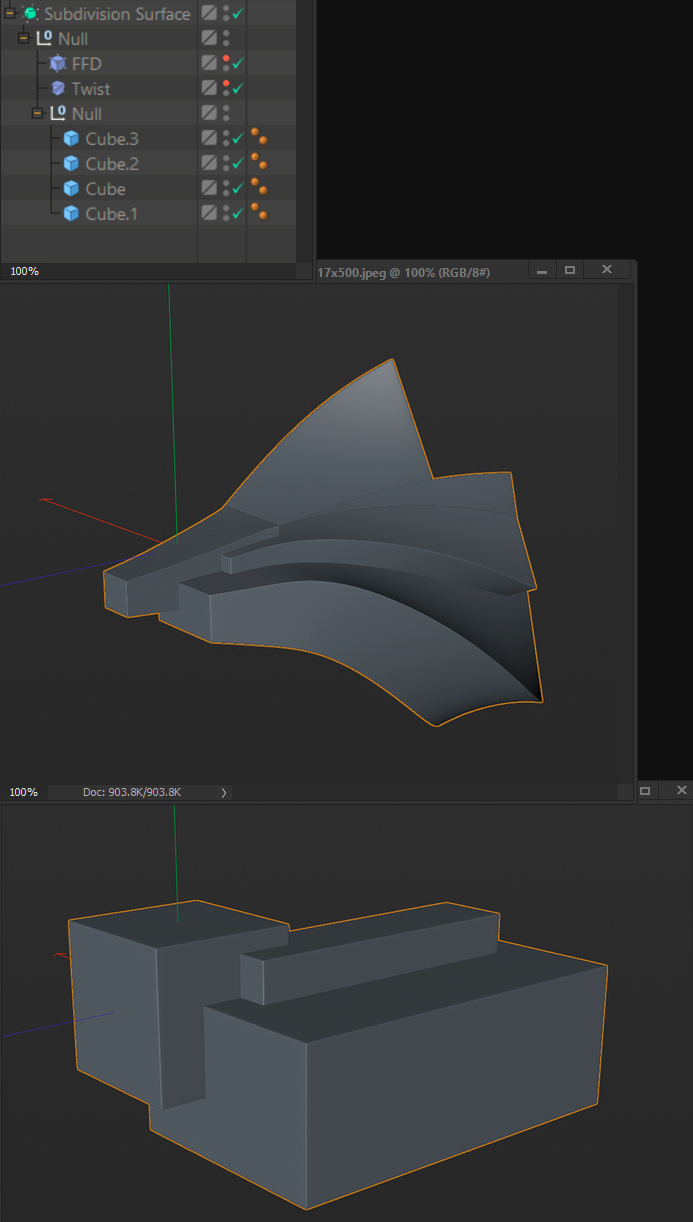
I was looking for a way to add modifiers to a group of meshes and I realized it is not possible in Blender. It would be useful to have this option as I could keep the meshes as separate objects (each with its own individual UV, shaders, etc) and, at the same time, treat them as one, single object. For instance, this is just a group of simple cubes with a couple of deformers (modifiers) applied to it:
6 Comments
it's already being worked on in static overwrites for blender 2.81
* @kookitoocg * Really? That's great news! Where can I read more about it? If it's for 2.81 would that mean that with a daily build I can try that?
* @verysame * Modifiers for collections are a long way off. Static overrides are a necessary first step, though. I don't think they will make it possible right away.
even in CAD programs I do not know how to do that but yeah is a great option!
Like how you can add filters to Layer Folders in Photoshop
I really don't understand how Blender didn't change Collections to something more like Photoshop's filters / smart objects, or at least create a proper Group / Folder structure separate from Collections. I understand what the latter is doing as far as it's a nifty scene organization, but as far as intuitively doing exactly what you're describing it's lacking, even though this functionality has existed in other design software for years.
* @evan.seccombe * I like the way you're describing it. In fact, when I first heard of the Collections I thought it would be possible to add modifiers to them but unfortunately, that's not the case. Too bad, it would definitely give an extra, nifty feature to my workflow for motion graphics. Even though most of the time there are workarounds, it usually means taking longer and more convoluted routes to get the job done, which in the end is going to affect the production. It seems I'll have to stick to Cinema4D for the time being.