
Quick Array when Duplicating/Instancing
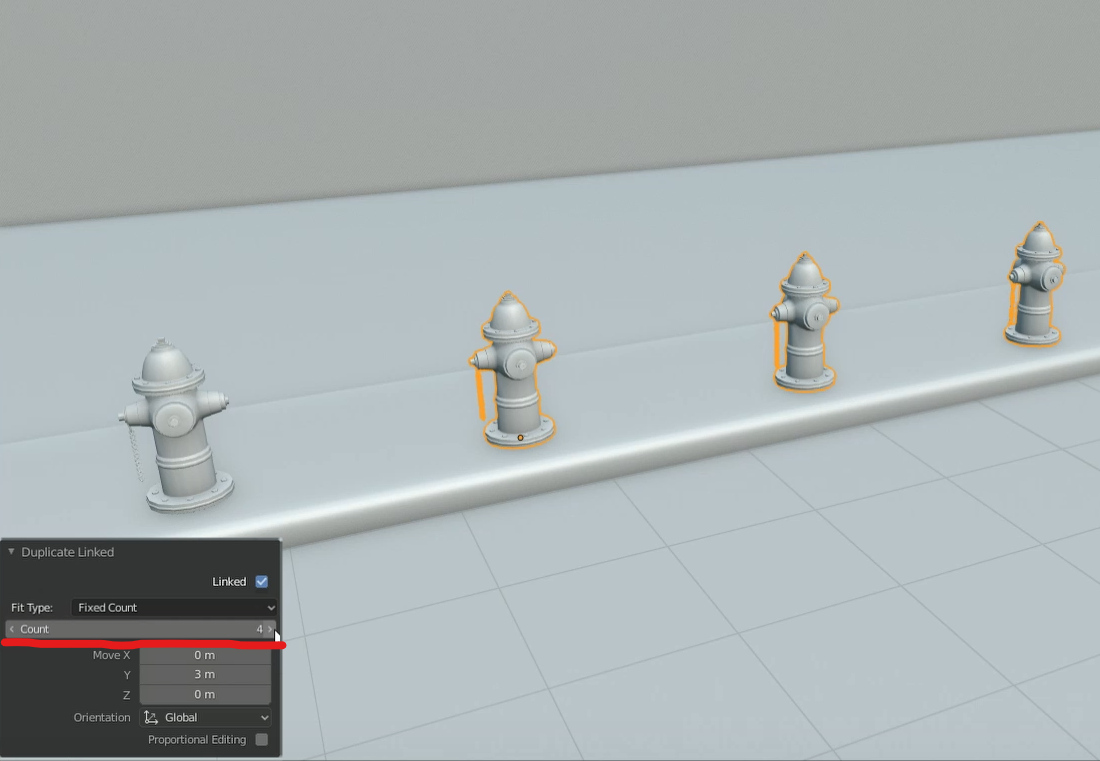
It's pretty self explanatory. After duplicating/instancing you can quickly array the object by specifying the count. Furthermore, the xyz values will dynamically change the distance between the arrayed objects.

10 Comments
I wrote a Python script a couple of weeks ago that does this, if it helps anyone. It doesn't work with Fit Length or Fit Curve arrays but it does the job.
Could this be solved by adding an option to the Array modifier to "Apply as instances" in addition to the current "Apply" which just adds to the mesh?
* @ammusionist * This is about quick and handy solution for Object/Edit mode which should work similar to repear last but with duplicaton counter.
Idealy it also mean that we will have already imlemented "Rotate-Duplicate" and "Scale-duplicate" operators ( it was suggested here time before as something about " gizmo " workflow, but I can't found it... ). Current two steps workflow is limited in duplication case. You first duplicate , then transform ( rotate/scale ), then you can repeat, but just transform not duplication...
Array modifier is cumbersome thing, it's good as modifier, but it's not look like something which can be adopted for this case.
Emm...I checked search. This suggestion is kind of duplicate ( yeah, suggestion about duplicates is duplicate of another suggestion ) of this one blender.community/c/rightclickselect/pscbbc/ but with different mockup. This mockup animated but in other suggestion popup have also name and copy/instance/reference options ( 100% Autodesk from user ). Btw. we still have no " merge " functionality for RCS.
Interesting fact - in Edit mode ( it not exist for any duplication in Object mode ) we already have some " Mode " option while duplicate some mesh. In my case it just do nothing and I can't find any info what it should do.
It really looks like some uncompleted part of mechanic which have to set count of duplication.
* @IIIFGIII * Weird...It does absolutely nothing. Could be an unfinished feature but the name "mode" is a bit odd
What about shift+r ?? repeat last action ? That would speed things up.
* @u3dreal * shift+r works fine but you can't change the count or space between the objects on the fly
Yiss. It generally great option for many modelers.
Emmmm ... It just some animated mockup or it's comething coded?
* @IIIFGIII * just a poorly made mockup :D