
Stop UI panels from getting locked together
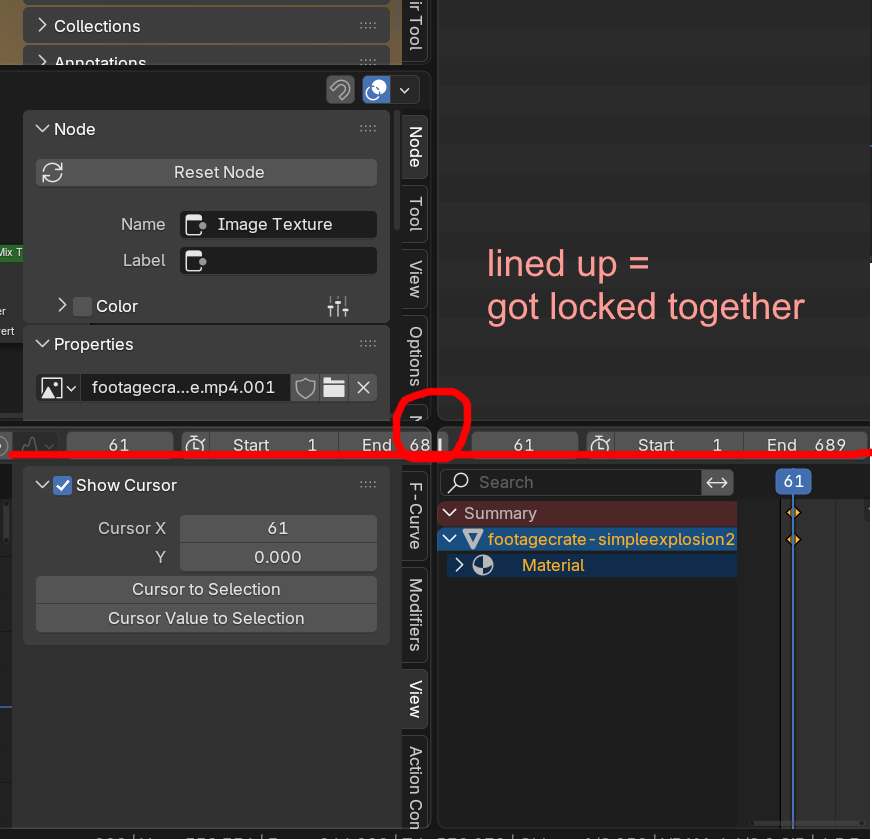
If I drag two UI panels (areas?) too close together, so the edges line up, they'll get locked/synced together. And then they'll move together instead of separately.
This happens by accident more often than I'd like to admit, and I want to cry everytime happens.
Please, I am begging you on my knees, add an option to completely disable this behavior or at least a quick de-sync button or something.
Here are some examples of other people sharing my suffering:
blenderartists.org/t/prevent-panels-from-being-merged/1262130/4
blenderartists.org/t/ui-playback-timeline-panel-is-locked-to-to-the-properties-panel/1514704
And here's an 11 year old bug report where people felt a detach function would be useful:
projects.blender.org/blender/blender/issues/42345
1 Comment
Yes, for the same issue I proposed a fix here, maybe mark duplicate? blender.community/c/rightclickselect/Q5gL/