
Paper cut: better control of attached editors drag
This is one of those paper cuts that I sistematically forget until it happens, chilling my spine :).
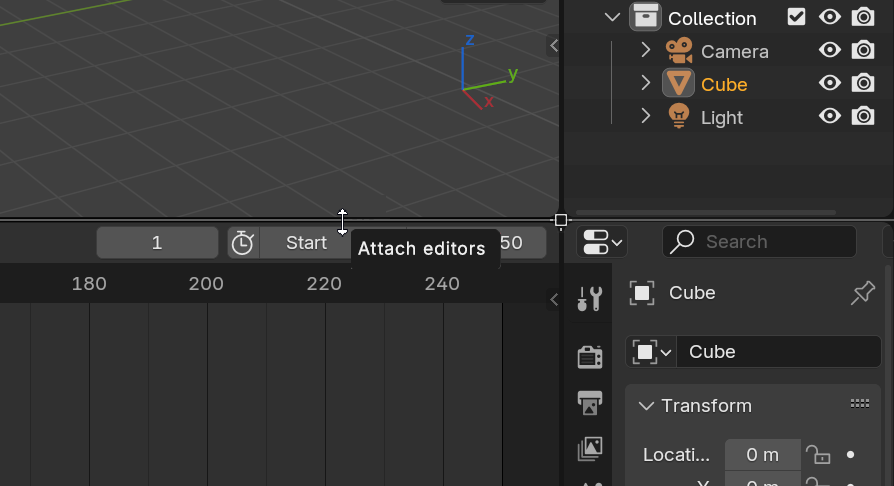
Sometimes when resizing an editor, it gets automatically attached to an adjacent one if placed at a precise "split" point.
Although it can be useful, 90% of the time for me it was something unwanted, and the problem is that the user has no visual indication of this, and no possibility of detaching it after it's done.
Now that with area docking and resizing highlights we have way more control and feedback of these operations, I think this feature should be improved by making it only possible with a modifier key like Shift or Alt (I'm leaving Ctrl because it's already used for resizing editors with increments). And, even more importantly, once the editors are attached, dragging and holding the same key should detach them, so we can resize only one individual editor.
3 Comments
Yes please. It is super annoying when splits get merged automatically without user intent.
Yeah , i think it should be a toggle. When i first learned blender it was super annoying. Then i just stopped using the dope sheet/Timeline in the middle
Yes please., there's no good reason to have this 'feature'