
Pixel Depth Offset
Note: I posted this and one other feature, but was told to atomize them to individual posts. I hope you all understand why I'm posting this again.
This is a very useful feature of Unreal 4 that I think would do wonders for natural handmade environment creation in Blender. To demonstrate this feature, here’s Quixel’s Jack McKelvie creating a beautiful rendition of Halo’s Blood Gulch in Unreal Engine 4 using it:
Create Halo’s Blood Gulch in UE4
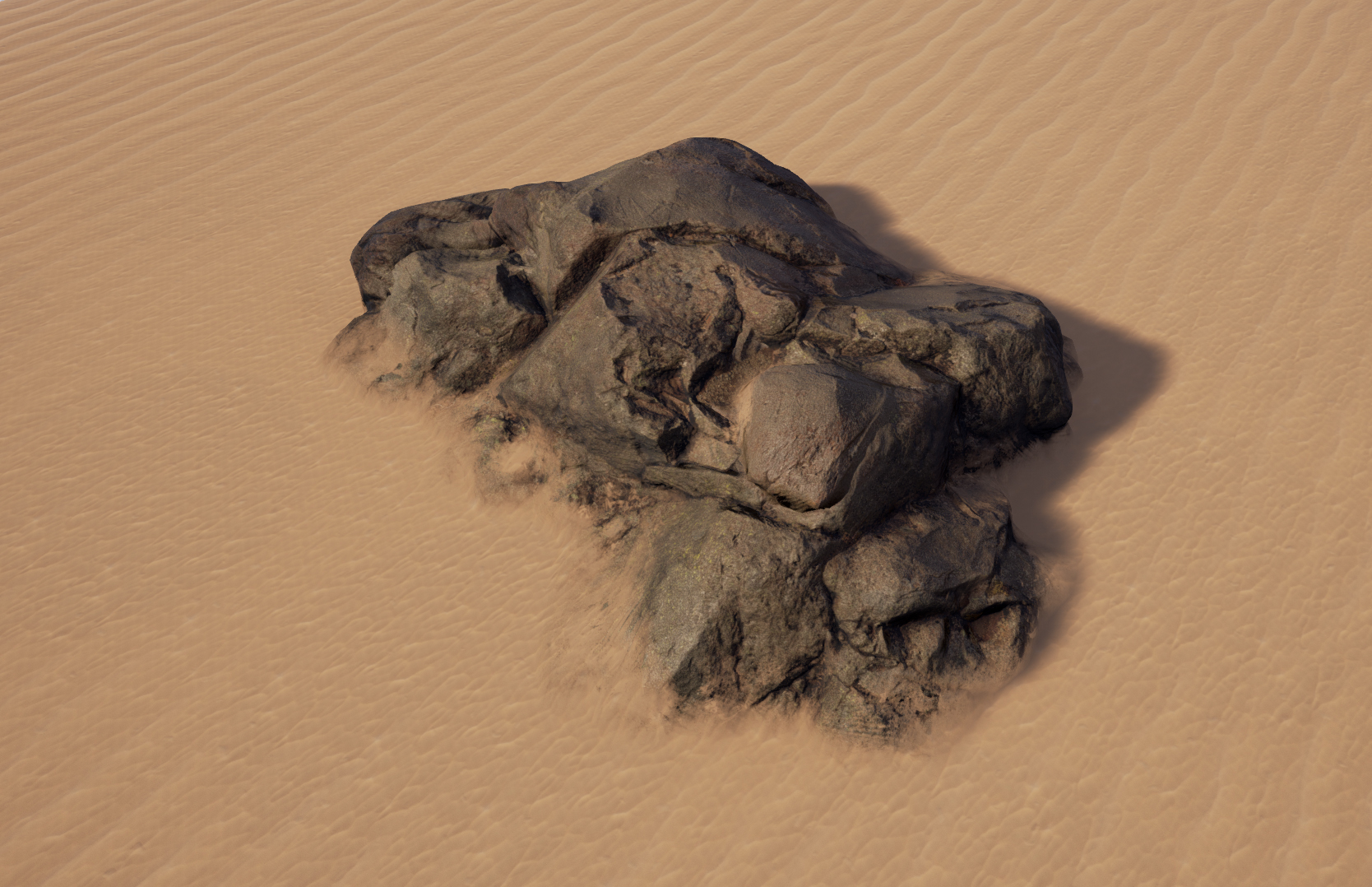
When two meshes intersect, adds dynamic material blending and normal smoothing for a natural transition. McKelvie uses it numerous times in the video, for grass and dirt intersecting the ground, the bunker intersecting the ground, the mountains intersecting the Halo ring, the cliffs intersecting each other, and more.


If this were implemented in Blender, it would make creating outdoor environments with natural weathering and accumulation simple, without obvious hard edges.
The best way to implement this feature is likely as a modifier; in a landscape + scene object scenario, you'd probably add the PDO modifier to the scene object with the landscape as the target. Wouldn't want a landscape mesh stacked with a hundred PDO modifiers. You could choose the upper limit of the material blending (it could potentially cover the entire object!), as well as the scale of the normal blending. Then, you might choose the blending algorithm to affect the appearance of the material border, for different styles; that would have its own factor to affect the intensity with which the transition is applied.

Behind the scenes, so that the Apply button would work, it'd be creating a secondary material for the object with both material node trees, and using the weathering algorithm to construct a mix factor map between the two materials' node trees. It'd also be constructing a modified normal map for the object along the same lines, grabbing the normals from the target object and applying the smoothing at the intersection zone.
My other suggested feature is Layered Material Painting , which would likely made implementing this feature much cleaner.
I think this is critical for Eevee’s lasting success. Real-time homemade CG films could well be the future of independent moviemaking. Environments need to be believable for this vision to be realized, which means fast hand-crafting from prototyping all the way to final render. If I can drop all sorts of rocks and dirt roads and trees down, and only need one modifier to instantly make them look like they belong in the terrain, that would save huge amounts of time, and thus money. It'd probably look great in Cycles, too.
15 Comments
Both of your submissions are fantastic! These would be massively useful tools for Eevee.
* @devorecjd * Thank you very much, I appreciate it! Yeah, seeing Unreal in the credits really made me do a double-take. The actors describe the virtual set technology as completely surreal and fascinating.
I love proposals like these.
Oh man, I love this! When I watched the Rebirth breakdown and he shows this technique I was like "wish Blender had this!"
* @Nerve * I afraid it's already there. Does this help? youtu.be/Sbrd9xvA400
* @contact.cgvirus * That's an incredibly convoluted process for what would be a very commonly used operation.
* @Nerve * Okay, I will try to come up with a patch. BTW you should expect a convoluted discussion while talking in a programming forum. Nothing is magic actually. The user may think it's a magic. But it's not. It can be done. No worries. Will patch up something.
* @contact.cgvirus * I'm a programmer by trade, please don't condescend to me. The entire point of this proposal is to take an operation that is possible to hack together manually but in a convoluted manner, and implement it as a simple modifier or material property. This is primarily because it has a strong, common use case, and thus a strong argument for making it a user-friendly operation to apply. My goal is to speed up workflows, thereby saving CG professionals time and money.
* @Nerve * Then I guess you should already know, modifier is going to create a bottleneck in object level. This should be done on GPU buffer instance on shader editor IMHO.
* @contact.cgvirus * Users do not care about the backend. Whether it is implemented as a modifier or not is irrelevant, so long as it is accessible and simple. This is the case for Unreal, which is why Disney constructed all of The Mandalorian's virtual backdrop environments in that instead of Blender. It must be easy to apply and tweak, that's the crux of it.
* @Nerve * Not getting my point. If it's not fast enough then yet another group will claim "Why so slow" tag (of course as knowing nothing about the backend, Like the funny undo tag). That is the problem. Anyway I got some paper in my hand. Will try to come up with something. Either way I am interested to see the development.
Here's my upvote good sir! What can I do to acheve this effect today?
Not to mention, with Mandalorian's backgrounds being UE4 environments that are projected. This could mean that Eevee is an option for similar studio environments.
Hmm... I don't think a modifier is a good fit for this kind of thing. No other modifiers serve this kind of shader functionality.
The way this effect appears to work is by using subpixel dithering, and writing to what would essentially be gl_FragDepth or HLSL equivalent. No modifier needed.
I'd recommend doing a bit more research before posting a detailed proposal like this. You are on the right track though.
* @Alex * I'm not a low-level graphics programmer, so I'm not familiar with the mechanisms. I'm simply looking for a user-friendly way to achieve this effect, which I think has a strong, common use case. How it's implemented is irrelevant.