
Add Dimensions Operator/Side Panel in Edit Mode
I know this gets suggested a lot but I believe this post is more fleshed out, mainly in regards to behavior and orientations.
In Object mode blender has this amazing entry in the side panel that lets you set the size of an object in real world units:
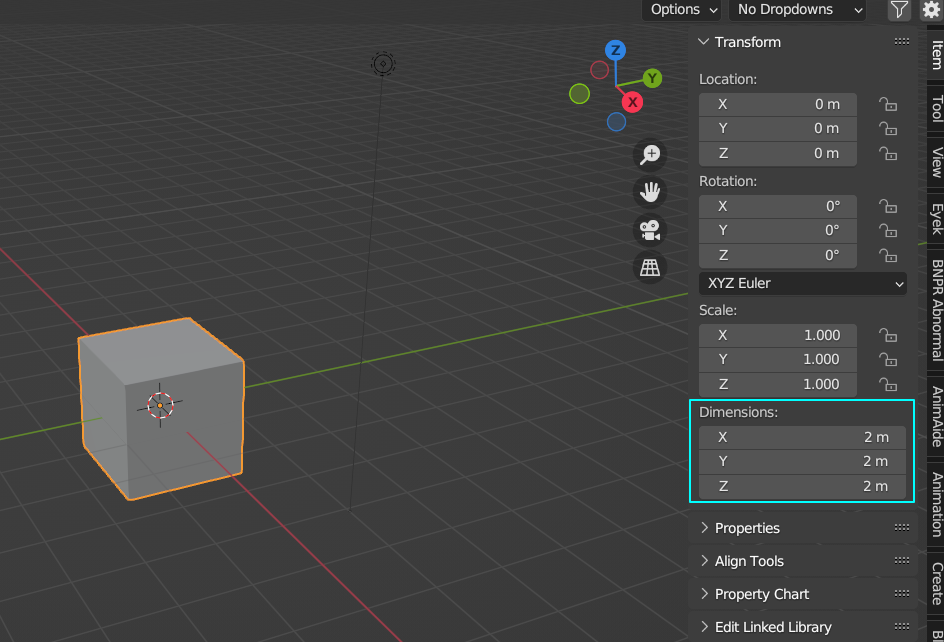
And I think it would be very helpful to add it to edit mode as well.
This will empower certain precision modeling/arch vis workflows, allowing users to work how they prefer. But also for other blender users it is sometimes very useful to just set the size of an edge/face/selection in edit mode, as this is not currently easy, or simple to do. Additionally this will make the transition easier for users coming from other programs.
More details, operator and sidebar:
- In edit mode it will be available in the side panel, and also as an operator that can be called with a shortcut for example.
- With an edge selected, the menu will let you change the length of that edge.
- Likewise with a face selected, you can set the size of the face relative to the orientation of the face.
- Selecting more than one face/vertex (i.e a selection), will show the dimensions of this selection and allow it to be set, this time relative to the transform orientation.
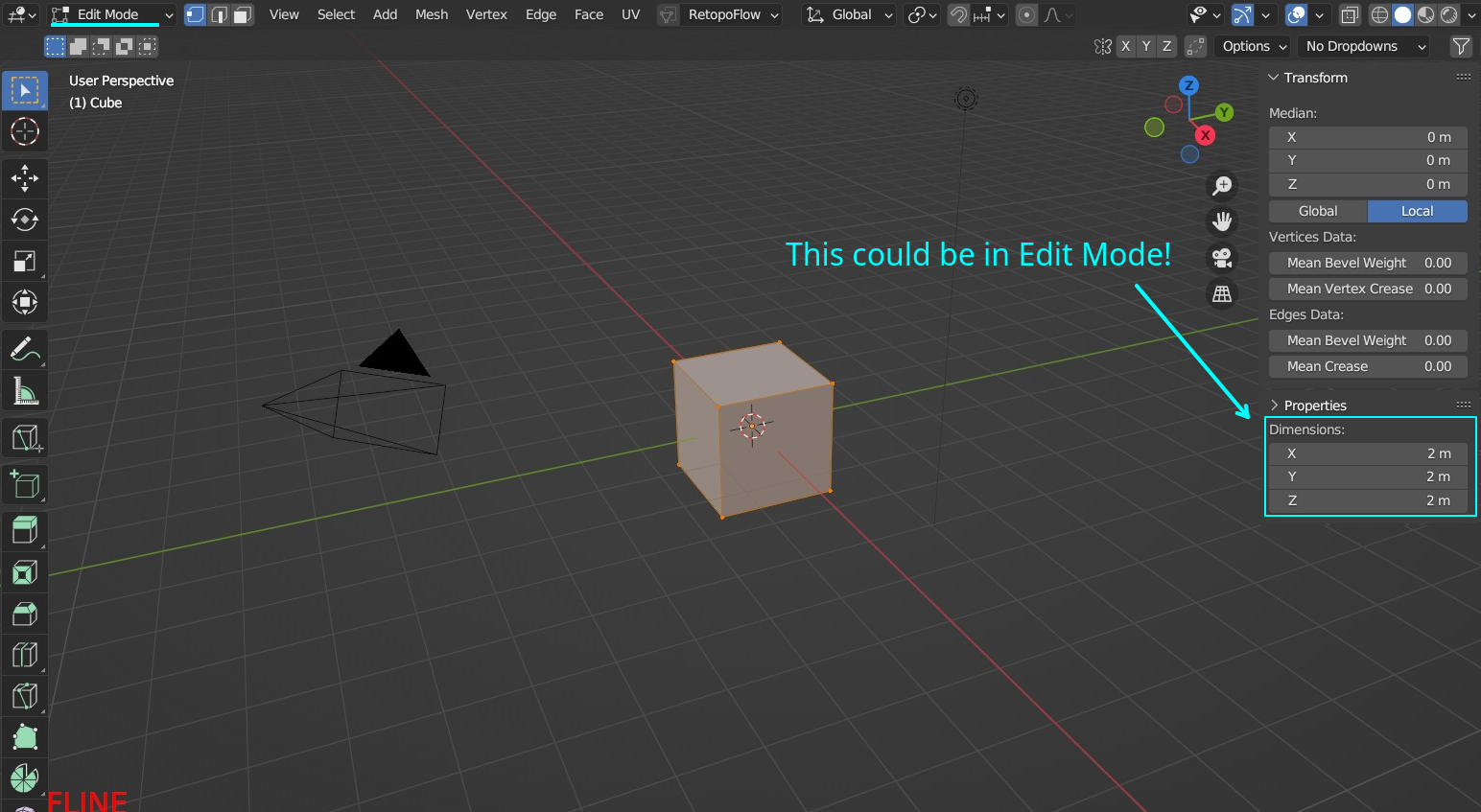
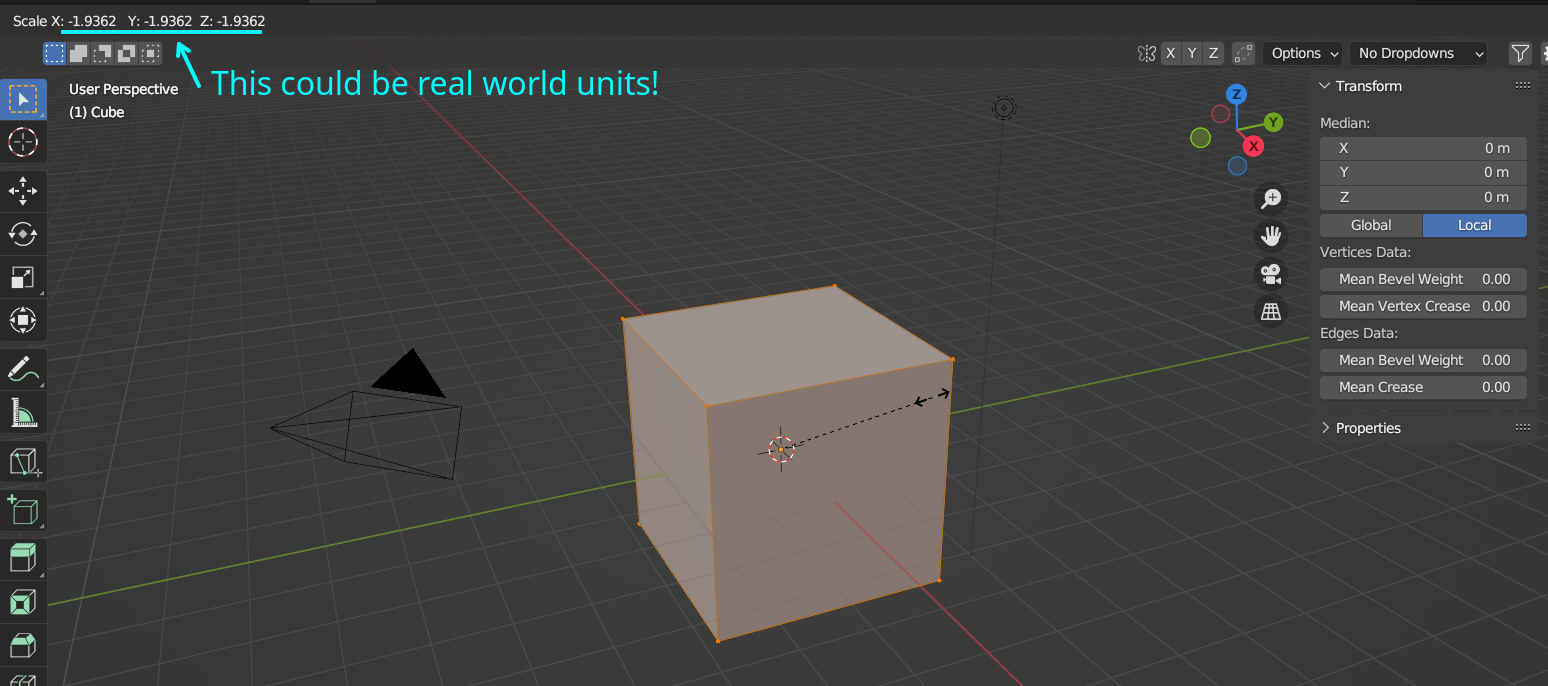
Alternatively, scaling and sidebar:
- Scaling with the shortcut/gizmo already supports transform orientations/pivots etc, so a Dimensions option could be added to it that will change the numbers you type from being a factor to being real world units along the axis of the orientation.
- Default hotkey for the scaling could be: S (pressing again), D, W, F, or whatever is most suitable.
- The entry in the sidebar is still added in edit mode. With an option to make it follow the transform orientation, mainly to avoid confusion of it following the orientation automatically.
Potential issues:
- Dimensions being able to work with orientations, instead of being a simple bounding box might have worse overhead/performance.
- Floating point precision errors might be something that needs to be tackled first in blender before any kind of precision modeling improvements are made.
Also I could not find an addon that adds dimensions entry to edit mode, even so I think a feature such as this should be provided with blender.
5 Comments
Yes, yes, and yes.
blender.community/c/rightclickselect/nOJE/
You can try this addon works fine blender 3.6 or higher
You can assign a shortcut to it : blenderartists.org/t/set-dimensions-in-edit-mode/680253/7
Have tried it in 3.6.1, doesn't seem to work for me. The command does appear in the menu, but don't populate any values when selecting vertexes.
Works fine with Blender 4.0 or Blender 3.6 1). Go to edit 2). Select vertices or edges or face that you want to scale to the right size 3). F3 type set dimension 4). F9 to get the menu with the size & adjust to the size that you need 5 ) . You should be able to right click on the operator in the menu, then choose to add a shortcut from there. This works for all operators in Blender
Was able to get the addon working; was a one of several files on the thread, but found success - so, thanks for the pointer.
Would still prefer it be part of the actual interface, in the transform panel, so that I don't have to run the command after every selection.