
Link Base Color to Viewport Color new concept of this feature
There was feature request as Link Base Color to Viewport Color , but not any functional proposition.
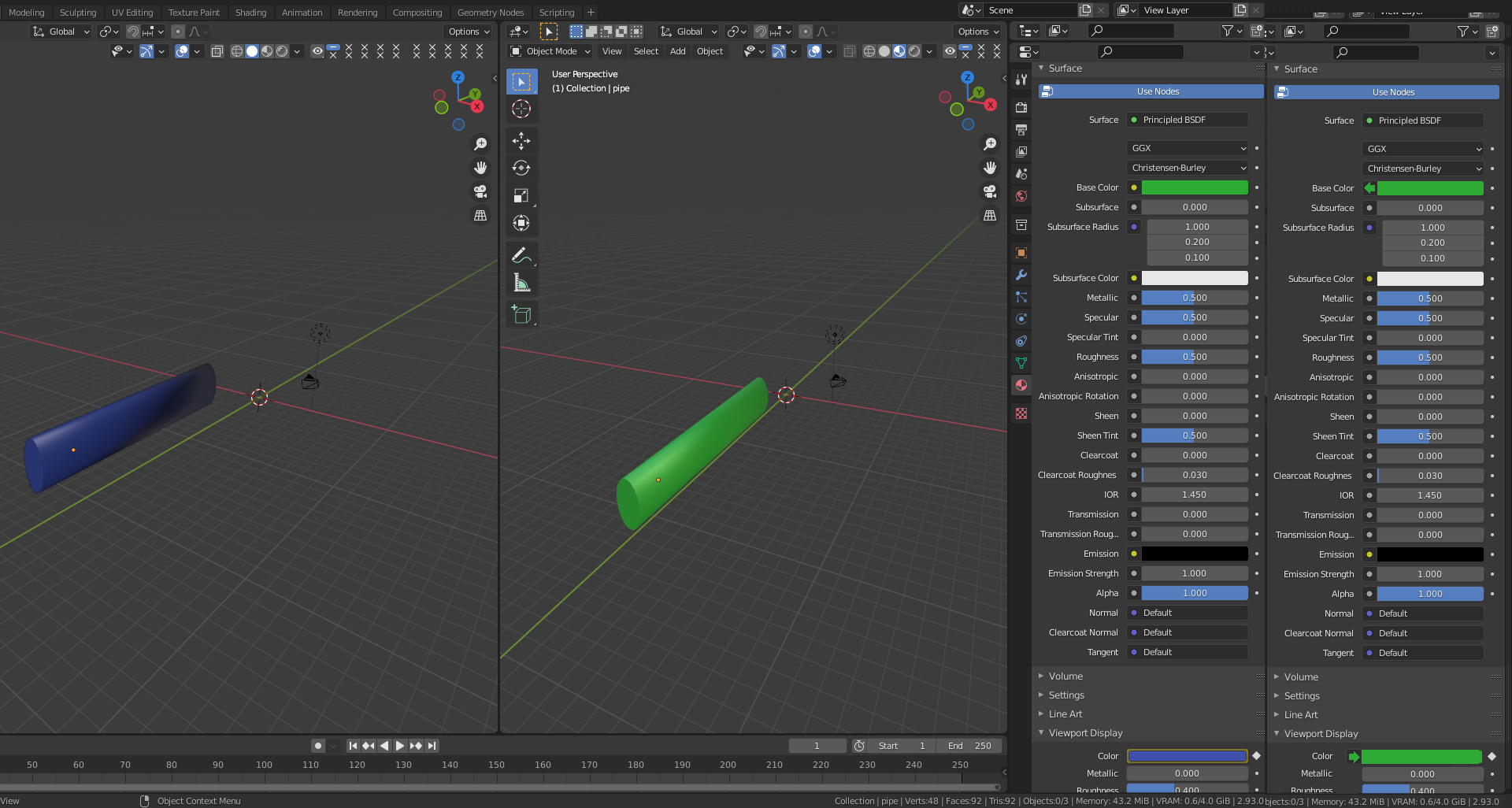
- on left color panel is standard
- on right is proposal
It's due that Base color is Difrent from Viewport Color, and doing sometimes misunderstanding about colors, and in this step we can ommit the SHADOW operation with node etc. to reach right material color.
The propsal want suggest to:
- change "dot" or yellow circle to arrow if connected
- the LEFT ARROW mind output
- the RIGHT ARROW mind input (take color from some output)
- change dot or arrow for color as is selected
The connections can be betwen any colour field, eg:
- Link Base Color
- Subsurface color
- Viewport Color
- Emission
- *Vertex Color
- *Edge color
** can be unique for objects and parts maybe
7 Comments
It would be awesome if wireframe colors can be specified per object.
* @muhuk * And maybe:
I often selecting many object to edit, and after that don't know te board of object (sometimes it's importand with modificators effect).
What if the material has 2 diffuse shaders being mixed together and the result of that is mixed with a glossy and the result of that is mixed with a translucent shader which is then added to a transparent shader... all of these have a base color value. Which one defines the viewport color?
How about every color swatch anywhere in the UI has a right-click menu option of "set viewport color of selected objects to this color"
What if the viewport colors were output in a node, much like the material output node? Then you could link anything you want.
* @zorro.weaver * Node can do reactio automticly on this setup as build right node configuration and module including this connections.
It was idea too inspired by VST plugins dawfreak.files.wordpress.com/2012/04/rack-back.jpg