
Asset browser - "sequence of actions" assets
Imagine instead of only having simple "Repeat Last" shift-r shortcuts in Blender we could click and drag an icon in the asset bar and run a sequence of actions. (Basically saving all keystrokes, anything clicked, what shows up on the undo history list)
The new brush asset system being developed in blender has the idea of "asset drafts" that are handled similarly to Blender preferences. code.blender.org/2022/11/brush-and-draft-assets/ I would like to propose a new feature of "sequence of actions" assets that would also be placed on that asset bar and saved the same way.
an example: add cube, subdivide cube 3 times, shade autosmooth, add (in the curve menu) "empty hair", enter sculpt mode, change the radius of Density brush to 30 pixels, add geometry Node group asset "hair thickness" and "hair curls"
That would all be set up by dragging a custom asset from the asset bar like this.
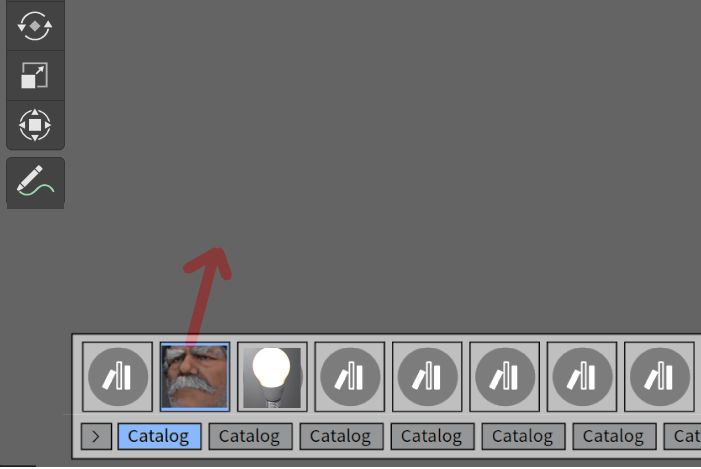
Even if it's only possible to do a series of actions in the same mode (and not switch to another mode i.e. sculpt) it would still be useful.
Just like quick favourites you could right click any tool or menu and add it to "sequence of actions", alternatively copy and paste "action history" perhaps being a longer version of the undo history. Another method would be to click a record button, then do a series of actions, this is what the free add-on ActionRecorder does. github.com/InamuraJIN/ActionRecorder
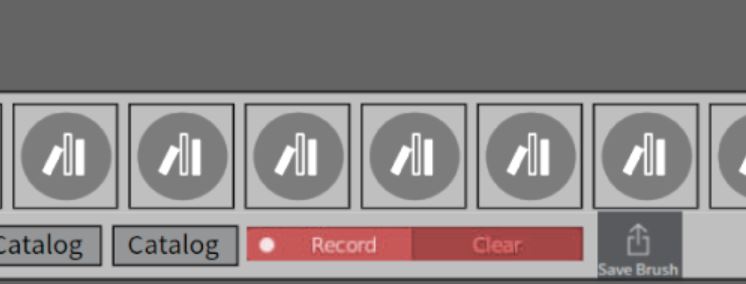
Ideally, there would be a record button on the asset bar region. This is a quick mockup.
Here are some similar proposals on right click select, however they do not mention an asset browser method of use. One of them mentions photoshop having this sort of feature, but I have not used photoshop recently so I do not know if that is still the case. blender.community/c/rightclickselect/8Hdbbc/ and blender.community/c/rightclickselect/jJbbbc/
I like one of the ideas they have of an extra "action mixer" popup window to switch the chosen order of the actions and manage the flow. The main thing is for it to be an artist friendly tool that anyone could use.
1 Comment
So it's a macros system, then. That does seem useful. This kind of drag-and-drop workflow does seem nice.