
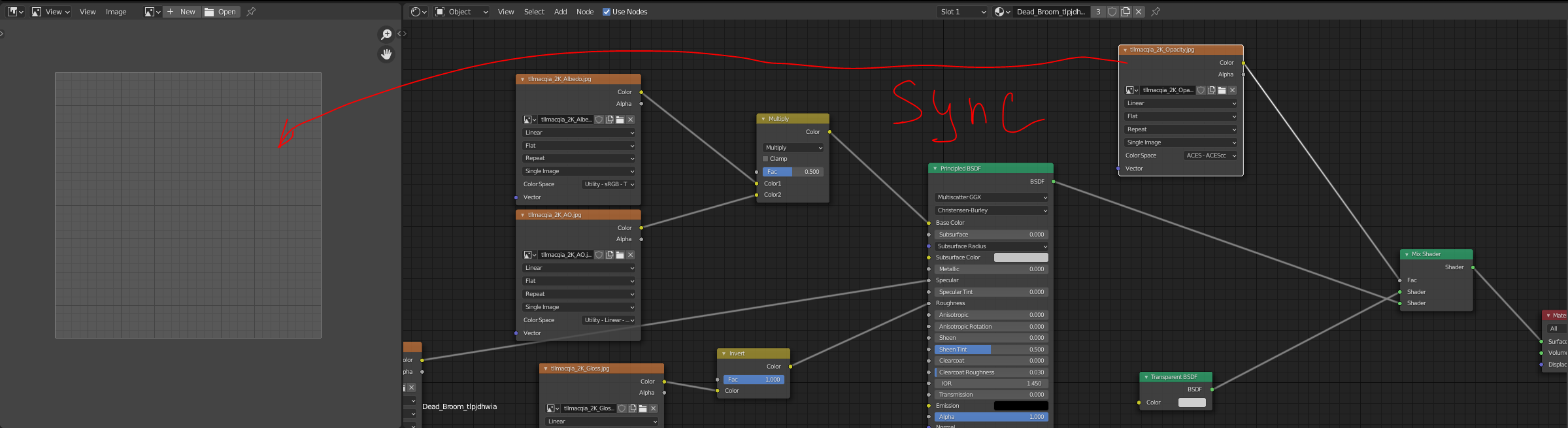
Sync selection of Image Texture node with Image editor
Automatically open selected image texture node in image editor for the purpose of quick preview of the textures. It can be a button with a hotkey and checkbox for selection sync.
UPD: this happened to be a duplicate of this request - blender.community/c/rightclickselect/Hxgbbc/ Please vote there
2 Comments
Agree, but problem is that every material slot in Shader Editor can have texture node selected. It should also sync with selected slot. And what about texture like Voronoi Texture or Noise Texture, what should be displayed when they selected? I think this has already been suggested on RC. yep Sync the image viewer with image nodes. please close this and vote there
* @Eugene D * Not sure how to close it so I just set it to duplicate. Generated texture could be previewed as well I guess, we have a preview for them when setting it in displace modifier right?
I mean the solution in my proposal or that early one might be not the perfect way to implement it. We can probaly preview texture in the node itself or make a viewer node like in compositor. The problem is that when you have a complex material or even a lot of complex materials - sometimes you need to quickly see what dem bitmaps are :D Yes you can connect it to output and see but sometimes it's not convinient, I'm sure you undertand.
Maybe we don't even need sync option, just a button in a node "open" - which will open it in your default picture viewing software or in new separate window of blender with image editor with that texture.