
Edit mesh modifier (for meshes and curves)
The idea is simple yet very powerfull. It's something i miss from my non destructive workflow in max (it's nearly the only thing i miss from max..)
Case 001: you have a mesh and you want to adjust certain verts or faces, make a cut or a hole, delete some faces to see the inside of a model etc. Add this modifier to the stack which open edit mode and you can alter whatever, then add subdiv & solidify mod for instance. If the alterations are no longer needed you discard of the Edit mesh mod and no harm was done.
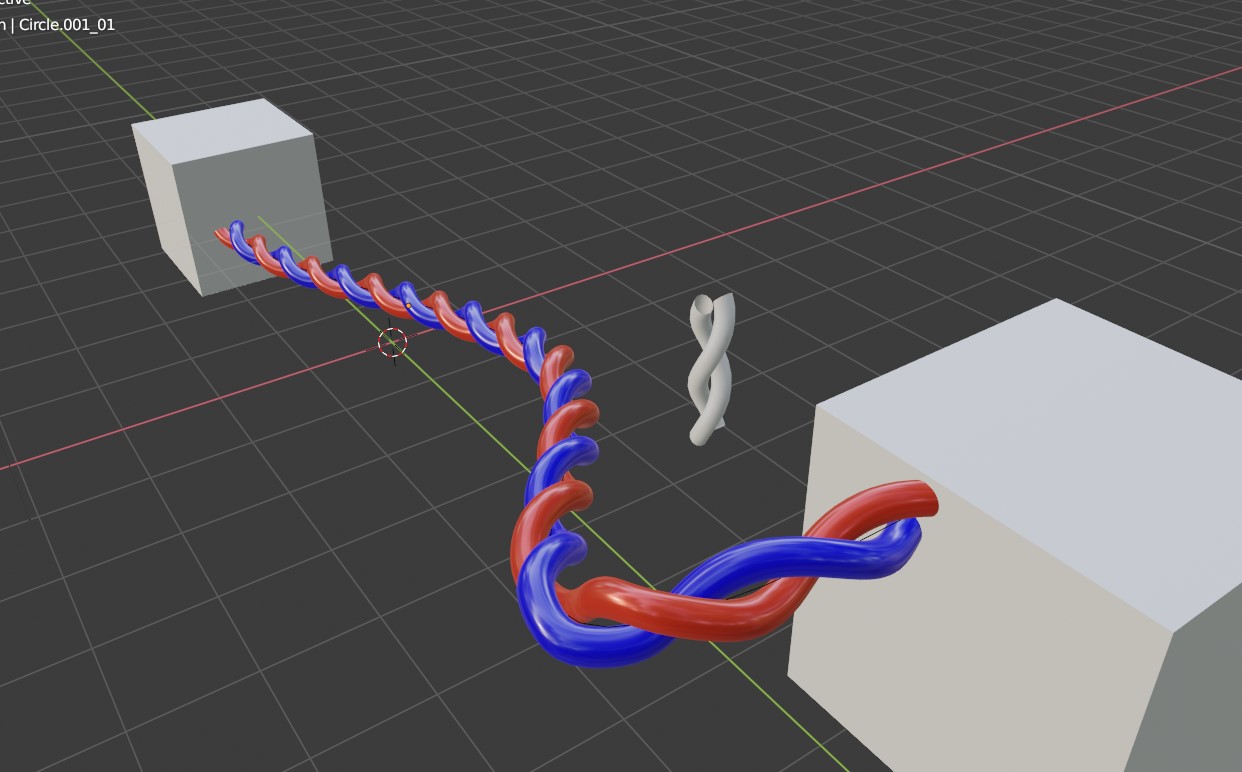
Case 002: you crate a bunch of cables that are twisted around eachother. Instead of applying the screw modifier (you have put on 2 circles to create a small piece of twisted cable) you can turn these 2 curves to mesh and use them to create the cables along a curve. Instead of 2 you want 3 cables and you can adjust the initial 2 circle part to 3 and the twisted cable updates.
I think this has many other usefull cases where you want to edit existing meshes and curves in a non destructive way but the 2 cases above are something i really use a lot.
7 Comments
planned, also this is duplicate request. Please remove and upvote old one blender.community/c/rightclickselect/d0bbbc/
Nice, already asked many times. Maybe this will see the light in the form of a "cache" modifier, or "cache node" in the upcoming node-editor modifiers system
I've been wanting this also, I like the 3dsMax stacked Edit Poly workflow, like modeling in layers. It's nice how you can make some global changes by editing the lower levels. I use it for skinning too, when there is a tight area and I can't see because there is some part of the model in the way. I'll add an edit Poly modifier, select that part of the mesh, and move it out of the way. Edit the skin weights, then just delete or hide the modifier to make the model pop back to the normal shape. Not sure if you can do that in Blender since I haven't gotten to deep in to skinning yet in this program. I have to actually move the piece out of the way, because if you just hide it, you are still able to paint weights on it by accident like if it was still visible.
do you mean it's a modifier that acts as if you have applied the previous modifiers? For example you could change only one of the duplicated object of an array? Don't understand your second case though...
* @moonboots * yes exactly that, you make an array, add the edit mesh and you can alter it on a mesh level. But you can go back and for instance change the scale of the base object and you can.
The second case is simple, you create a curve and you give it a bevel thickness so i generates a tube as geometry while it remains a curve (so you have no polys or tris to work with. Add the edit mesh and you can extrude one face somewhate along the curve now.
Not entirely sure here, but you created an array object following a curve and filled a mesh with it.. then you can edit the mesh whats the problem then ?.
* @peter.boos * with the edit mesh modifier i suggest you can select 1 or more faces on any of the arrayed objects and alter it while the array distances and other parameters remain adjustable.