
Sculpt: Add "Scene Project" functionality to the Transform tools
Recently the Scene Project brush type was added in sculpt mode... This is a brush type that displaces the vertices towards other objects in the scene, allowing you to achieve a shrinkwrap-like effect like so:
The request here is to add that same "Scene Project" functionality to the Transform tools as a new Transform Mode :
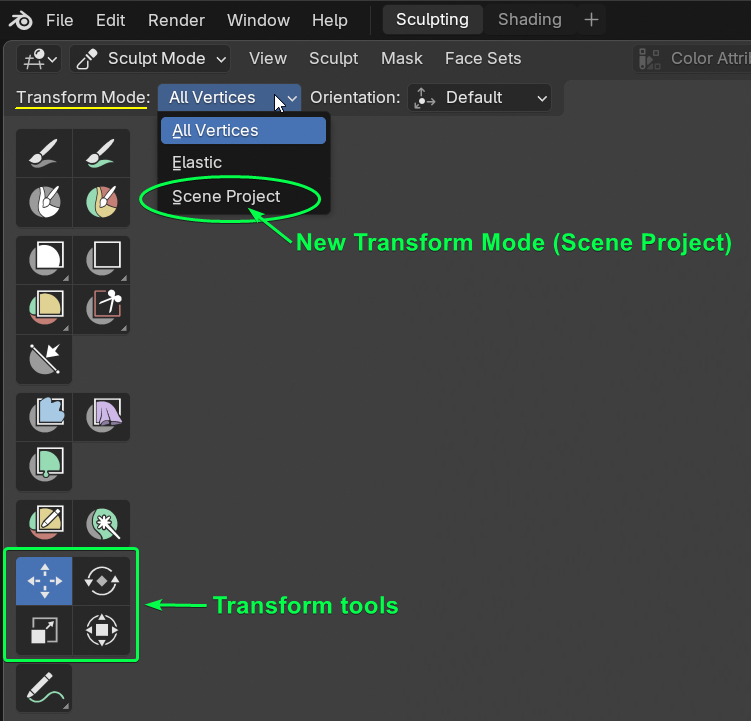
This would allow us to quickly achieve effects like this using the transform tools in sculpt mode:
Which would be very handy... and in some situations a better and faster way of working than using a brush... 😉
8 Comments
This is brilliant.
Still one of my favorite features of Modo.
I hope we can get this in Blender.
On the "mode" topic - I don't know if this is a separate mode from the "All Vertices" / "Elastic" option. I don't think this would be applicable for "Elastic", but this makes more sense to me as a checkbox toggle exposed for "All Vertices"
A checkbox for "all vertices" seems like a good idea too... 👍
Yes, that's exactly what we need!!
That would be amazing ✌️
Not sure I see the specific point of tying this to the Transform tools. To me this seems like a better fit for the Filter tool? Is it that you want a constrained set of axes to work on for the entire mesh which is less defined for the mesh filter?
The goal is to have the flexibilty to freely project using a transform gizmo.. It doesn't necessarily have to be the transform tools... I suggested as a new transform mode because this workflow feels like a transform operation... also the transform tools already have what is needed, the move/rotate/scale gizmos..
I don't see how this could work as expected being part of the mesh filter, since it doesn't have gizmos... A constrained set of axes to work wouldn't be flexible enough I believe... It needs the ability to be manipulated by transform gizmos...
Can a filter tool have move/rotate/scale gizmos? If yes, then I guess it could work.. But it still sounds strange because that's not how filters usually work.. 🤔
My point about the filter tool was more for the general idea of projecting towards the surface, but point taken about the gizmos being the key idea here.