
Add New button for keymaps when searching
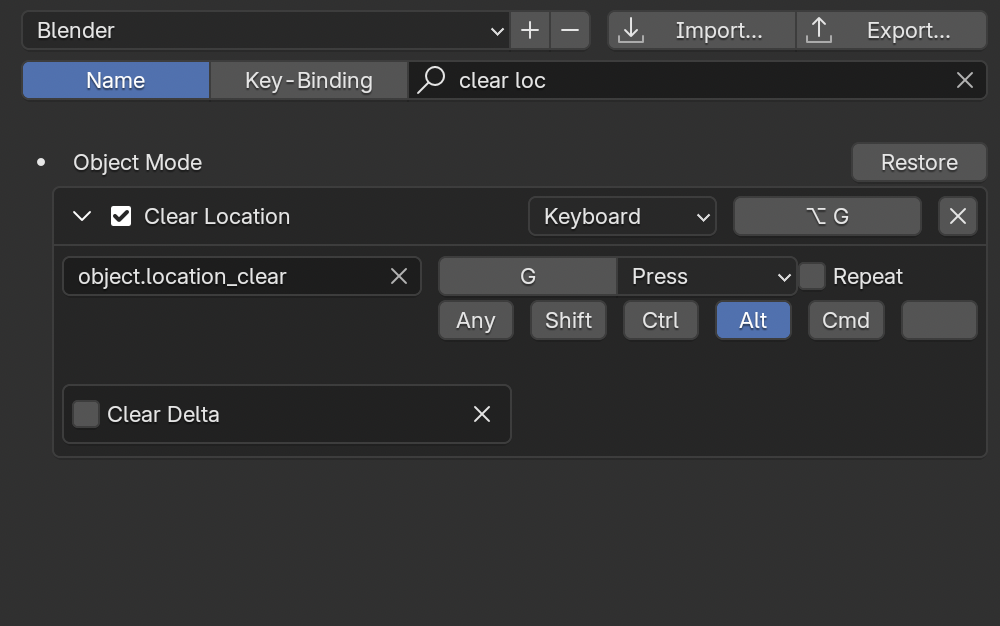
I often want to add a custom shortcut without changing the default shortcut. So what I do for example is search for "Clear Location" copy the command which is "object.location_clear" and then i have to clear my search, scroll to 3D View, open the dropdown menu, scroll Object Mode, open the dropdown menu, scroll to the bottom, click Add New, paste in "object.location_clear" and then assign the keybinds.
It would be much more convenient if when I search for the shortcut "Clear Location" there would be an Add New button under it so i can do it all from here
6 Comments
I think a "duplicate" system would be easier to implement with the same end result.
that would work too. do you know how it could be made? I don't think the blender developers have time to browse this website much
upvoted, but it's a duplicate of an already existing request: blender.community/c/rightclickselect/lvYr
There's also this one it seems: blender.community/c/rightclickselect/pzGQ/
Not really.
This proposal is more about how to add another shortcut for the same thing, while the two proposals your linked are about how during a search, we don't have a button to add a new shortcut anymore. Which sure is mentioned here, but that isn't the main topic.
I only posted the second comment but I thought this might be the case. However if what is being proposed is not just an "Add New" button in search, per the title, I think the proposal should be clarified that what you really want is a Duplicate existing key option. That would indeed also be handy.