
Make renaming in the Outliner easier this way.
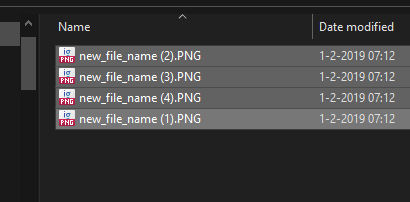
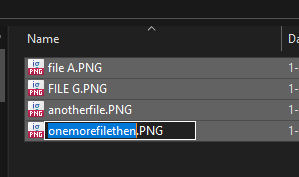
I have, in my personal opinion, an awesome idea for Blender. The idea comes from Windows. In Windows, when you select a number files, and then choose to rename them, Windows will rename all these files and number them automatically. I believe it would make my life, and the life of many other Blender users, a lot easier if we would have this same functionality in the Outliner. Simply select a bunch of meshes, press F2, or right click, enter a desired new name, and Blender will rename all the meshes and number them acordingly. I was told this functionality already exists using the batch rename option, but wouldnt it be much user friendly to add it to the right click menu? Or that it happens whenever you have selected multiple files and then press F2?
edit: I'm made aware that this functionality exists whenever I select files and use ctrl+f2. That's awesome! Too bad it is not made very obvious to users that this is possible. So my suggestion to add it to the right click menu still makes sense.
8 Comments
Regarding your edit, I agree that having it in the right click menu for objects in the Outliner makes sense. It's a rather puzzling omission that it does NOT show up there now.
Frankly, rename should be in the right click menu also.
It is present in the Edit menu though:
I was aware it was there, but I think it's a poor location. The right-click menu of the Outliner would be a more obvious to someone wanting to rename a selection of items - you know, where you actually see all the names of the selected items.
There already is a batch rename function - are you suggesting this in addition to that, or are you unaware that it exists?
Select multiple objects, then go to the Edit menu (way on the left) and pick Batch Rename. Or use Ctrl-F2.
I think it would make it a lot easier and user friendly tho if this would be available in the rightclick menu / contextmenu of the outliner where you would expect such a thing. Just below the single rename option in the same context menu.
Also when right clicking on bones in the outliner not even the single rename option appears in the context menu unfortunately. While F2 and Ctrl+F2 also work on bones.
Yes, and I've also requested the TAB button to jump on to the next item to rename like Windows folders/files blender.community/c/rightclickselect/V7XM/
In v3.6 you can rename one object, hold alt while pressing enter to validate, and it will propagate to the selected objects.
Works only from the Properties editor, not from the outliner nor the rename operator.
It should be made to work globally, not just in the properties. I think the F2 (Rename) option might make the most sense for that.