
Deleting Keyframes From Viewport
When adding a keyframe, we can both choose "I" for general keyframing and "K" for specific ones.
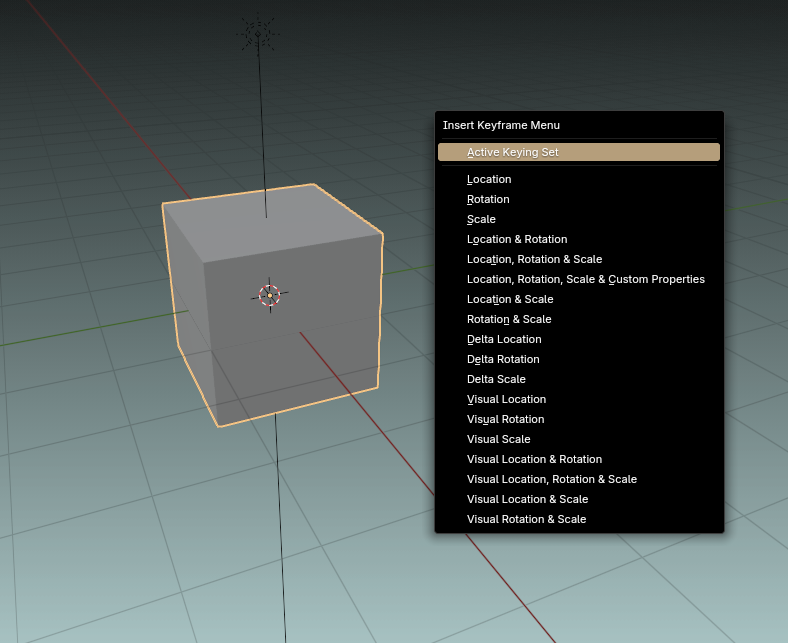 And in Blender there is a function to delete keyframes from a selected object/bone at the current frame ("alt+I" in viewport).
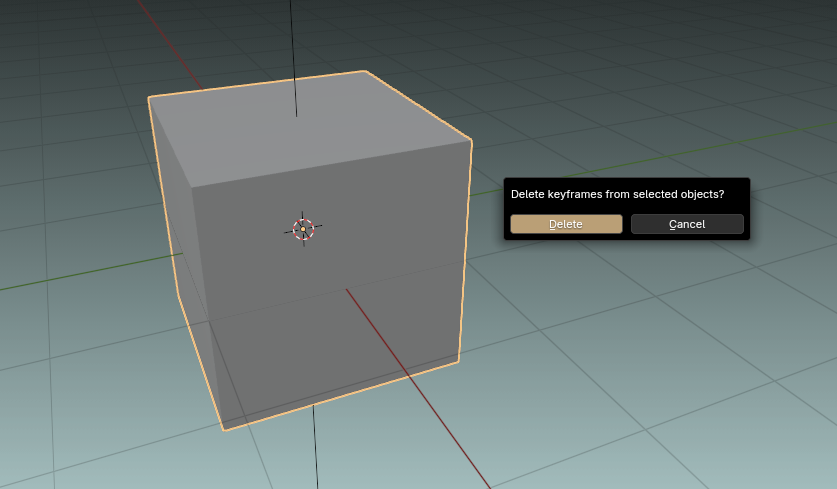
We could expand on that by adding support for removing keyframes of a specific type with "alt+K" and a similar pop-up menu
I see two good reasons for this to be implemented:
- It moves more of our work from editors to viewport
- It is significantly faster than removing these specific keyframes in the editor, where we have to expand needed channels and either carefully box-select exact 3 keys or use search bar to isolate them
3 Comments
I believe the current approach may clutter the viewport rather than streamline the workflow.
For instance, if users wish to set or remove specific keys directly in the viewport without navigating to a separate editor it would be highly beneficial to implement toggle functions similar to those found in Maya.
These features, such as "Sync Timeline Display Option" and "Sync Graph Editor Display," offer a superior level of efficiency and ease in workflow management. To illustrate my point, I’ve attached a few links for reference.
youtube.com/shorts/rLdl32AI5f8
youtube.com/shorts/asJDTiQsjjs
using these approaches in blender Dope Sheet/Timeline and Graph Editor enabling fluid key setup and deletion in this way would significantly enhance speed and reduce reliance on "multiple clicks or hotkeys" or "Opening a New menu" .
Blender already includes a kind a similer feature, " View single in graph editor," but it lacks a toggle ON/OFF option. Incorporating this functionality could greatly improve the user experience and workflow efficiency.
Additionally, you could simply assign global hotkeys to insert or delete keys for the selected channels, eliminating the need to open a menu. This would further streamline the process and enhance efficiency.
As demonstrated in this link: blender.community/c/rightclickselect/VJMX/ , I’ve proposed a feature titled "Add an Automated 'Jump to Selected' Toggle in Blender’s Graph Editor (Similar to Maya’s 'Snap Time to Selection')" . This functionality complements setups like these by allowing users to simply toggle the option ON or OFF. As a result, the workflow becomes faster, more efficient, and hassle-free.
"Additionally, you could simply assign global hotkeys to insert or delete keys for the selected channels, eliminating the need to open a menu. This would further streamline the process and enhance efficiency."
Inside of Blender? Not possible. But I'd like to be wrong, so if it is possible, maybe direct me to documentation. Or make a video about it, thanks.
Hey there, in my comment, I’m proposing the addition of global hotkeys in Blender for inserting and deleting keyframes—hotkeys that work consistently across all editors and modes. Right now, Blender doesn’t have this natively, unlike Maya, which offers a smoother animation workflow with its global keyframe shortcuts. My idea is to implement something similar in Blender to speed up and streamline animation tasks.
For reference, check the YouTube links from my original post:
youtube.com/shorts/rLdl32AI5f8
youtube.com/shorts/asJDTiQsjjs
These show how Maya handles keyframe management. Also, see my proposal on Right Click Select ( blender.community/c/rightclickselect/VJMX/ ), where I’ve outlined how toggles and other features could further enhance Blender’s animation tools. I’m not saying this is currently possible without customization my point is that it should be, and this is how we could make it happen.
For example, in Maya, you can select a specific channel (like X, Y, or Z) in the Channel Box, press the global hotkey 'S' to insert a keyframe, or use a custom global hotkey to delete it—no pop-up menus required. Compare that to Blender, where you press a hotkey, open a menu, pick a transform (e.g., Rotation X), and repeat the process for deletion. Maya’s approach skips all that, letting you key or delete selected channels instantly with one shortcut. That’s the kind of efficiency I’d love to see in Blender.
Meanwhile, I’ve managed to partially achieve this in Blender by tweaking several hotkeys to mimic a global setup. I set 'Z' to insert keyframes and 'X' to delete them across the Dope Sheet, Timeline, Graph Editor, and Pose Mode. It kind of works but there’s a catch. In the 3D Viewport in Pose Mode, if my cursor is over the viewport, pressing 'Z' keys all channels (e.g., location, rotation, scale) because there’s no option to limit it to selected channels. Same with deletion using 'X' it affects everything, even in the Graph Editor if no channels are pre-selected.
But here’s the twist: if my cursor is in the Graph Editor, it behaves differently.here we have option to limit it to selected channels called Only Selected Channels where, 'Z' and 'X' only affect the selected channels, which is much closer to what I’m after. You can try this yourself set 'Z' for anim.keyframe_insert and 'X' for anim.keyframe_delete in the Keymap Editor for those editors. At first, it might feel odd, but once you get used to it, you’ll see how convenient it is to select channels and key or delete them on the fly. Still, it’s not truly global or seamless yet , which is why I’m pushing for a native solution."