
Using Picker Outside of Blender
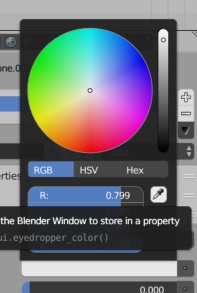
When you use the picker to pick colors it would be great to be able to use it outside of blender's boundaries, since now if you click anything outside of blender's windows it will give you black result, when it would be really nice to be able to pick colors from a website or something like that.
12 Comments
This has been implemented in 4.0 wiki.blender.org/wiki/Reference/Release_Notes/4.0/User_Interface
Strange, this still isn't working for me.
still waiting...
Or, simple enable the option to use the system color picker. You can use alternatives on Windows and on macOS the color picker is way superior to then one inside Blender, supporting all king of libraries. Suggested that a few times before. In other 3D tools you can choose between build in and OS color picker. Its very common on macOS.. just Windows user might find it odd.
Substance painter can do this and it is one of the most useful features of Substance Painter.
hey just googled this and wanted to know is there any workaround around this.. in most windows apps you simply keep the picker pressed inside the app you're using and then when you go out of bounds (while keeping pressed) it picks up on the colors outside of it.. tried on many different apps, works but doesn't seem so in blender.. maybe just explore that option .. even if you drag and release inside blender it will not cleanly pick up the colors .. might be easy to solve in that manner .. .. in the meantime, can you actually use a copy/paste in blender (copying outside image and pastin in blender, that would sufficient - without needing to save that is)
hi guys i just found this super handy tool 'instant eyedropper' works great is all i can say. youtube.com/watch
@tyler.pribramsky: if anything its probably better than having it built into blender
I expect that there would be issues sampling the screen based on the OS you are using, wouldn't this technology be system dependent?
Photoshop doesnt seem to have problems with that... but i don't know.
Turns out that it's not easy to sample whats displayed on the desktop graphicdesign.stackexchange.com/questions/15693/gimp-pick-color-on-screen-without-taking-screenshot
maybe the workaround, would be that when you pick, color, blender will take a sneaky screencap of the desktop, replaces the desktop with it without you noticing until you pick color, when you release the mouse button, it trashes it, done!