
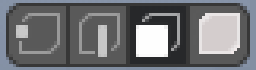
A 4th Mesh Selection Mode "Piece"
Like in the UV editor, you have point, edge, face, and island. With island, you can select entire chunks. Every time I think of it, I always want to be able to select separate pieces like the "Select Linked" tool (L). This way is slower, and it's what I used to do in the UV edtior before I found out about selecting islands mode.
11 Comments
It could be nice for people coming from other software. But a simple solution is to map Select Linked to a shortcut.
I use Ctrl+Shift+Alt LClick for select and RClick for deselect. In edit mode and UV mode.
This is also part of blenderartists.org/t/a-proper-keymap-for-blender-2-8/1145406
There's many propositions about that
blender.community/c/rightclickselect/fFbbbc/ blender.community/c/rightclickselect/g4bbbc/ blender.community/c/rightclickselect/Wkdbbc/
* @jacek007g * Ah sorry. Well, these posts are old, so maybe mine might shed some light onto some developer catching this post.
Yes, would save pressing L all the time.
I'd also add to the proposal: being able to select a "piece"/"loose part" by double clicking over a mesh (a vertex, an edge or a face).
* @Andy Cuccaro * So just set double click by yourself without any proposals... Guys, all of you with all this " for new users " stuff - just learn Blender more before coming here and writing proposals. Use it for work around year and only then write something based on work experience. Your problem is not Blender but your noskill....
* @IIIFGIII * These suggestions of yours are really good, thanks! I think this proposal then might need to change to "Implement these settings by default ".
Just setup something like this for Select Linked. It even better than some Element mode because Select Linked operator can be performed from any mode.
 And select linked already has Delimits

while it's a workaround for now you can just select one face of your piece and press ctrl + "+" (numpad) expand your selection until you have all your piece selected :)
* @vojikcosta * An easier way is to use the L key and pick "Island" from the options and this way it will select the UV island to where you're mouse is pointing but a dedicated button as in the suggestion would be better in my opinion, a lot less clicks and can easily be mapped to a hotkey.
Right!