
Proposal for Knife
It would be nice, especially with complex geometries, to have the Knife tool that can use oriented 90 degrees along the vertical Edge. Like on the picture in Maya (Multi-Cut).
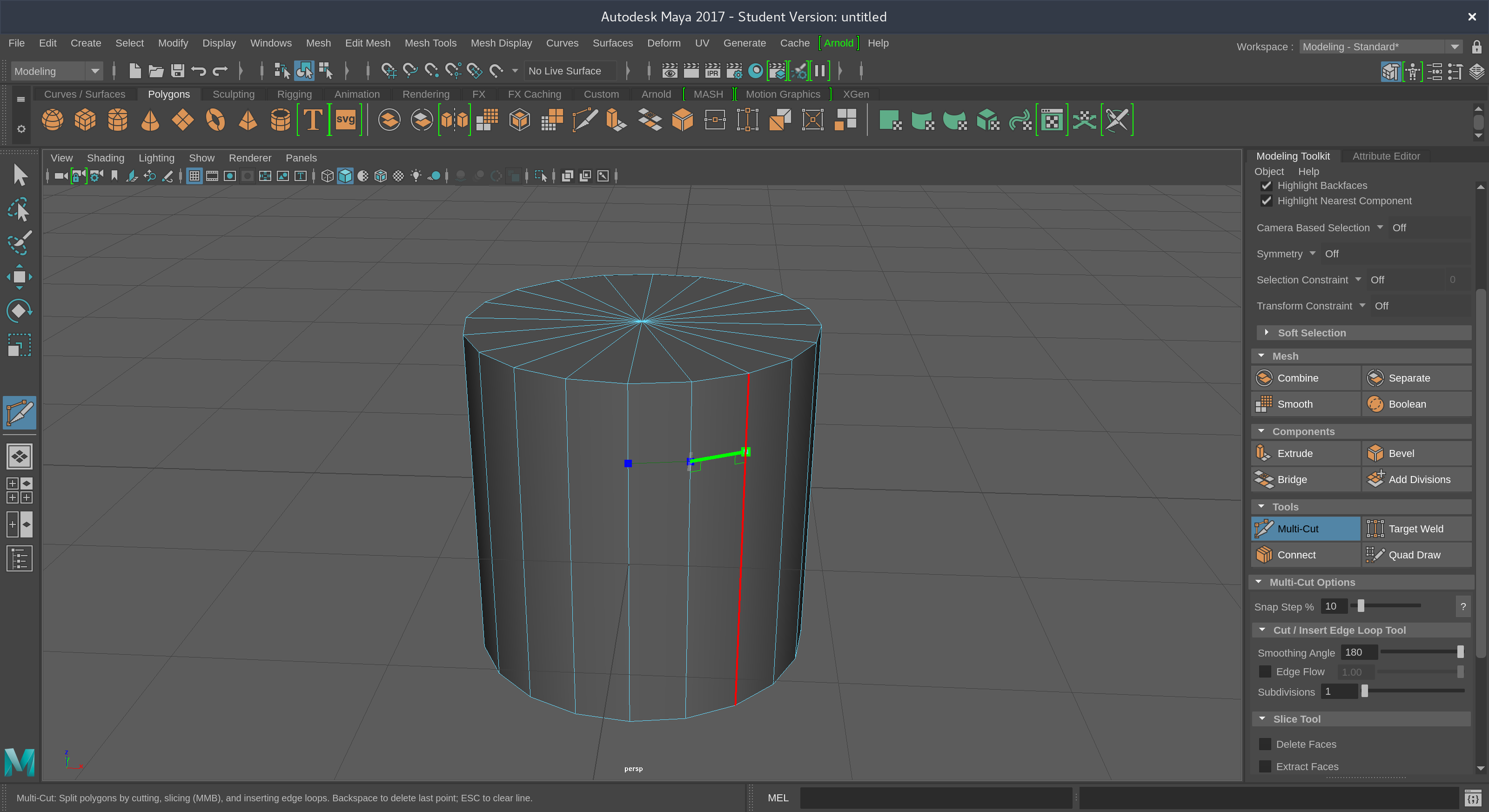
It would be nice, especially with complex geometries, to have the Knife tool that can use oriented 90 degrees along the vertical Edge. Like on the picture in Maya (Multi-Cut).
9 Comments
And undo :D
@Cédric Lepiller: Good Idea
I have some thoughts on this.
I think it can be good realized like alternative toggle mode for C key " Angle Constraint " mode - 1. fit Screen Space 2. fit Normal Space of vertex/edge/face 3. fit Normal Space of vector between two previous toggle aligned to Screen or to face ( details in picture ).
Also it would be useful to have ability while operation with angle constraint - Shift + Mouse Wheel Up/Down to change increment angle like 90/45/10/1. With such mechanics user can achieve cut angle in Normal Space constraint if he need just exactly 32 degrees quick & easy.
But it looks to complicated so I see implementation of such mechanics as a separate " Advanced Knife " tool.
Yes! And +1 for undo.
Why just 90°? how about incremental degree, Maya multi-cut tool is one of the best out there, it has multiple functionalities like percentage snapping, slicing, loopcuting , Edge flow and many more, while Blender has few separate tools with lacking functionalies.
This is the kind of workflow/tools that i want to see in Blender but it seems the modeling part same as uving is railing behind, and now with separate Active tools Blender even became slower.
I think you should put a gif so they understand, they don't check Maya and probably won't be able to get the point.
Just a knive that can lock xyz should be enough..
You can use for now "Snap Utilities Line" Addon integrated with Blender :)
I added a proposal too for Knife, blender.community/c/rightclickselect/dGdbbc/
And commit with right click (or left click if you are using right click select, I use left click to select, sorry) as in AutoCAD.
would be very nice!
Highfive