
edge/face/vertex slide snapping
it would be nice to have the snapping functionality (holding ctrl) available during a edge/face/vertex slide.
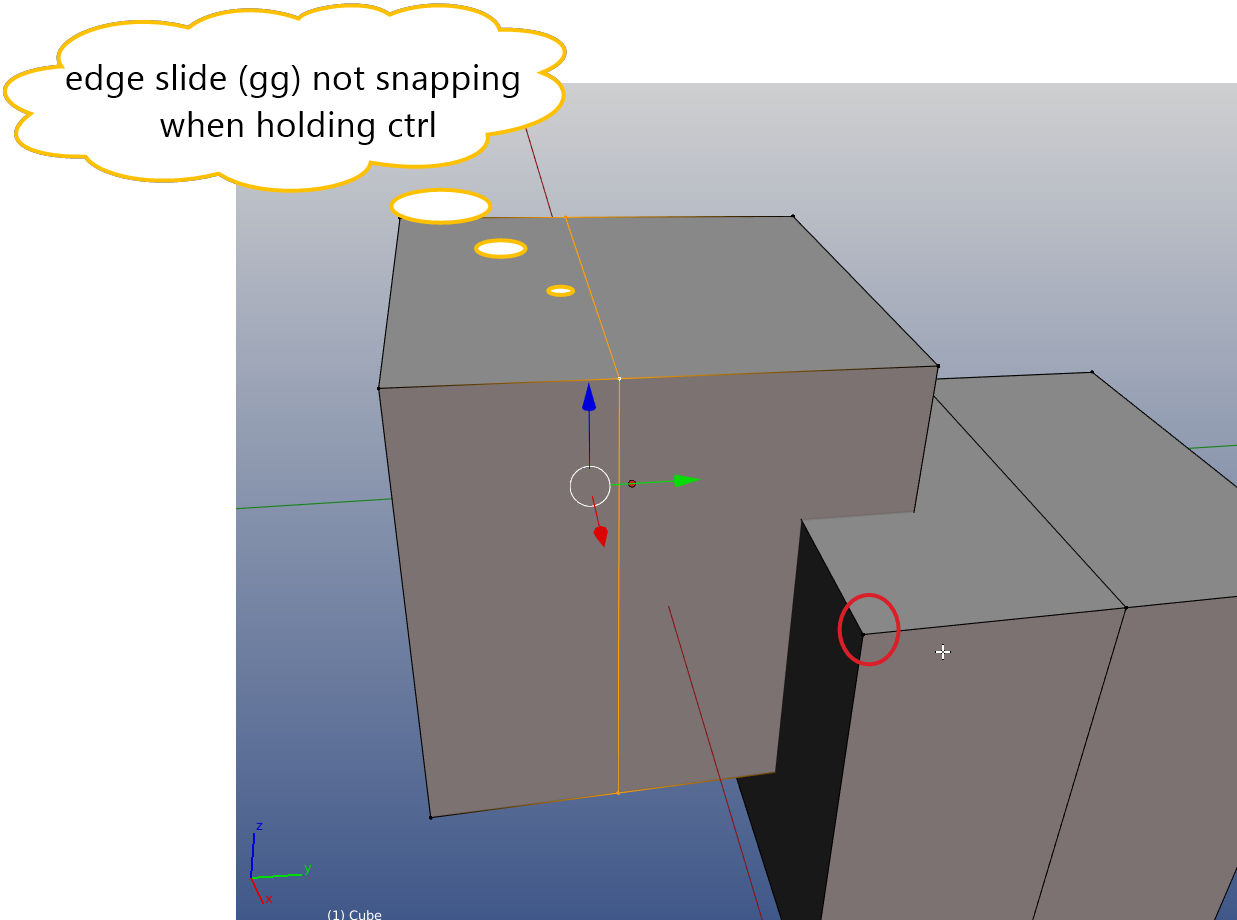
it would be nice to have the snapping functionality (holding ctrl) available during a edge/face/vertex slide.
13 Comments
In Max this feature works perfect. This is musthave feature in blender!
1.snaping mode chage to vertex 2.select edge 3.press G onece 4.press axis what you what to slide the edge 5.hold ctrl and slide the edge by moving mouse 6.you can see the circle of snap
Already ask for slide operation snapping.
After time of learning Blender and with today knowledge can only add - that for " Active " mode active edge might be changed during operation like for now during Edge Slide in "Even " mode we can change alignment edge by Alt + Mouse Wheel and Site by F. So to setup snapping edge during operation it can be something work similar way wiht other hotkeys.
But it looks like mostly this website work in " no one read this, no one care " mode. No one developer check this website for new proposals, no one write any feedback or status for request. So posting here something don't wait for miracle.
youtu.be/BBuD64KhxeY ... no comment
@valentinwn: No comments ? You not the only one who watch Blender Today.
I did not say it literally. It meant that there was no sign of any reaction to the request. No answer by type - the proposal is taken into development. There is some suggestion and it even slightly up ranked, but you have no idea whether someone started working on it or no one deweloper interested at all.
i think it could work. under the hood it should do something like this: when GG the vertex (face/edge) should move on a vector calculated-on-the-fly, so that it should behave just like when you costraint an axis with regular G-move. Then as in a reglar move, all snaps will be available. Go devs!
btw, what about this other snapping proposal? they could be merged imho: blender.community/c/rightclickselect/rnbbbc/
You might need to be a bit more specific. Incremental snapping works for me when edge and vertex sliding. Just hold <kbd>Ctrl</kbd>. Or are you looking to have the other types of snapping available?
@Jason van Gumster: i never use incremental snapping, always one of the others and most of the time vertex snapping. vertex snapping is also the one that is not working when holding ctrl
GG moves in multiple directions following the edge loop. On a cube you have the impression that it is moving in a particular axis. But this is not the case. Try on a more complex model you will understand.
For move on axes, press G and middle mouse for constrain the axes. Then, "ctrl" will work.
@valentinwn: i know that it moves and also that snapping will work when choosing the axis, but since slide is already along a specific direction i dont see why the extra action is needed to do the snapping. so this would make it a little bit faster and a bit more fun to work:D
Do not confuse the two functions: Edge slide "GG" and Move "G". Edge Slide is not made for that. I do not see how to catch the green arrow with "ctrl" pressed is slower ... This is not a problem of the tool, it is a problem of mathematics. By pressing G twice you ask to move each vertices along each edge of the cube. But if the object is not a cube? Do more tests to understand.