
Tear OFF panel stick on top
What is use of having panels tear off when they constantly go behind main blended window when clicking on scene.
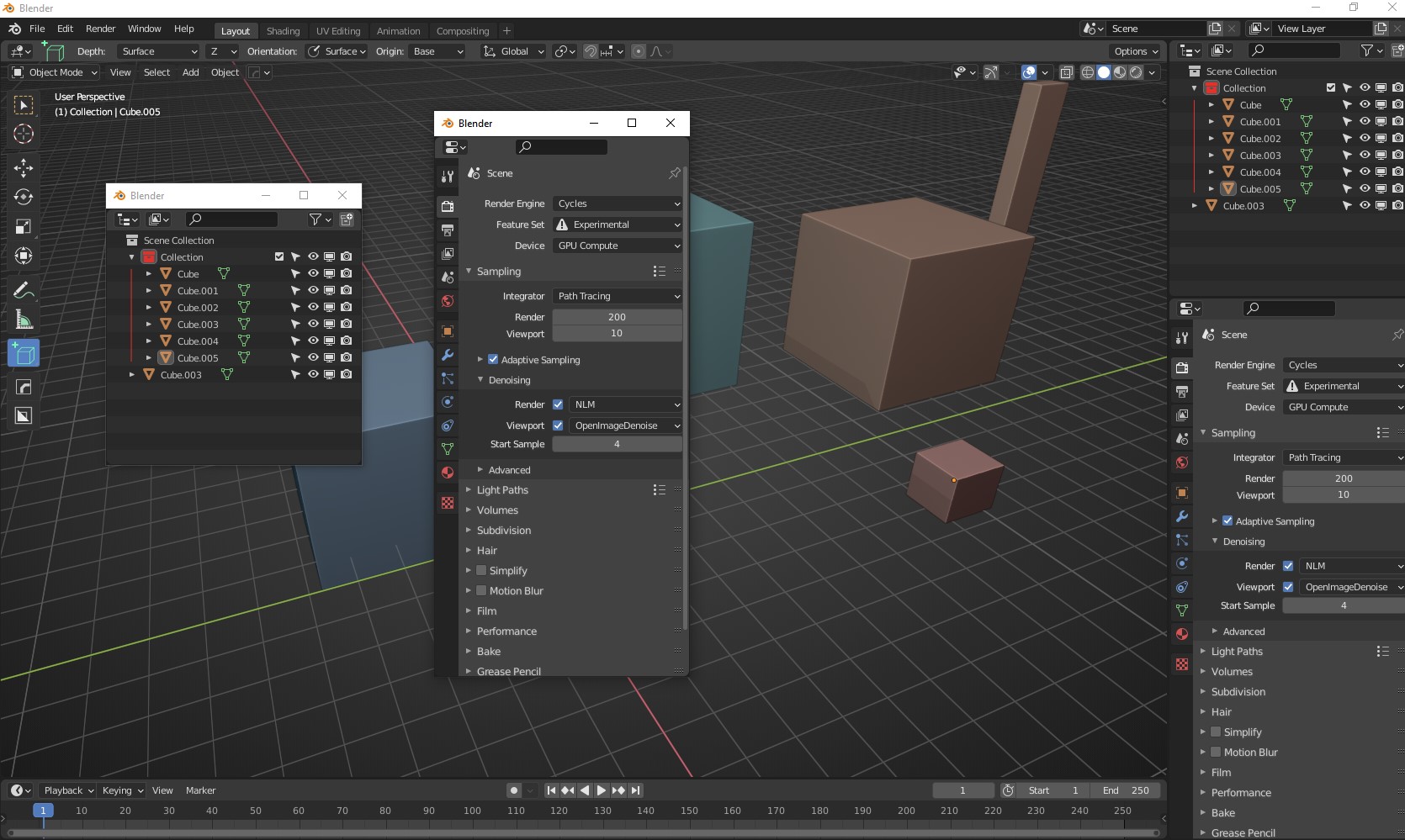
What is use of having panels tear off when they constantly go behind main blended window when clicking on scene.
11 Comments
👉 developer.blender.org/D7497
For now my advice is to use "deskpins" application..)
* @impacman * interesting, thanks!
Yes
blender.community/c/rightclickselect/HZdbbc/
* @-L0Lock- * that's close to what I was suggesting ;) i.e. a pop-up to quickly have access to properties or shader editor, etc
* @moonboots * A popup is by design a temporary window that opens at a click and is meant to disappear as fast as it came, usually blocking the ui requiring/inducing its closure to do something else. Here it's floating windows, it's supposed to stay in place aside the rest of the UI as any other window.
* @-L0Lock- * oh ok I didn't know the difference
How do you tear off a panel?
* @Thane5 * press shift and left click on a coner of a window, then drag
* @moonboots * Wow why is such a useful feature hidden so well?
* @Thane5 * Because blender is well-designed! 🙃
You can also create a new window via the Window menu. At least that one is somewhere visible in the UI, not a hidden feature nobody can guess unless by random luck or reading the manual like a cooking recipe.