
Random UV color
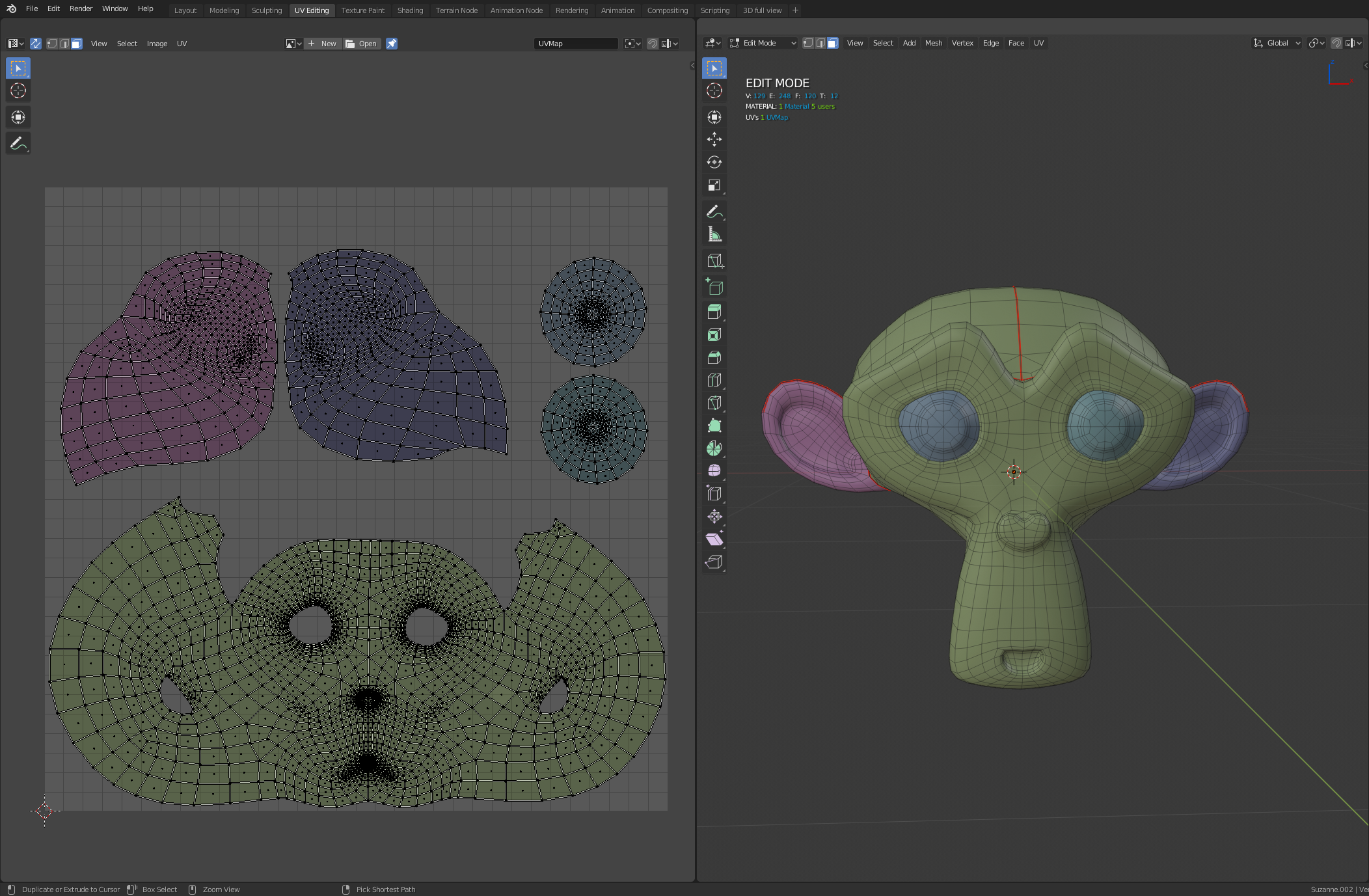
A random color for UV Editing, to have a better visibility and organization for UV unwrapping.
For example

This idea was marked as a duplicate of Better UV visualization with improved Random Colors and Checker Pattern Overlay..
12 Comments
That’s actually a Maya feature. It’s dynamic, so as you cut UVs seams, colour change if a new island is created. Love that feature.
* @riouxr * I thought about it when I did retopo on 3d coat, I love how it works
* @riouxr * Yes this is actually one of my favorite things about Mayas UVs, extremely helpful.
Already suggested (but without mock up for UV Editor)
Yes, this would actually give the random colors a function besides looking cool.
How would you deal with:
* @ammusionist * I didn't really think about it, but why not just have the colors in overlay, even if there's overlapping it doesn't bother
* @Anthony guiziou * this acutally good for overlapping islands as different colors will be drawn on top of each other that gives you a clear indication ,..i think both wireframe and UV colours should have alpha option that would make it even better.
Would be indeed a nice and useful feature. Yet im not sure if its feasible :) Especially in the way you presented it, much easier to find the corresponding mesh when looking at the islands
* @romboutv * yes on this model it's quite basic, but I didn't have the courage to do the image retouching on a more complex uv ^^
Great idea. The Magic UV Plugin already ships with Blender, this would be a great place to implement this suggestion.
A clear A HA moment! well yeah