
Inset Faces: Add Option to Not Clamp the Thickness
Inset Faces have option to adjust the Thickness with ctrl key. I find this very handy when modelling as to achieve same result, a tapered extrude, with other methods will take many clicks and changing tools and orientations
But there is a hindrance with this option. The inset face's maximum size is clamped to the original size. So, only the green examples in the image below are possible with Inset Faces. Red is not.
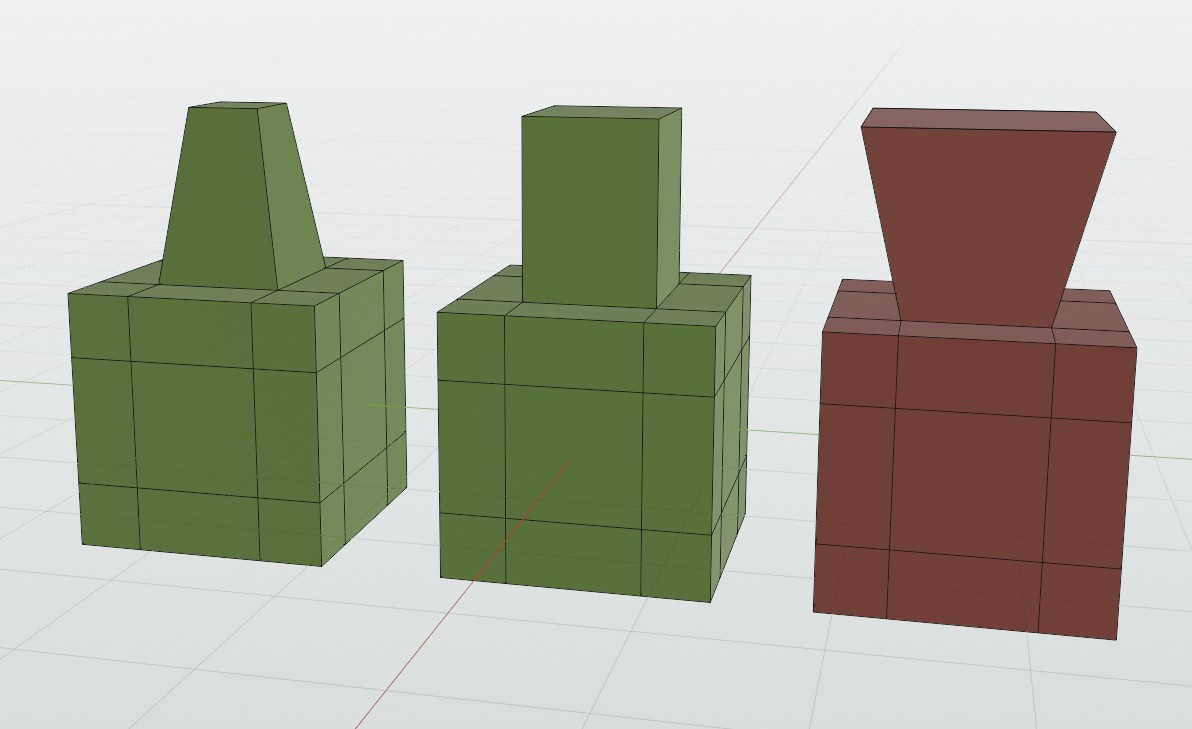
Clamping makes sense when you are not adding thickness, only insetting the face. Then larger faces would lead to bad topology, and in 99% of cases you wouldn't want that result.
But when also adding thickness (extruding), in some situations you want to have larger faces on extruded parts.
In the simple example above, it is just a matter of scaling the polygon. But with more complex meshes, simple scaling doesn't work. For example below, to get desired results, I had to slide individual edge loops that are selected in the lower image. ( There might be a better way that I'm not aware of. )
This leads to quite a few steps compared to just pressing ctrl and dragging mouse
while Inset is active.
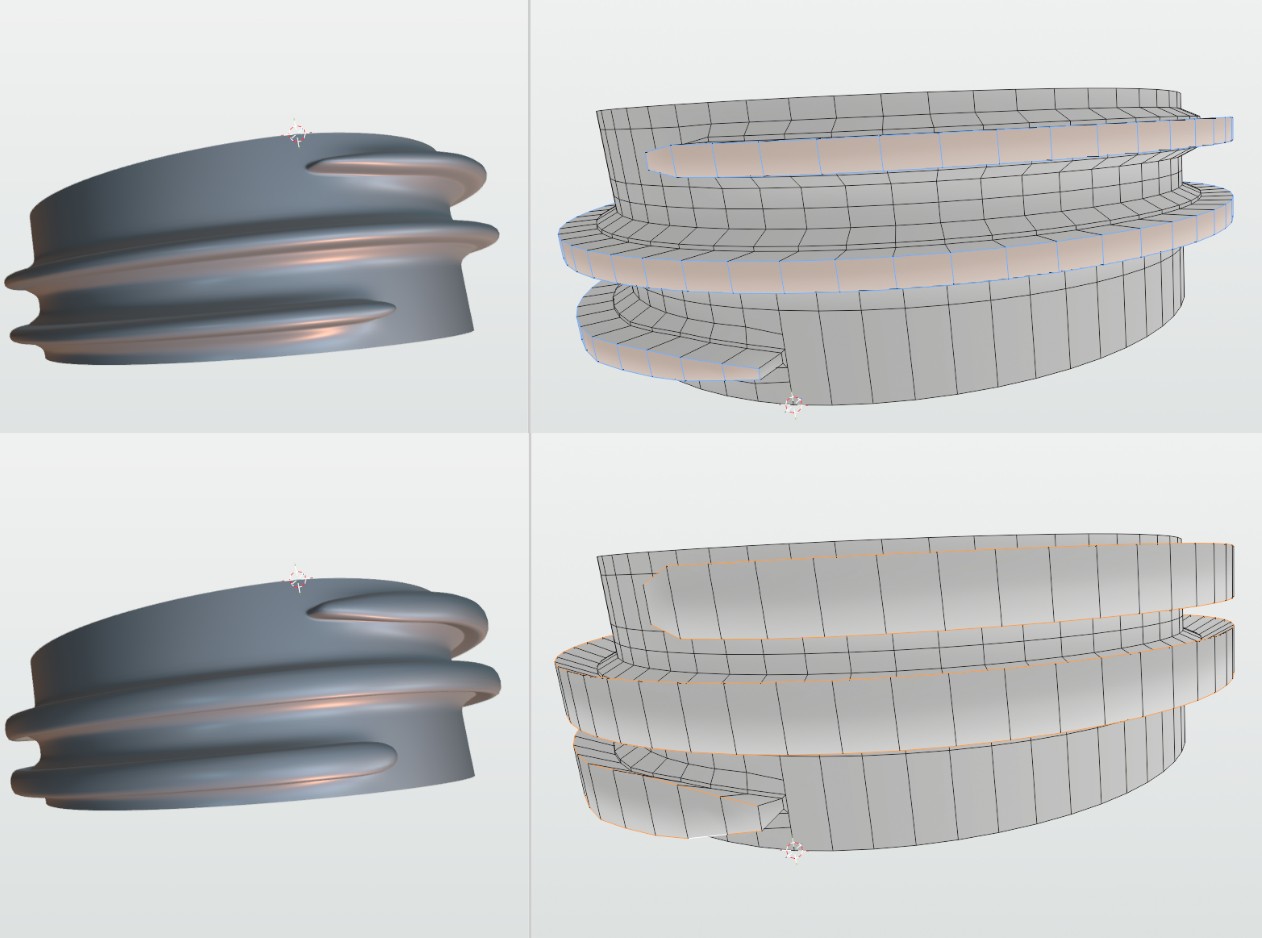
So, there should be an option to disable the clamping of thickness with a modal hotkey, for example, C.
4 Comments
That's a bad limitation, yeah...
Here are some old requests:
Negative value for Inset
Outset rework suggestion
I need to improve my searching skills, as I didn't find those :) Tried to search before submitting.
I think that holding Alt for clamp disabling (similar to vertex slide, for example) could fit better
Best option would be to have both, toggle and modifier.
The same way as it works whit Slide. C toggles clamping, and Alt disabled it when pressed.