
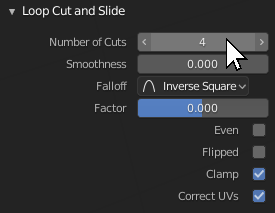
Increase and decrease values with mouse wheel while hovering over fields
See title and picture. Added value is increased productivity. Instead of clicking small arrows, quickly hovering over fields and using the wheel makes for a more organic™ and uninterrupted experience.
Edit for clarification: I should've been clearer. I'm aware of CTRL + wheel. I'm explicitly asking for an option to use the wheel without an additional key.
Some people brought up the fact that this wouldn't work with scrolling around, like in the properties window. That's not quite right. Not only are there enough instances where you have fields in a window or a bar which don't need to be scrolled, but there are also ways to put in checks when to scroll and when to change a value, resolving the conflict with UI rules.
While I can see how one might be afraid of loosing their workflow, this is merely an additional option for people who would like to see this in their workflow, like myself. Currently, Blender is basically being overhauled when it comes to user friendliness. Having ways to modify properties which are in need for a quick change independant from using additional keys is not only already part of 2.8, it's a step towards the right direction for user friendliness and ease of use for beginners.
21 Comments
Please no! This very VERY bad UI design, I hate applications that do this.
Mouse wheel is for navigation.
If you are scrolling a long menu, say in the Properties Window, your mouse is bound to temporarily hover lots of value buttons sooner or later. Not only will this cause your scrolling to constantly stop until you move your cursor, you will also risk unintentionally changing values.
After a long scroll you now have no way to know if/what you changed; and if that isn't bad enough you can't also easily find what the previous value were so you can restore them. That is if you even notice you accidentally changed an undetermined number of settings.
You may unintentionally modify lots properties while casually scrolling without noticing.
You can already do this by pressing Ctrl while hovering a box, and that is more that enough
@Duarte Ramos: ^this.
@Duarte Ramos: We are not forcing you to use the function but adding an option for those who want to use it. It's not black or white. Obviously, as default is a "NO NO" but let flexibility have a place where everyone has different tastes. By the way, my proposal was much wider than just and it requests having the option where you hold a modifier as it works for sliders so you can scroll through options and I agree for sliders holding CTRL is enough IMO too as scrolling would interfere a lot while zooming or scrolling but having the option that can be enabled could be good for those who want to do it that way.
I'll vote for it if it were some Ctrl (or alt or shift) + scroll combination but as it is I'm fairly against it. This is the behaviour implemented in some Adobe software I use daily and I'll try to describe how much I hate it. I usually mouse hover on the panel trying to scroll to the bottom only to see it scroll until the first field moves under the pointer and then it starts changing the values. Moreover if, while scrolling, the values hit the field's upper (or lower) limit the entire panel starts scrolling again resulting in this schizophrenic motion and half of the values maxed or randomly changed.
Tldr: please no; keep scrolling and changing values separate
I can imagine someone wants to scroll down the panel but instead sent 5 values all over the place. With a modifier key, yes. Without modifier key, Nope.
How about when it's in focus? Chrome dev tools use this kind of method for number fields
@Bulder: I don't know what you meant by 'in focus'. If I clicked on the number field to type in something, and instead of typing after clicking, I can use scroll wheel after clicking, I'd love to have that feature.
It looks like this works using CTRL and mouse wheel, a good solution. Would be great to have CTRL SHIFT mousewheel for larger increments!
* @xy3d.eric * And CTRL + something for smaller increments. Also, when you click + drag to select multiple values (like xyz in mapping node), it would be nice to be able to change multiple values at once - useful for scaling xy at the same time.
Please don't add this. I don't want to screw up random values when I'm scrolling through an interface. Other random badly-written software sometimes does this and I really hate it.
People, Can we PLEASE check whether a feature already exists before calling for it??
Put your mouse cursor over a range control - Hold [CTRL] - Scroll wheel.
I don't understand this proposal. Obviously this cannot work with simply the scroll wheel because we use that for, well, scrolling.
As for adding this to Ctrl-wheel - it already does this.
So again, ?
@billrey: There are more than enough cases where fields are on places with no scrolling at all. One could also block the scrolling when the mouse is over a field, either immediatly or after a certain smount of time. " this cannot work" is a pretty extreme statement in that regard.
It's about quickly changing values for efficiency's sake without an extra key. An example is quickly scrolling up and down the size of a brush. Some people would like that option.
Well, we cannot have a conflict. If scrolling through the Properties will also accidentally changes all the values you scroll over, that clearly doesn't work.
Users may also begin to scroll after the cursor has been still for a while, so that cannot be used to determine the difference either.
Are you aware that Ctrl-wheel already works?
You can also drag on the number values to change values quickly without holding a modifier, so this is already covered and solved.
We totally need this supported asap.
To cover a much wider usage I proposed to have it available in preferences so we can assign it to anything we would like. Check Here
I would love to see this as an option in user preferences. I could see this option being super helpful for somethings and annoying for others. Having it as an option would be great though!
Could be nice to do the same for pen. Alt + move to edit the value Shift + move to slow down.
@Cédric Lepiller: Yeah, I kept it simple since simulating a wheel with a pen with the pen's driver (wacom in my case) is already possible and pretty much would work like you described.
@deniz.oezdal: doesnt it work like this alredy?
@Luciano Muñoz: You're right, I forgot about the fact you can press and hold with the pen. So, that aktually makes sense as a separate addition.