
Rotate buttons for viewport widget
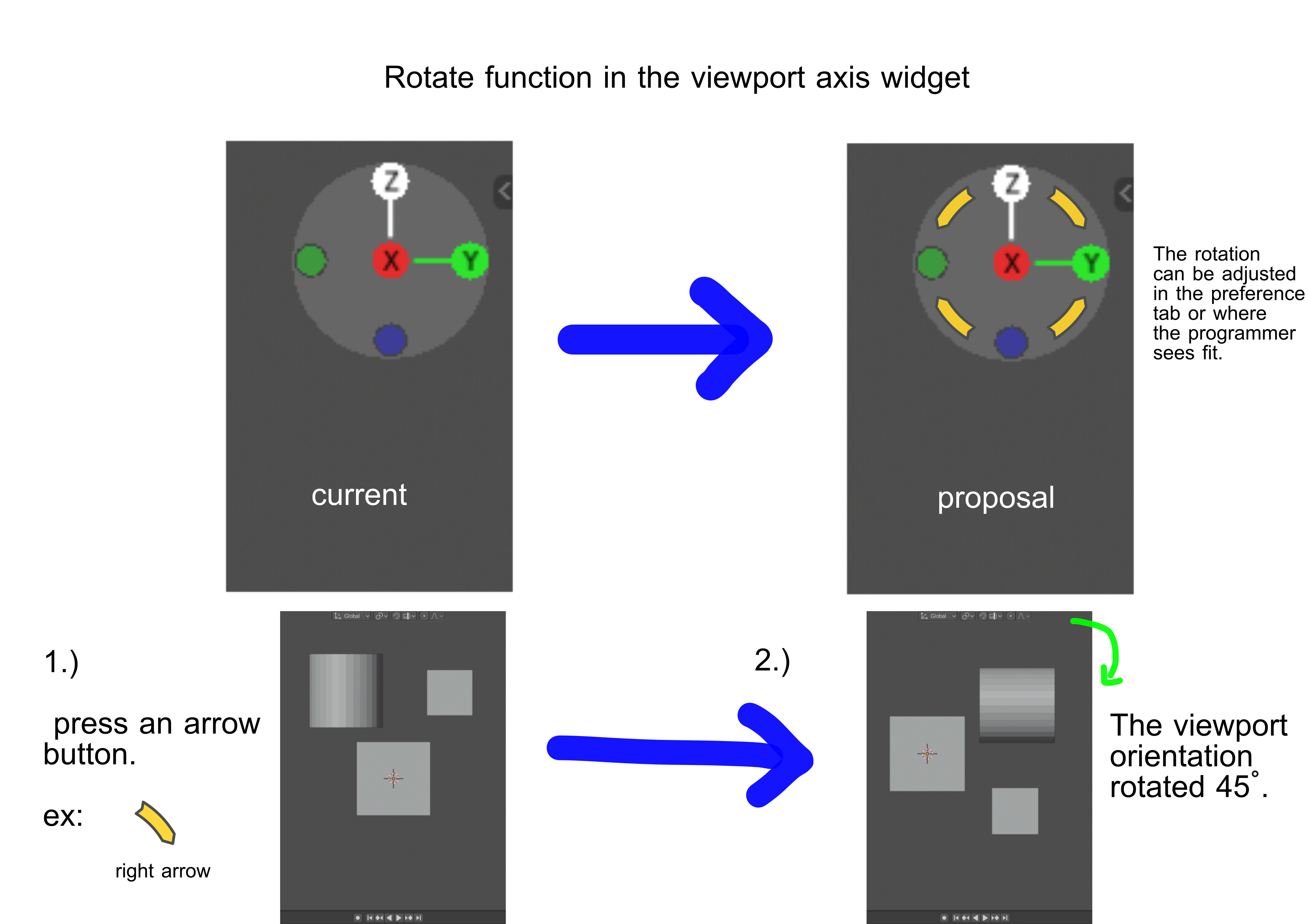
Hello guys. I would like to propose an additional function for the viewport widget and these are the rotate buttons. These buttons will rotate according to the current view in the viewport and the pivot point would be the center of the viewport screen.
This will be helpful for a much easier rotation of viewport's facing orientation. The rotation can be adjusted to a degree of 15, 30, 45, 90 or incremental.
Thanks.
6 Comments
I would also like to have an interactive widget icon for rotating the viewport in 2D Space freely. (For Grease Pencil stuff) It would rotate the viewport like in a drawing software, krita, sai, phtoshop, etc...)
i.imgur.com/m5sCfhw.jpg
(Edit: an option for a shortcut would also be nice, I missing that function)
* @martin.editing * This should be easy to do. Make a separate post for it.
Good idea. A few notes:
Would probably be incremented at 90 instead of 45 at the tap. Because the gizmo works at 90 degrees. Normaly click and hold orbits. Maybe click and holding on this portion will do a rotation instead?
* @rodgerdaledavis * I guess this is what your are trying to describe : blender.community/c/rightclickselect/j4dbbc/
Either way most importanlty, is just to have a widget that can assist the user in rotating this area of the viewport.
Correction : The angle rotation of the sample image should be 90 degress not 45. Thanks.