
Outliner Improvement: Export Object to New .blend File and link
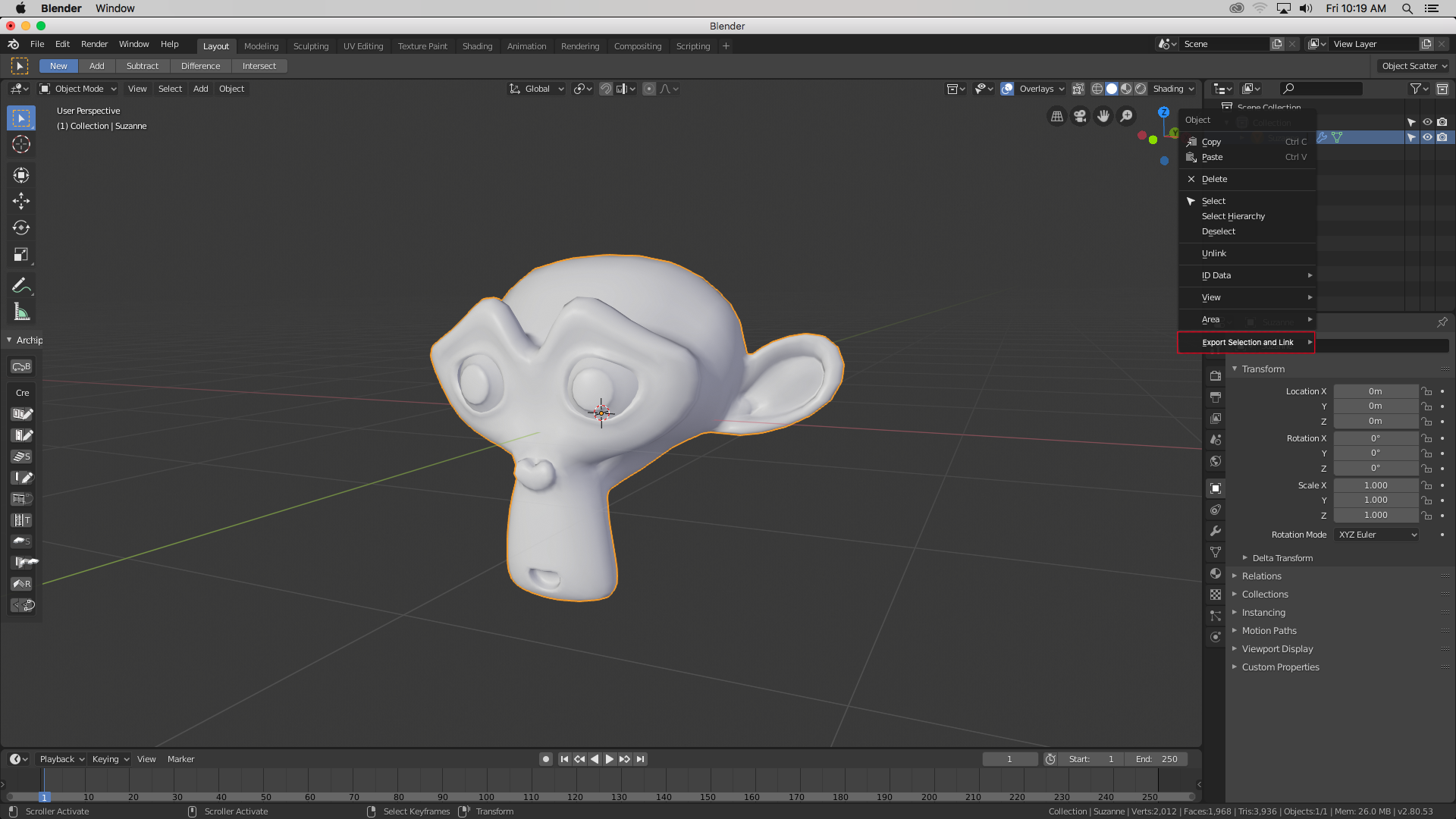
Sometimes when I work, I'm kind of messy and I produce multiple assets in a single file. Usually, it's better to split a file up into multiple assets and link them in, so many artists can work together without having to keep re-linking files. When working in a group, it's not an option to keep multiple assets in a single .blend file (unless, of course, they belong to a set). So I propose an easy way of moving objects to their own .blend and linking them in: simply select the objects in the outliner, right click, and choose "Export Selected and Link."
9 Comments
This idea is actually really great. :)
Definitely a "Quality-of-Life" improvement for messy artists like me!
im coding it right now
Also be sure to check out Selective Save/Export and leave some feedback. This is the post that gave me the idea.
i cannot understand why blender hasnt got an "export selected" as blend...
Hi, I've released an free addon to Export as Blend file :
github.com/Tilapiatsu/blender-export_as_blend/releases/tag/1.0.0
It is not integrated from the outliner, and there is no option to relink after export, but it could be on the future releases
this could be done easely by code i think, guys learn coding ! its an entire part of blender !
* @dodododorian * I use Python a lot myself, but this is a feature proposal. There's a whole lot more to learn than code- the existing codebase, for one, is huge. Then there's the whole building process, Git, the patch process... it's not something I have time for right now. I do intend to in the future! But it's not a small task.
* @Josephbburg * blenderartists.org/t/back-me-up-easely-create-copies-of-your-work-and-many-more/1161114/21
check this addon, i will add it tomorrow