
Intuitive Masking in the VSE
Currently existing features = normal text
New (suggested) features = bold italics
Here's what I naturally intuit what a masking workflow to be:
...
-
I am in the Video Sequence Editor, with a Preview panel and Properties panel also open
-
I select a clip on my timeline
-
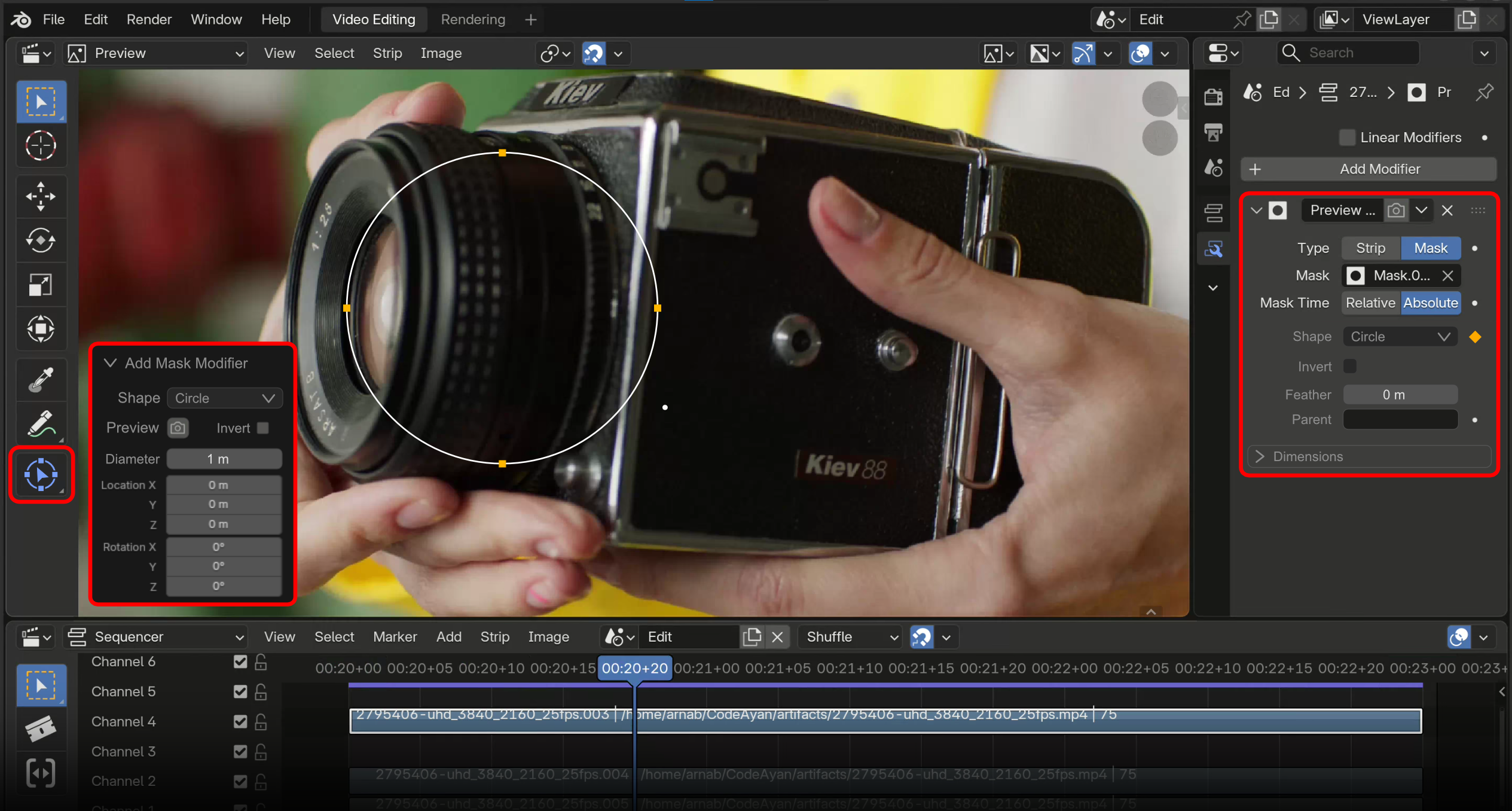
I right-click on the clip and add a Mask modifier
-
An editable vector square automatically appears in the Preview window masking my clip
-
An Options menu also appears in the Preview window
-
A Mask modifier appears in my Strip Modifiers
-
The Strip Modifiers tab automatically opens if it isn't already
-
I go into the Options menu in the Preview window and change the Square mask to a Circle mask
-
This Options menu will disappear once I interact with the mask shape
-
I go into the Properties panel > Strip Modifiers and change my mask modifier setting from Exclude to None while I edit the shape (allowing me to see the full clip)
-
I start adding points to the Circle mask with Cntl + Left click
-
I double-click a point to toggle it from a Bezier point to a Vector point
-
I finish editing my mask shape so that it matches the outline of my character
-
I add a keyframe to the Mask Shape's shape/location in the modifier properties panel under Transform
-
I move to the next frame by pressing the R cursor key.
-
In the Preview panel I select Move (G) and move my clip's location to the right and the Mask Shape moves with it
-
I step a few frames ahead with Right cursor
-
I adjust the Mask Shape to match my character's new pose directly in the Preview panel
-
I add a new keyframe to the Mask Shape's shape/location in the modifier properties panel under Transfom
-
Etcetera...
FYI: My background is in Adobe After Effects and Premiere. I'm currently trying to make a mask and have that mask move when I move the clip in the Preview panel. Right now, when I move the clip the mask stays where it is and I can't work out why. The entire process, which includes following many different tutorials, has proven to be unnecessarily complicated, especially as it's much more straight forward in other programs.
Overall suggestion: Right now the Masking workflow is treated as an advanced task alongside Tracking, and separated out into its own area, the Movie Clip Editor. This is unintuitive because Masking should part of a basic workflow, not an advanced workflow. Masking should be easy & intuitive, as well as being directly accessible from the VSE/Preview panel.
3 Comments
@eliphaz, @Ay1nDas - I understand that VSE Mask Editing is now in the Google Summer of Code, and that it is an active project. This post was written before I knew this, and so it represents raw user feedback which overlaps current goals. This is also for the UX data collection. I'm alerting both of you to this in case it helps current efforts. Thank you for your contributions to Blender.
I also submit an idea very much like yours: blender.community/c/rightclickselect/3Oy4/
So cool that there is a plan for a feature like that in gsoc now... Yippie
It's in GSoC 2026 list of ideas... VSE: Mask Editing in VSE Preview