
Image/Result preview in Node Editor
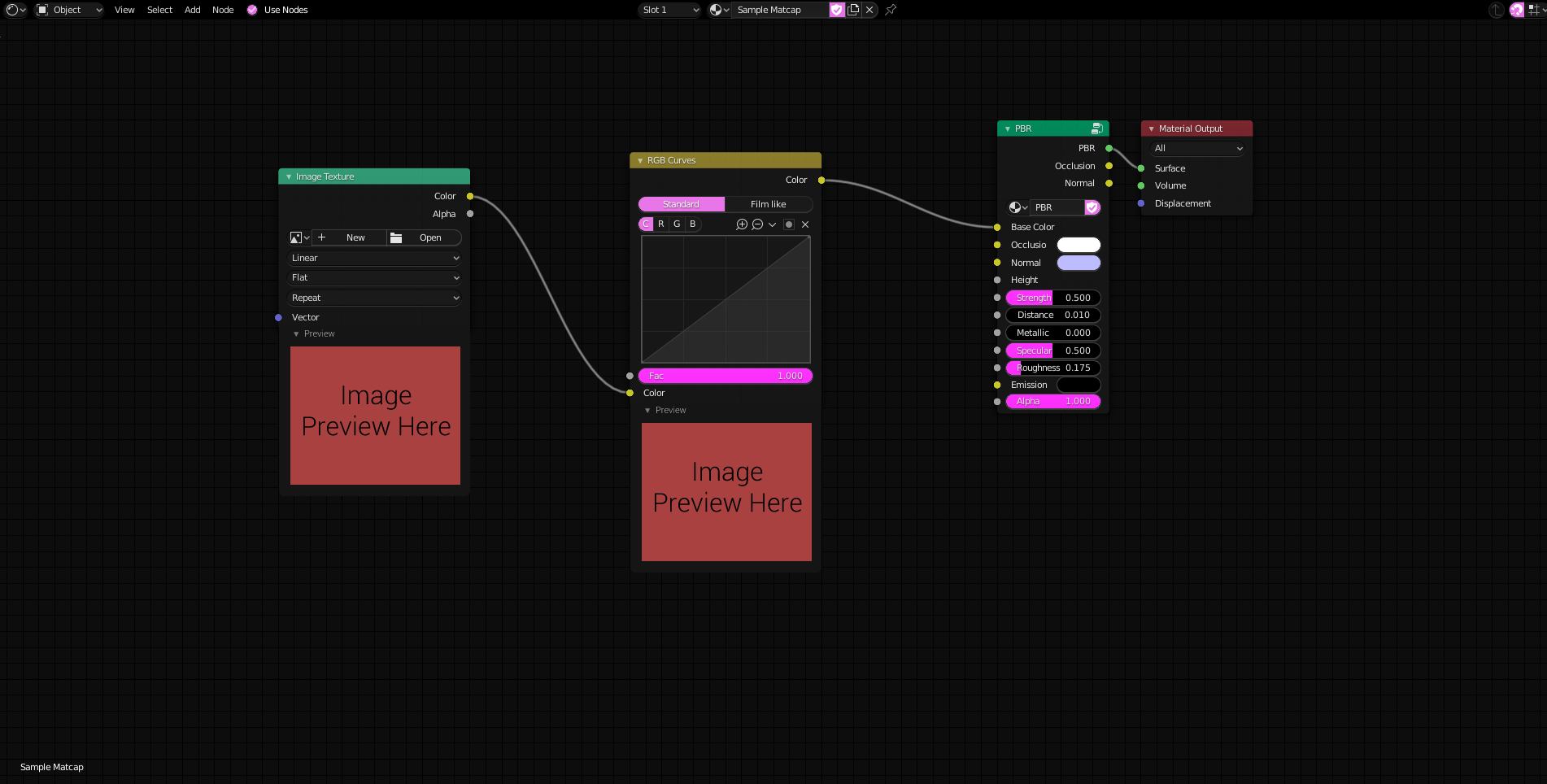
Blender's Shader graph can be really powerful, but a few changes to it could make it even better. One of these features would be, in my opinion, to have a small preview of the result of the nodes into the node itself. This feature is present in other Softwares like Unity's Shader Graph and Unreal Engine's nodes materials.
It would be pretty comfortable for example being able to see how the changes done using an "RGB Curves" node affect the input image texture live. This would make the artist more aware of what is actually happening inside the shader and through all of the nodes that compose the material and therefore would make it easier to edit it to achieve the wanted result.
You might say that there's the NodeWrangles addon that could show the result directly on the model, but not only that is different from seeing a flat image when it comes to procedural ones (for example), but it also requires to recompile the shader every time a node-link is changed, which would make blender freeze for a moment (which probably should be fixed as well since it's a pain when texturing). So having a preview of each change would make things clearer.
I honestly don't know how heavy it would be to have such feature, though knowing that it already exists inside of Unity makes me think that it wouldn't be too hard to get also inside of Blender, but unfortunately I don't know enough of blender's source code to tell.
If you think this feature would help you or other users as well consider upvoting this post :)
4 Comments
For Image nodes, there is an add-on that does it: gumroad.com/l/PbmIF
But it would be nice to get it for all nodes indeed.
Duplicate proposal: blender.community/c/rightclickselect/zFcbbc/
* @Emir Sinan Gürlek * Oh thank you, I wasn't able to find it that's why I posted it. Also, being that the original has been posted 1 year ago it probably sank and got lost, so having duplicates imo is a sign of a higher need of a given feature. Plus this is not just a duplicate since my post includes a suggestion for the shader compilation process.
Hello, the idea with the preview is not bad.
The preview settings should be exactly the same as in the material preview, i.e. as sphere, cube, Blender sphere (with the Blender logo), hair and as cloth on sphere.
It would be important to have an option switch, whether it is projected on a correctly processed UV mesh or not.
Since many special effects only work correctly with an unwound UV mesh.
What is clear is that such a preview requires power from the CPU/GPU, but if you program it correctly, it should not be so important.
Nodes are always calculated from left to right.
Let's take a noise node on the left, here the preview is pre-calculated with an emission shader and displayed on a preview object.
If you have a corresponding node string, only the nodes further to the right have to be recalculated if something is changed at a previous node.
But what would also be conceivable is a so-called preview node, which has a white input and output, since this preview node can accept vectors, values (gray in/outs), as well as yellow for colored inputs and outputs.
This preview node would not even have to be reprogrammed, since there is already a material preview in the material settings, only that this is provided as a node.
Sorry for my English, I had it translated with Deepl.com
My mother tongue is German