
Blender Orthographic projection as 4in1 and 6in1
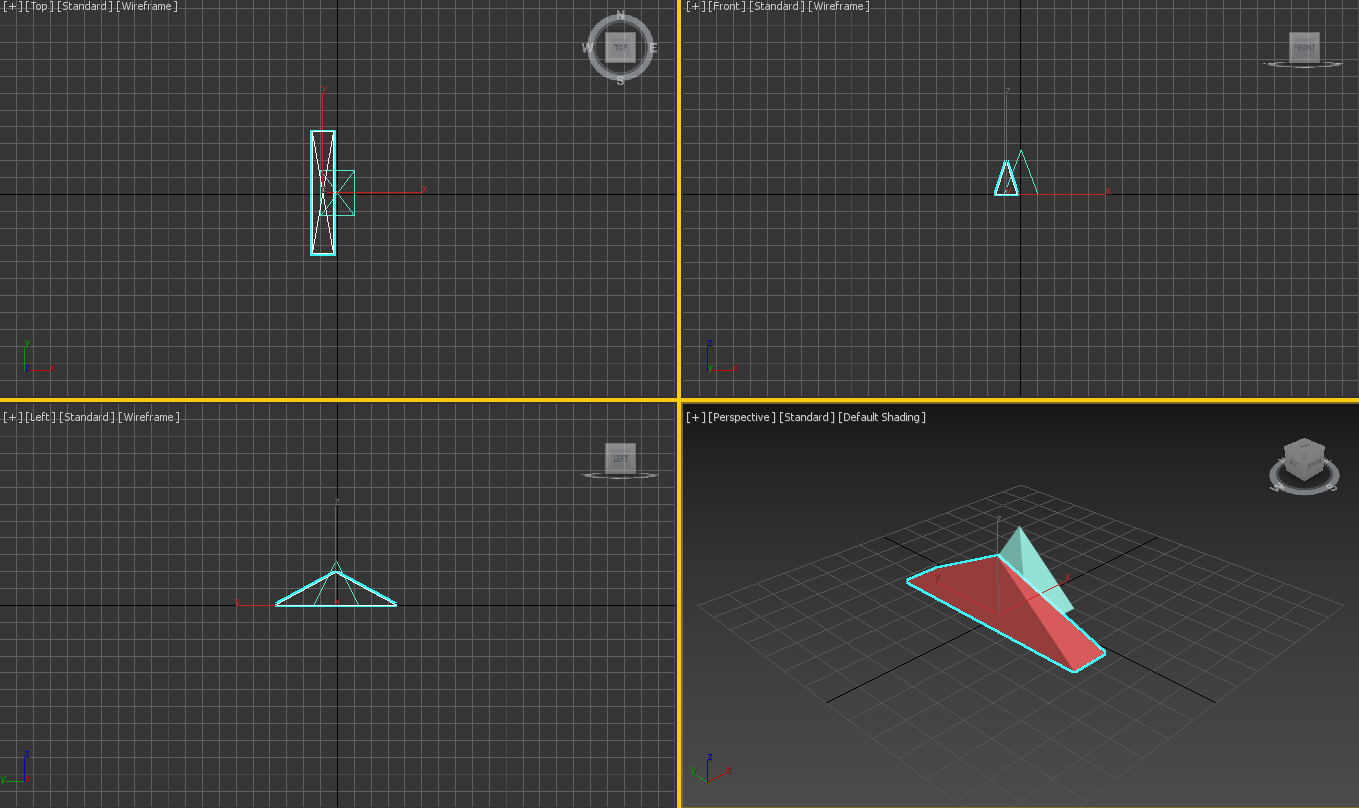
I need something like on image as Orthographic projection
- Orthographic projection
- option to hide yellow cross and gride
- it's for made drawnig from 3d to 2d for patent drawning or other (blwck and white / wireframes)
- no gizmos, but some description of views with option to hide
- probably good candidate to addon, with option to show only 2in1
- maybe can be solved now by some operation, but idea is to easy save this type image as 4in1 or 2in1 as screenshot, and work around modeling
..this feature is as part of other, to expose in next post, eg:
- Save screenshot Viewport + Save screenshot GUI (As 2 separated options) + file name format
- Bether way to make drawing from 3D to 2D Draft with description of objects/elements
14 Comments
On this time conclusion is that Blender needs option to set individual and custom presets from options around UI for custom workspace.
Luckely for you, this function already exists.
imgur.com/a/YvXyHsq
The shortcut CTRL+ALT+Q will do the trick. ;3
* @Julien * I know, the problem is more focused on details and features from links as related. It need more precised result. Anyway thx : )
Just setup four windows... You can save then such custom layout and switch to it if needed.
* @IIIFGIII * I'm trying to "join" some threads to this. Need more info how to do this as You have on image + optoin that no gizmo/tools
And take point for this:
blender.community/c/rightclickselect/glhbbc/
Want 5th frame with real render and 6th as dock spreadsheet.
Now not sure how to do, or it's possbie.
* @IIIFGIII * Exist some "fast" btn to organize it? As some ptyhon macro or something like his? Templates for scenes? Or can easy shfiting betwen windows? Eg. Alt+1, Alt+2, Alt+3, Alt+4, Alt+5, Alt+6 as frames of windows?
* @IIIFGIII * How I can identify the view sides as left, rifht, front, back as description (on screenshot as nice print without GUI)?
* @ManBlender * Just save custom layout. How to manage interface - I think you can found all you need across the internet. This place for feature suggestions...
* @IIIFGIII * I know it's Quad view. But how You turn of the GUI elements and panels (1st image)? By python scripts? How You operate with this in even new project id stared to have this type view? I have many related btns from addons, and it's hard to manage
I must do something like bpy.context.space_data.show_region_tool_header = False ..for each one problably, but then:
bpy.context.space_data.show_region_tool_header = True Traceback (most recent call last): File "<blender_console>", line 1, in <module> AttributeError: 'SpaceConsole' object has no attribute 'show_region_tool_header'
* @IIIFGIII * How to hide "cross" like yellow on my image, and Your gray (change colour?)? It's regarding of the threads that want optimize process around make documentations form 3d objects to 2d drawning with description.
* @ManBlender * Better to hotkey those three things. After hiding header you will not be able to R click on it no more.
* @ManBlender * You can change this color in Theme preferences and make it same as viewport background. An all that stuff how to manage interface you can research by yourself. Here not help desk...
* @IIIFGIII * "Better to hotkey those three things. After hiding header you will not be able to R click on it no more. " - that is issue to FIX it. And should offer to turn off globaly due that other addons give own btns..
* @IIIFGIII * Rifht.. it's possible, event that effecting for all workspaces where this seperation can be comfy. Thats why I looking some optimization around 4in1 or 6in1.
What about gizmo, zoom/pan/camera/perspective icons? The arrows to show panels are not nice in case of scrennshots for documentations.