
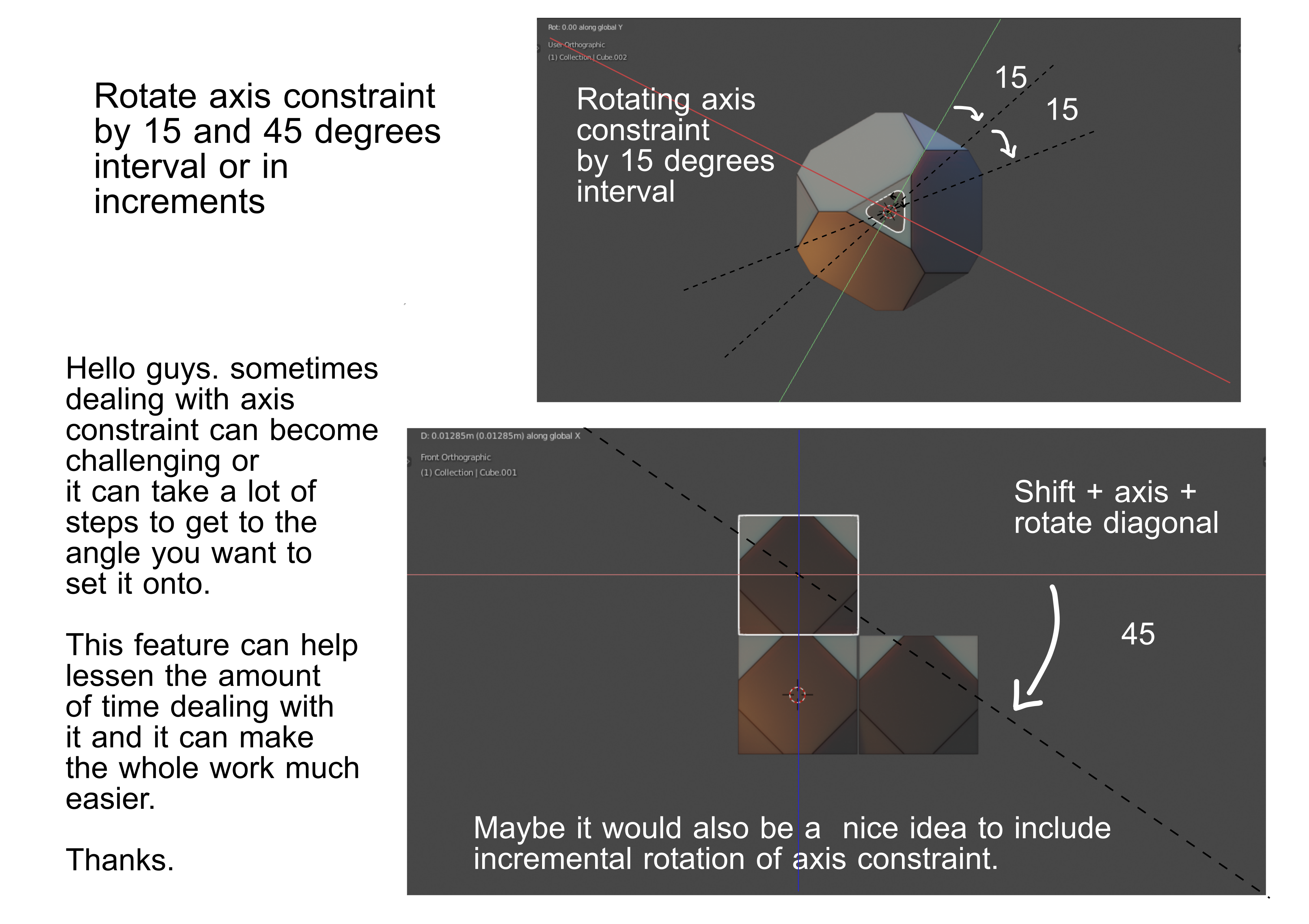
Create a sub type guiding line for diagonal constraints when applying Shift + axis/exlude axis ( snap to 15 or 45 degrees )
Hello guys. I would like to request a feature where you can rotate the axis constraint that the user is currently applying.
I don't know how to explain it further but you may get what I am trying to say in the mockup image.
Thanks
4 Comments
Can you describe more detailed how exactly you imagine axis rotation action? Which one axis to rotate, how to rotate, when ( during transform/before transform), workflow for hotkeys/gizmo users, etc. ?
If question is to rotate something incrementaly - already suggested incremental settings. So now it need to know how exactly rotate axis.
In this case it should have usage comfort profit against to just
Custom Transform Orientationfunctionaluty - speed, any other?* @IIIFGIII * The axis constraint line literally. There are two things I could think of first is to just drag the guiding line of constraint to rotate and the other one would be like an axis constraint within an axis constraint.
This is technically not going to constraint the object but the active axis constraint that is currently applied instead.
* @johnpdelacruz26 * Ahhhh .... Ok. Look - for example, I start move polygon, I press
G, then I pressYto getNormalconstraint by active element (actual polygon, same as in your picture example)Y.What's now. How should look this axis rotation in this script?
Should I pres another key to start rotate this
Yaxis? I rotate it around what? WorldZ, pozugonZ? But what if I get active elementZas constraint axis - wround what I will rotate this constraint?And lot more questions .... Do you have some vision how it all should work and have answers for all possible questions? If you have - is it really should work better than just create
Custom Transform Orientation?* @IIIFGIII * From what I understood in your question, the process would be like an additional key option similar to other functions where you can have the ability to change its behavior.
Ex: Alt S + S this will enable the even distribution in scaling.
Right now rhinking about it. It would be nice to add this during shift + axis command. Where you exlude one axis constraint. I guess the diagonal constraints is what I am trying to get to. Like 15 or45 degrees rotation a guiding line will appear.
I think I am gonna create a new proposal that is different to this. Thanks for the constructive questions.