
More convenient way to snap...
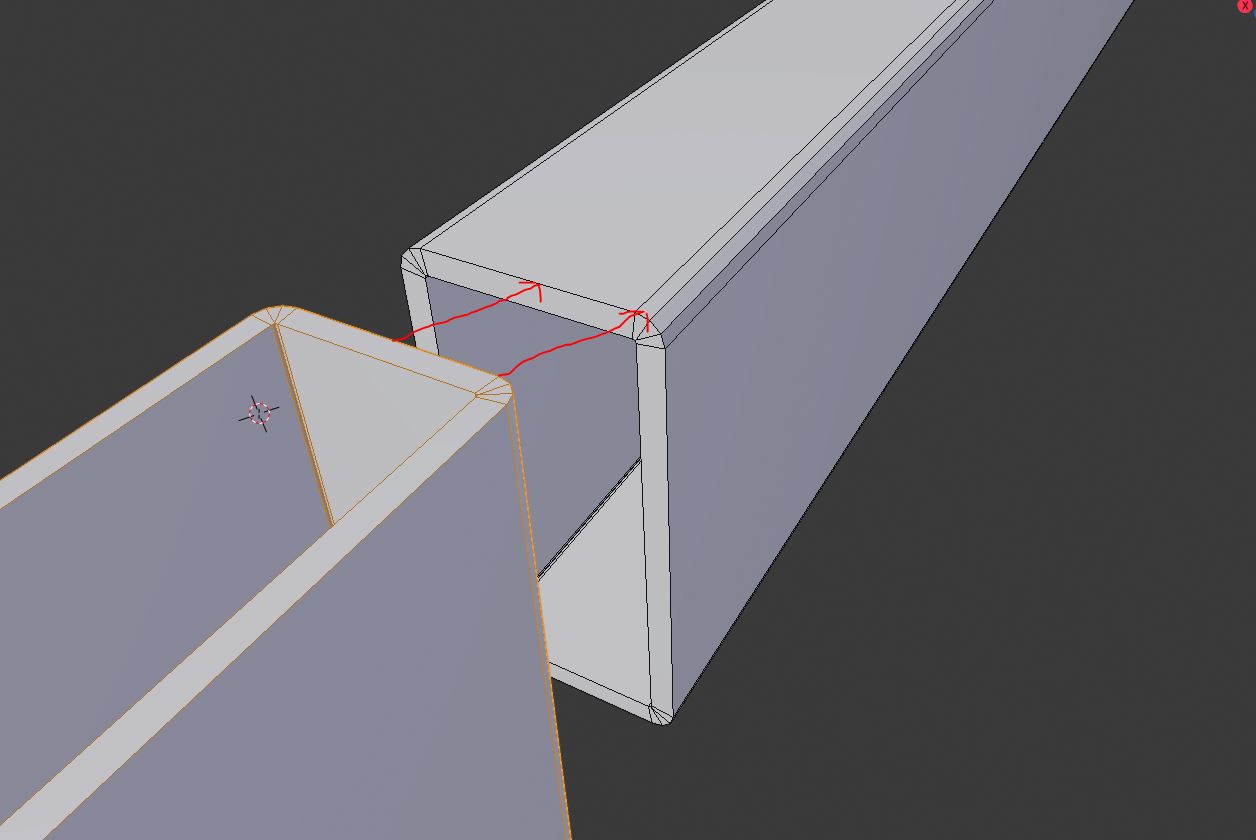
Hi! What your opinion about snapping between objects? For me now it is waaaay to complicated. I just want to snap two simple tubes. Center to center or vertex to vertex. And it is so complicated with all origin changes... snapping to wrong vertex and so on...
8 Comments
Yes. Absolutely. And a duplicate of the currently 3rd most requested feature on RightClickSelect . :)
* @motionblur.of.doom * oh i missed that. So I am not lonely :)
USE snap tools (ctrl) : It will be necessary to create a pre-moderation because many new users think that a Blender feature does not exist even though they do not know anything about it.
This pollutes the real proposals and the developers risk being invaded by useless proposals.
Sorry for translation.
It will be necessary to create a pre-moderation because many new users think that a Blender feature does not exist even though they do not know anything about it.
This pollutes the real proposals and the developers risk being invaded by useless proposals.
Sorry for translation.
* @valentinwn * It is not working how it must/could. Sorry I missed top most hot 3rd post. And don't say i do not know anything. I will send you 1$ for satisfaction if you will be able to connect to cubes(only) in object mode by only moving object with turned on snap and not changing 3d cursor or whatever in edit mode.
Buy CAD Snap Utility by Mano-Wii blenderartists.org/t/cad-snap-utilities/635301/324 It work
* @kungkea * It is gooood, but not same.
You've outlined a problem, but you haven't actually suggested a solution to that problem.
How would you make it less complicated?
* @Jason van Gumster * I think by making possibility to snap there I want in less steps. :) Without 3d cursor rearangament and going into edit mode.