
Alt+ Select & Drag = Extrude
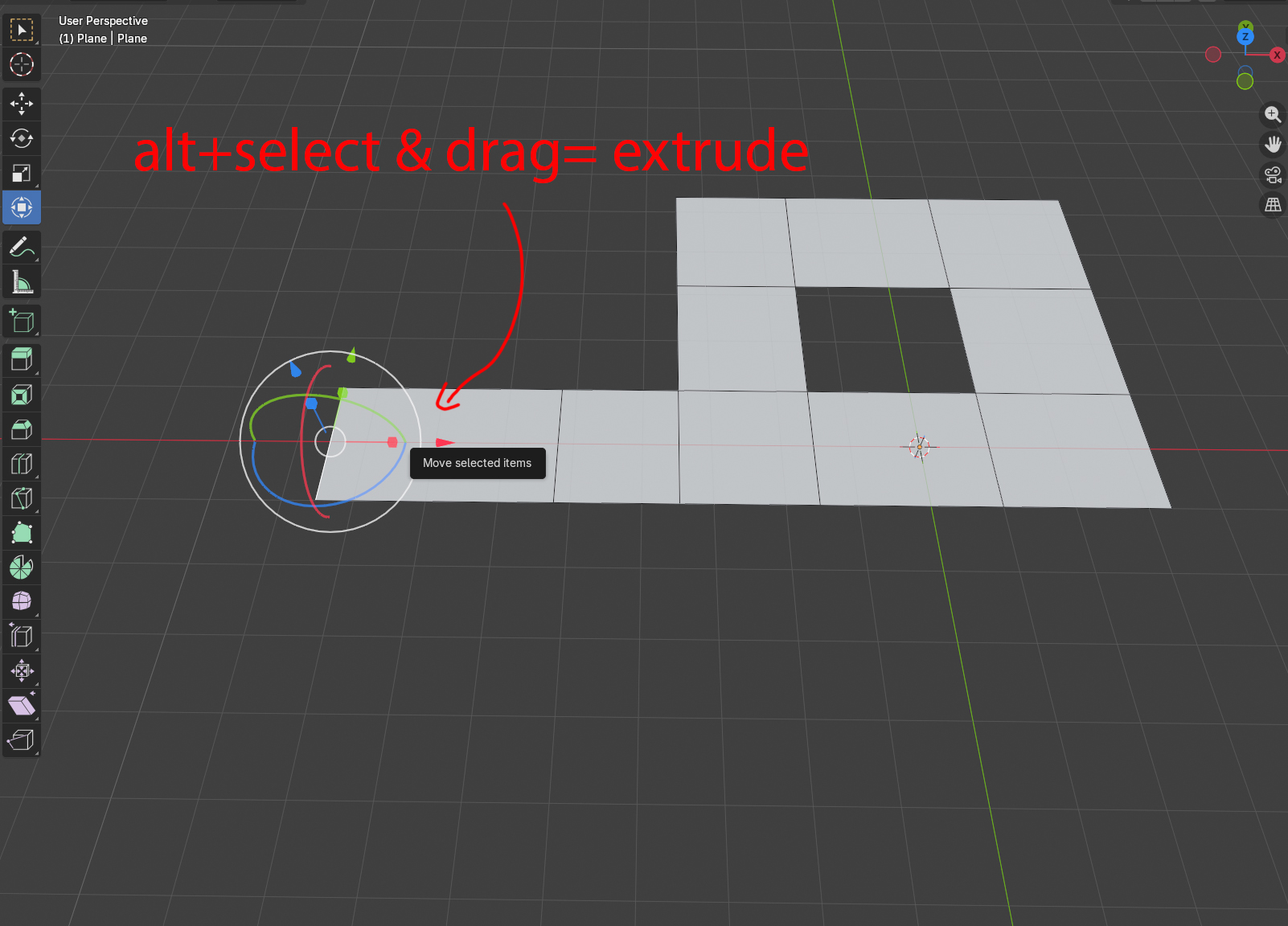
I like to use the transform tool instread of pressing all the the time the shortcuts to move (G) and extrude (E) along the axis(X,Y,Z), But it would be great if you select the gizmo and you press ALT to be able to drag and extude along the axis you have selected already, instead of pressing E and then the axis you want. I am not sure if i make myself clear though....
16 Comments
Combining transform and extrude behavior through a modifier key like ALT sounds intuitive. It could improve workflow consistency, especially for users relying on the gizmo.
Yes!
That's standard functionality in most 3d apps... and has been requested all the time...
There are even patches available for it... 👇
Shift Extrude and Duplicate of meshes and objects
WIP: Transform: Add Gizmo Based Extrude and Duplicate Interaction
😶
hey thanks for these posts, i wasnt aware. although I intentionally mentioned ALT and not SHIFT, since shift has already a functionality in blender. Alt looks to be a good alternative in my opinion
Any modifier key is fine, I guess... Ideally it should be configurable... Personally I'd put it in the Ctrl key, because I use it way more often than snapping, so it deserves the most accessible key... 🙂
It's quite disappointing that it hasn't been implemented yet after all this time... 😞
I think Shift is the precision tool that moves everyting slower. I would avoid ctrl since I would use it right after to snap on a taget. a combination is also fine: alt+shift or even shift+E. Or even pressing E wihtout releasing???
If the goal is to use an unused key, then I guess alt is the only choice...
A combination of keys for this would be too painful imho... it should be as straight-forward as possible...
Long press E i think is also a good option. Basically is the same key for Extrude but before you release you can select any handle of the Gizmo and drag
Why is this better than just simply pressing "E" to extrude?
the point is to be able to use the gizmo, and select any axis you want from there. If you press E the gizmo dissapears. right?
As a Gizmo user, my current workflow is very inefficient. I have to press E to extrude, then right-click to cancel the operation, just so I can move the face using the Gizmo. This feels counter-intuitive and adds unnecessary steps. It would be great if you could support a direct extrusion method using the Gizmo.
Use "shit+spacebar", you can use all the gizmo-based tools
Select from that pile of tools every time? And if I use Blender's extrude tool, don't I still need to press XYZ to lock the axis? 😂 So what's the point of using the Gizmo? It's the Gizmo players who actually need a new extrusion method. If you don't understand, I suggest you try industry-standard DCC software like Maya or Max.
Another point is that regarding the 'Extrude Along Normals' in edge mode, the direction logic is very strange.
@lluc84 pressing E? Lol. You clearly never used this gizmo modeling workflow. This is a superior workflow, there's no comparison. This works with scale and rotate gizmos too, and can also copy objects. There's nothing better than this. All other 3d apps have that functionality, because it's that important. ✌️
I used Maya, Max, Softimage and even Truespace hehehe. The industry standard is too slow for me. No thanks :)