
Menu shorcuts organised by search and numbers
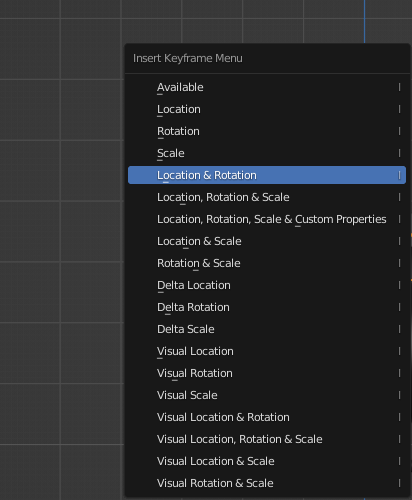
Right now the menu is organized by underline words and some char, but it's hard to memorize in my opinion in each menu.
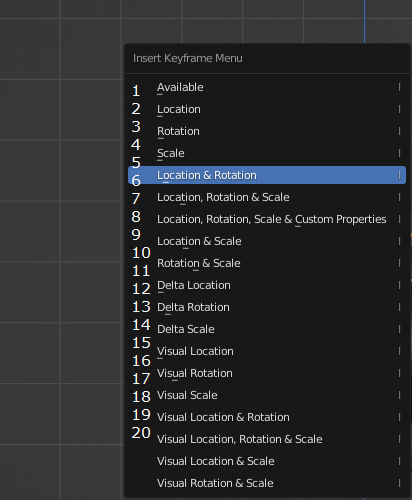
The idea is to organize this functions in
context menu
by
counter
as
no position
.
- Everything Search
- in my opinion is more cognitive to remember position in context menu than letter and the underline in menu
-
I know that are icons in some menu, but can be next to eg. turn on counter by
CAPS LOCKor other (option in window -[v] - Contex menu Counter)
How this should work?
- when type 1, then highligh and enter
- when type 1 and type 2, then highlight for 12 and enter
1 Comment
And some narration from other issue:
Soo.. I'm click spaceber (animation play is turned off), have selected, selecting all (opss, wrong.. need ESC to deselect all - need this function too), again spacebar (but fast)
..
7 Camera
8 View
9 Add modifier
10 x - delete