
Display catalogs in the asset browser's main window
I understand that in some cases you want to be able to select a catalog on the left and see every asset in there regardless of sub-catalogs. But it can get messy quickly:
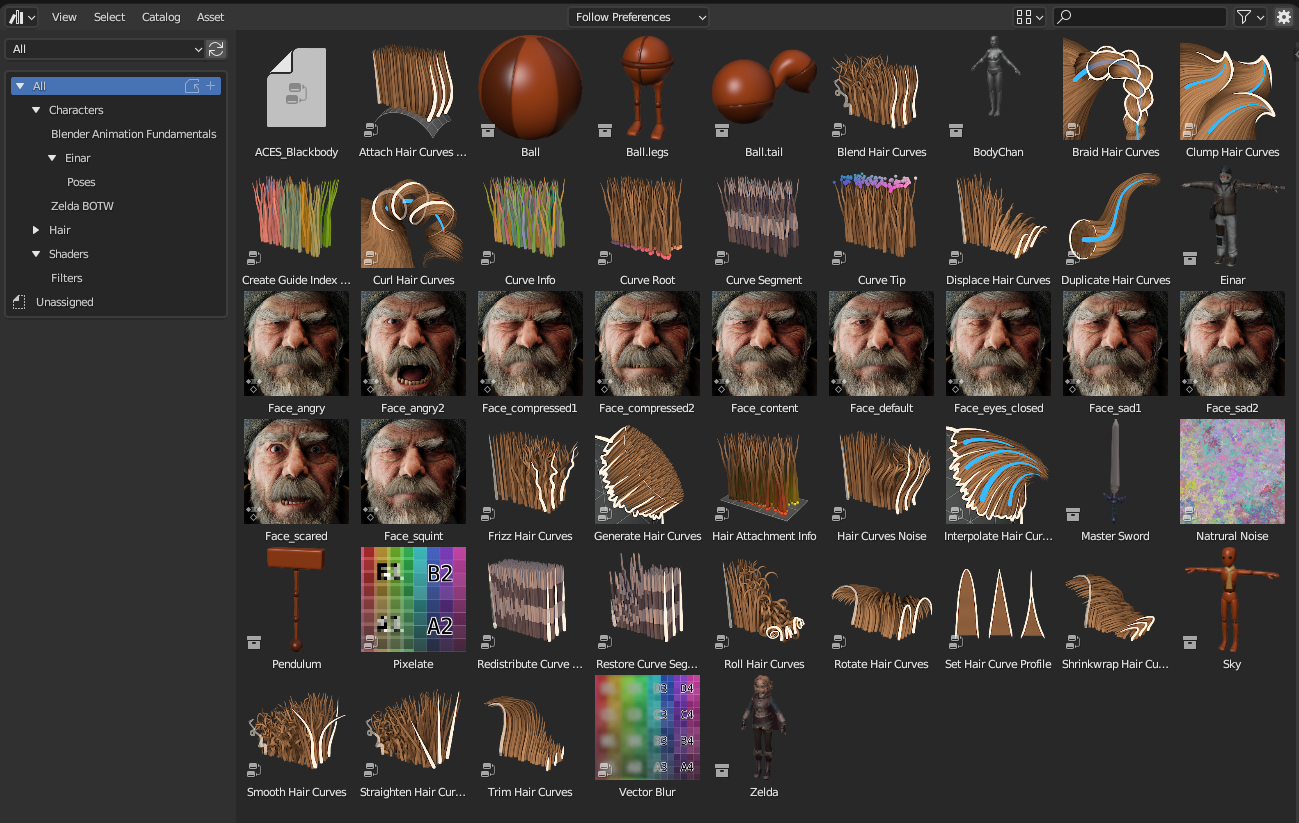
I probably don't have the crasiest library, but that's just 50 assets. I have more assets at work by just selecting one character's pose library for one sequence.
My Proposal is to have an option to display catalogs inside the main area. But in multiple possible ways and with advanced controls for users who need it.
This should both make the asset browser more user friendly, but also make it possible to have bigger libraries without clutter.
I suspect it will also greatly help with performances, as it will prevent showing absolutely every possible asset at once.
Display As Folders
Probably the most obvious one would be as folders, just like browsing a file browser
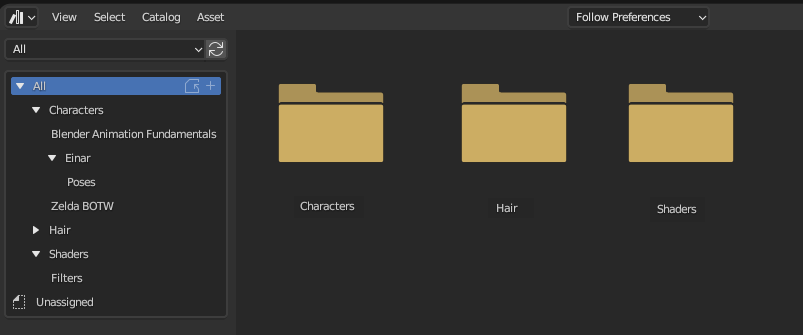
When in a folder containing both catalogs and assets, the view is much tidier, it shows only the direct children of that catalog as assets and folder icons respectively
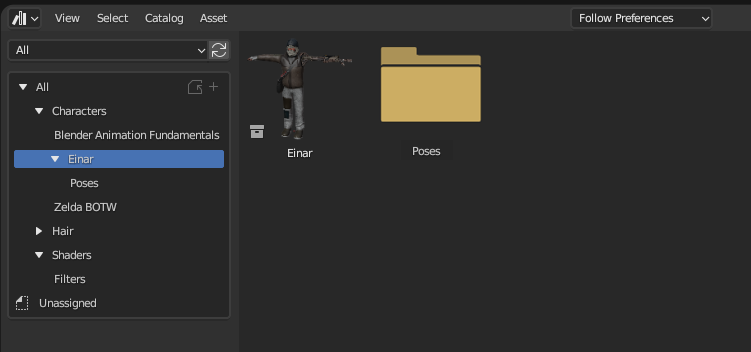
Ideally you should be able to do anything you would expect in a file browser, double click the icon to navigate inside them, drag them onto each other or to another catalog in the left sidebar to move them in another location, double click the name to rename, ...
Display As Categories
Shows the catalogs contents as it is now, but separated by the catalog's name:
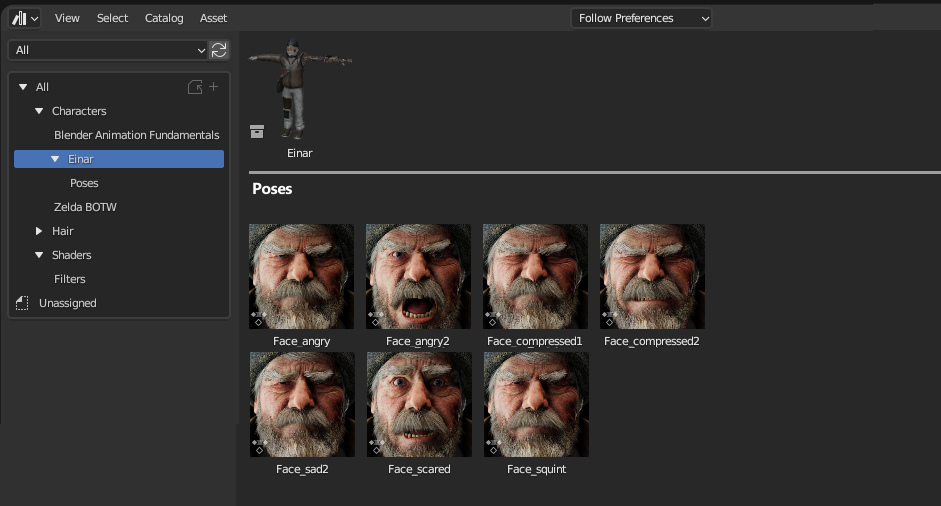
Not sure if it should show just direct children and grand-children only, or straight out everything.
Advanced control
And as a bonus, why not also let the user chose the display option for their display in the right sidebar:
- icon color (by default yellow)
-
display override:
- folder (as proposed)
- content (as current implementation)
- category
- follow preferences (default option)
The last options allow having specific catalogs to be always displayed in a specific way no matter the preference.
That would mean, for example, if I have a rigged character's catalog. I could have its "poses" catalog set to display its content, while having catalogs inside them set to display folders. That way I don't get my view cluttered by all the possible assets I may have there, but I can see the catalog tonatining them at all times.
4 Comments
Also needs Categorize by File, similar to your Display As Categories but it's all assets from one particular file grouped together. Imagine a catalog of cars and each car has a "wheel". Instead of a section of the asset browser just showing 500 wheels, you could group assets by their source file and find the "subaru88.blend" file and then that area would have the 1 wheel asset you actually wanted.
I was thinking that a 'group by' option would be helpful. I initially pictured it like what we have in window's file explorer where you can group by metadata like per date modified, per asset type, ... I guess it could also have a per blend file.
It could use the same "category display" I mocked up.
The idea of a separating line is a good one.
More view options for the Asset Browser is much needed! I'm having similar issues with clutter when viewing an entire library at once. I think grouping assets by catalog would be a huge improvement over the current view.
A list view might also be a nice addition for a more compact alternative to the grid.