
Asset Browser folder view
As of now, when we have catalogs with sub-catalogs, all the assets that belong to them are visualized at the same level. This sometimes can be confusing for telling at a glance which assets belong to which sub-catalog.
I propose to add a visualization type by having folders:
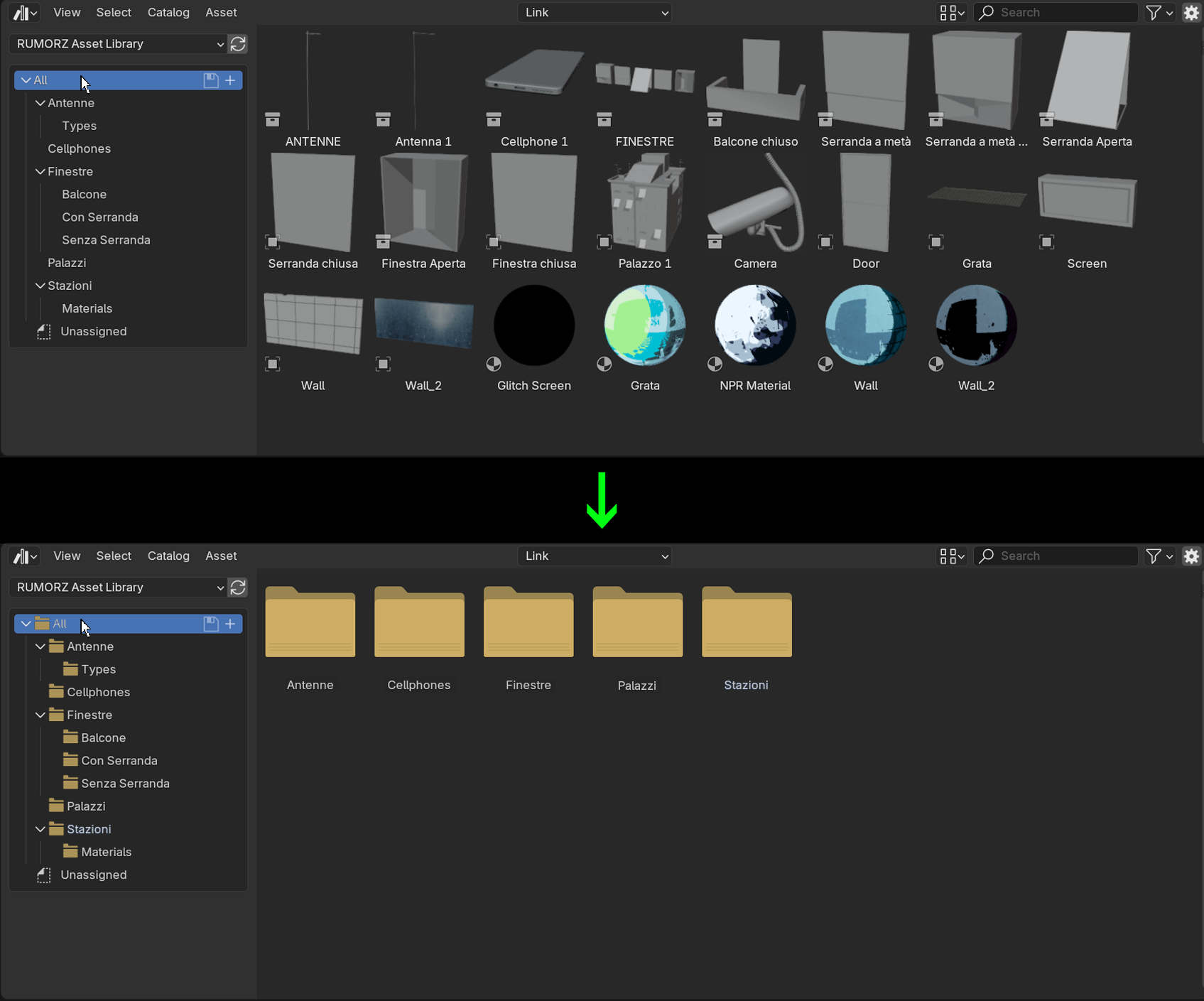
We would have folder icons in the Source List and in the thumbnail preview. This would help in having a more organized view especially when we have different types of assets (objects, materials, etc...), instead of showing all in the same place.
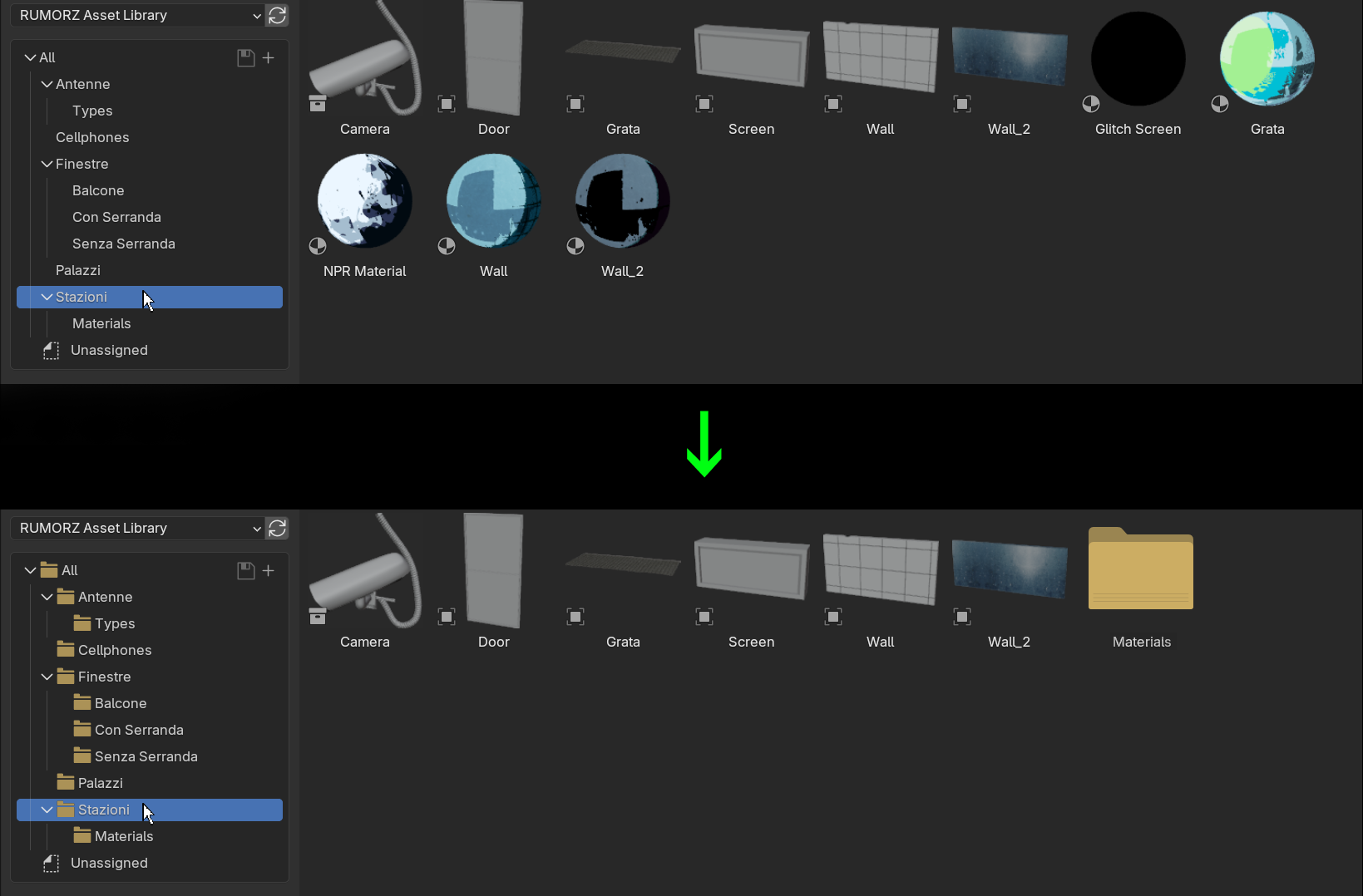
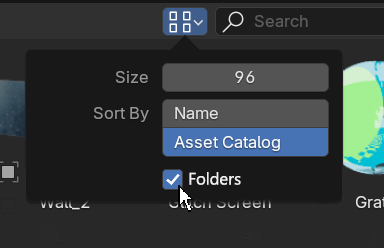
But, I know that also the current way of showing everything has its benefits. So, I would always keep the icons in the Source List, but I would make this a toggleable option for the thumbnail previews:
This idea was marked as a duplicate of Display catalogs in the asset browser's main window.
2 Comments
Duplicate of Display catalogs in the asset browser's main window — Right-Click Select
Wow, didn't catch it before making the proposal... and apparently I even upvoted yours when it was originally posted! Marking duplicate